Soluciones de informática industrial CoreIPC

Computadora Industrial para Quioscos de Autoservicio
Resumen ejecutivo
Self-service kiosks have transformed customer experiences across retail, transporte, hospitality, cuidado de la salud, banking, government services, and entertainment industries. By enabling customers to independently access information, complete transactions, print tickets, make payments, place orders, and check in for services, kiosks help organizations improve operational efficiency while reducing labor costs and wait times.
At the core of every self-service kiosk is a reliable industrial computing platform. A diferencia de las PC de consumo, self-service kiosks often operate continuously in public environments where reliability, seguridad, durabilidad, and long-term availability are critical. Hardware failures can result in service interruptions, lost revenue, customer dissatisfaction, and increased maintenance costs.
An industrial computer designed for self-service kiosk applications provides the performance, conectividad, and reliability required for 24/7 unattended operation. These systems support touch displays, escáneres de códigos de barras, Lectores RFID, payment terminals, impresoras, camaras, biometric devices, y aplicaciones conectadas a la nube.
As organizations continue investing in digital transformation and customer self-service technologies, industrial computers have become essential infrastructure for kiosk deployments. This article explores kiosk architectures, desafíos de implementación, key hardware requirements, and how industrial computing platforms support modern self-service solutions.
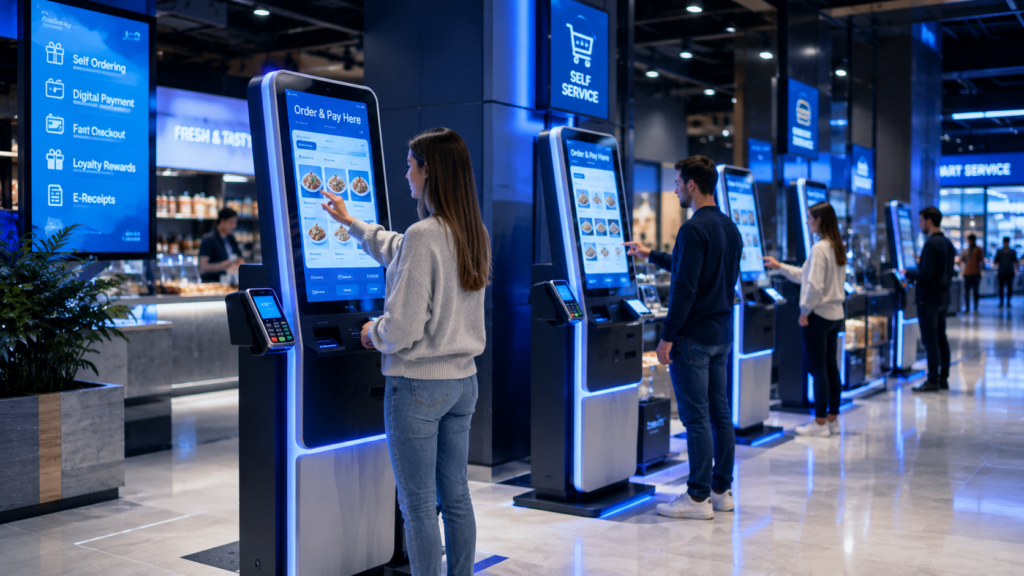
Industrial computers enable reliable self-service kiosks for ordering, payment processing, customer interaction, and smart retail automation.
Descripción general de la industria
Growth of Self-Service Technologies
Customers increasingly expect fast, convenient, and contactless service experiences.
Self-service kiosks are now widely used in:
- Retail stores
- Restaurants
- Airports
- Estaciones de ferrocarril
- Hospitals
- Banks
- Hotels
- Government facilities
- Entertainment venues
These systems improve service efficiency while enhancing customer satisfaction.
Digital Transformation and Automation
Organizations are deploying kiosks to:
- Reduce labor requirements
- Improve service speed
- Enable 24/7 operación
- Increase transaction capacity
- Enhance customer engagement
Industrial computing platforms provide the foundation for these systems.
Expanding Application Scenarios
Modern kiosks support:
- Self-ordering
- Self-payment
- Ticketing
- Check-in systems
- Information terminals
- Visitor management
- Identity verification
- Gestión de colas
Each application requires reliable embedded computing hardware.
Increasing Demand for Unattended Operation
Many kiosk deployments operate:
- 24 hours per day
- Public access environments
- Ubicaciones remotas
- High-traffic facilities
Hardware reliability becomes a critical success factor.
Desafíos clave
Requisitos de operación continua
Kiosks frequently operate around the clock.
Systems must provide:
- Alta confiabilidad
- Rendimiento estable
- Long operational life
to minimize downtime.
Public Environment Deployment
Kiosks are often installed in:
- Shopping centers
- Airports
- Hospitals
- Transportation hubs
These environments expose equipment to:
- Polvo
- Vibración
- Fluctuaciones de temperatura
- Heavy usage
Industrial-grade systems are required.
Peripheral Device Integration
Modern kiosks often include:
- Touchscreens
- Thermal printers
- Escáneres de códigos de barras
- Lectores de códigos QR
- Lectores RFID
- Cámaras
- Payment terminals
- Biometric devices
Industrial computers must support extensive I/O connectivity.
Riesgos de ciberseguridad
Connected kiosks may process:
- Payment transactions
- Personal information
- Identity data
- Business records
Security protection is essential.
Space Constraints
Kiosk enclosures often provide limited installation space.
Computing platforms must offer:
- Factores de forma compactos
- Opciones de montaje flexibles
- Diseño térmico eficiente
for successful deployment.
Lifecycle Management
Organizations frequently deploy thousands of kiosks.
Long-term hardware availability simplifies:
- Mantenimiento
- Spare part management
- Fleet upgrades
and operational planning.
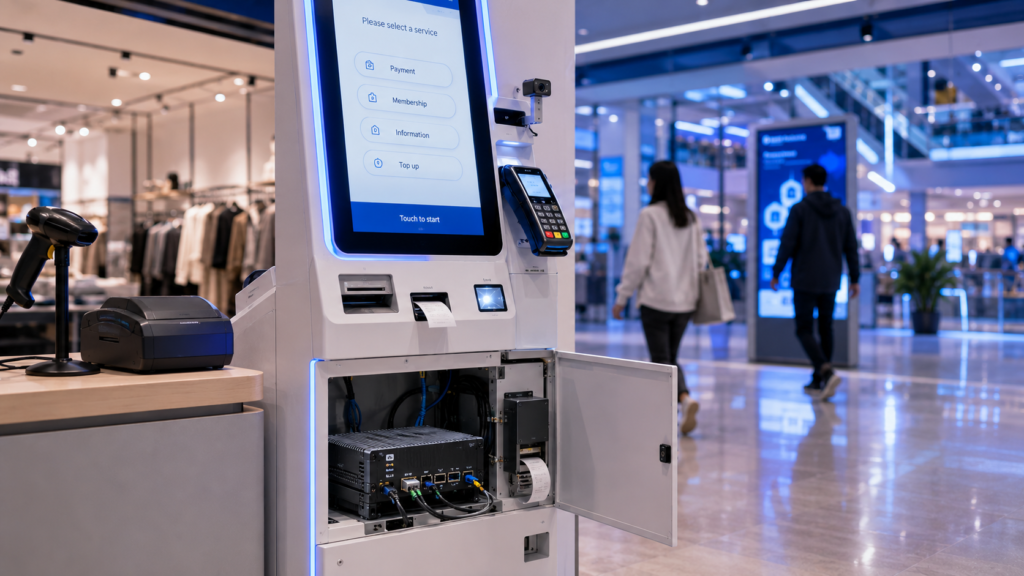
Industrial computer integrated within a self-service kiosk supporting touchscreen interaction, escaneo de código de barras, receipt printing, and digital payment processing.
Arquitectura de la solución
Self-Service Kiosk Architecture
User Interaction Layer
Customers interact through:
- Touch displays
- Keypads
- Voice interfaces
- Cámaras
to access kiosk services.
Capa de Computación Industrial
The industrial computer performs:
- Application execution
- Data processing
- Gestión de dispositivos
- Security enforcement
- User interface control
This layer serves as the kiosk’s central controller.
Peripheral Integration Layer
Connected devices may include:
- Receipt printers
- Card readers
- Escáneres de códigos de barras
- Lectores RFID
- Cámaras
- Biometric systems
The industrial computer coordinates these devices.
Network Connectivity Layer
La comunicación puede ocurrir a través de:
- Ethernet
- Wifi
- 4G LTE
- 5G networks
to support cloud and enterprise integration.
Enterprise Systems Layer
Kiosks connect to:
- POS systems
- plataformas ERP
- CRM systems
- Ticketing platforms
- Payment gateways
- Servicios en la nube
for centralized management.
Características clave
1. Diseño integrado compacto
Industrial computers fit easily into kiosk enclosures while maintaining high performance.
2. Fanless Operation
Fanless designs improve reliability and reduce maintenance requirements.
3. Amplia conectividad de E/S
Soporte para:
- USB
- Puertos serie
- LAN
- hdmi
- DisplayPort
- GPIO
enables peripheral integration.
4. Multi-Display Support
Industrial computers can drive:
- Customer-facing displays
- Operator displays
- Advertising screens
simultaneously.
5. 24/7 Fiabilidad
Industrial-grade hardware supports continuous unattended operation.
6. Secure Computing Platform
Security features help protect:
- User data
- Transactions
- Enterprise systems
de amenazas cibernéticas.
7. Conectividad flexible
Support for wired and wireless networking enables deployment flexibility.
8. Gestión Remota
Administrators can monitor and manage kiosk fleets remotely.
9. Soporte de ciclo de vida prolongado
Industrial computers remain available longer than consumer PC platforms.
Productos CoreIPC recomendados
Computadoras integradas
Ideal para:
- Compact kiosk systems
- Interactive terminals
- Information kiosks
Beneficios:
- Huella pequeña
- Bajo consumo de energía
- Easy integration
PC industriales sin ventilador
Ideal para:
- High-reliability kiosks
- Public deployment environments
- Transportation terminals
Beneficios:
- Funcionamiento sin mantenimiento
- Rendimiento silencioso
- Durabilidad industrial
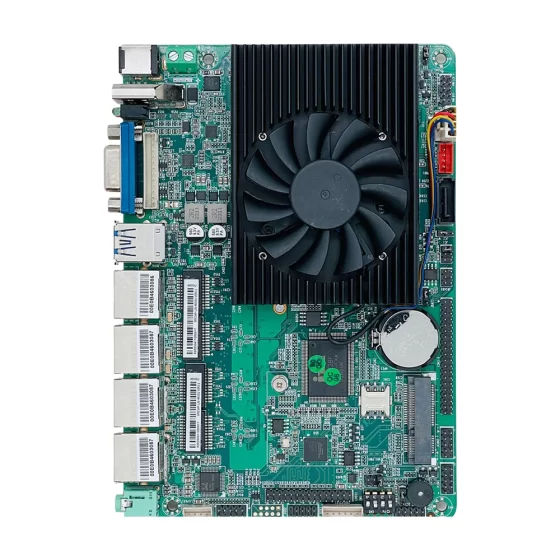
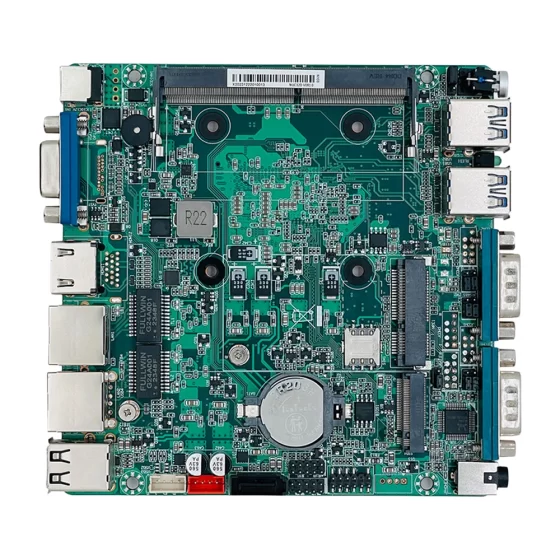
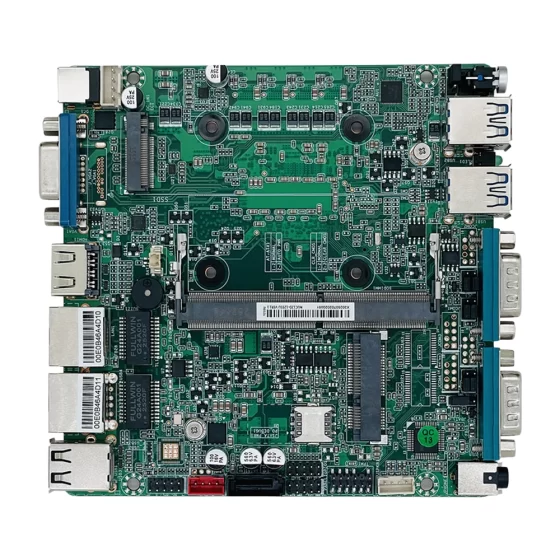
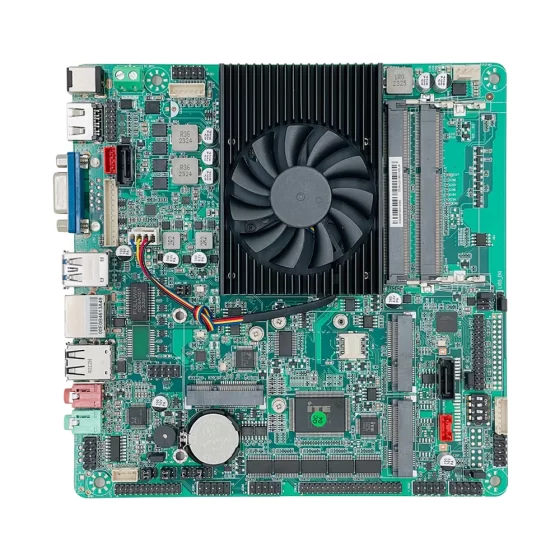
Placas base Mini-ITX
Ideal para:
- Custom kiosk development
- OEM kiosk manufacturing
Beneficios:
- Flexible enclosure design
- Rich expansion capability
PC industriales
Ideal para:
- Multi-display kiosks
- Advanced service terminals
Beneficios:
- Higher processing performance
- Peripheral support
- Flexibilidad de expansión
Tableros integrados personalizados
Ideal para:
- Specialized kiosk solutions
- Large-scale OEM deployments
Beneficios:
- Tailored functionality
- Optimización específica de la aplicación
Escenarios de implementación
Retail Self-Checkout Kiosks
Customers can:
- Scan products
- Make payments
- Print receipts
without cashier assistance.
Restaurant Self-Ordering Systems
Interactive kiosks streamline ordering and payment processes.
Airport Check-In Kiosks
Passengers can:
- Check in
- Print boarding passes
- Manage reservations
through self-service terminals.
Hospital Registration Kiosks
Patients can:
- Register appointments
- Verify information
- Complete check-in procedures
efficiently.
Banking Service Terminals
Kiosks support:
- Account inquiries
- Bill payments
- Service requests
in financial environments.
Government Service Kiosks
Citizens can access public services through interactive terminals.
Visitor Management Systems
Organizations use kiosks for:
- Visitor registration
- Badge printing
- Identity verification
at facility entrances.
Beneficios comerciales
Costos operativos reducidos
Automation reduces staffing requirements and operational expenses.
Improved Customer Experience
Self-service options reduce waiting times and improve convenience.
Increased Service Availability
Kiosks can operate continuously without human supervision.
Enhanced Scalability
Organizations can expand service capacity without significant staffing increases.
Better Operational Efficiency
Automated workflows improve transaction processing speed.
Consistent Service Delivery
Customers receive standardized experiences across locations.
Por qué CoreIPC
CoreIPC provides industrial computing platforms designed for self-service kiosks, digital terminals, payment systems, and interactive customer service applications.
Las capacidades de CoreIPC incluyen:
- Desarrollo de computadoras industriales
- Diseño de sistema integrado
- Fabricación OEM
- Personalización ODM
- Personalización del producto
- Soporte de ciclo de vida prolongado
- Fiabilidad de grado industrial
- Experiencia de implementación global
Whether developing retail kiosks, ticketing terminals, healthcare registration systems, or banking service platforms, CoreIPC delivers reliable computing solutions for demanding self-service environments.
Preguntas frecuentes
1. What is an industrial computer for self-service kiosks?
It is a reliable embedded computing platform designed to operate kiosks, digital terminals, and interactive service systems continuously.
2. Why use industrial computers instead of consumer PCs?
Las computadoras industriales proporcionan mayor confiabilidad, soporte de ciclo de vida más largo, and better environmental durability.
3. Can industrial computers support touchscreen displays?
Sí. Most kiosk platforms support touchscreens through HDMI, DisplayPort, USB, and serial interfaces.
4. What peripherals can be connected?
Printers, escáneres, camaras, Lectores RFID, payment terminals, and biometric devices can all be integrated.
5. Are fanless computers suitable for kiosks?
Sí. Fanless systems reduce maintenance requirements and improve reliability.
6. Can kiosks operate 24/7?
Industrial computers are specifically designed for continuous operation.
7. What industries use self-service kiosks?
Retail, cuidado de la salud, banking, hospitality, transporte, and government sectors commonly deploy kiosks.
8. Can industrial computers support payment systems?
Sí. Payment terminals and card readers are common kiosk peripherals.
9. Is remote management supported?
Most modern kiosk platforms support centralized remote management.
10. What networking options are available?
Ethernet, Wifi, 4G LTE, and 5G connectivity may be supported.
11. Can kiosks support multiple displays?
Sí. Multi-display support is common in modern industrial computers.
12. What should be considered when selecting a kiosk computer?
Fiabilidad, Conectividad de E/S, rendimiento de procesamiento, soporte de ciclo de vida, seguridad, and thermal design are key considerations.
Conclusión
Industrial computers play a vital role in modern self-service kiosk deployments. By providing reliable operation, rich peripheral connectivity, secure computing capabilities, y soporte de ciclo de vida prolongado, these platforms enable organizations to deliver efficient, escalable, and customer-friendly self-service experiences. As digital transformation continues to accelerate across industries, industrial computing solutions will remain a critical foundation for kiosk innovation and operational success.
Contáctenos
Looking for an Industrial Computer for Self-Service Kiosks?
CoreIPC provides computing solutions for:
- Self-Service Kiosks
- Interactive Terminals
- Señalización digital
- Payment Systems
- Ticketing Machines
- Visitor Management Systems
- Automatización minorista
- Proyectos OEM
- Proyectos ODM
Contact CoreIPC today to discuss your kiosk project requirements and identify the ideal industrial computing platform.