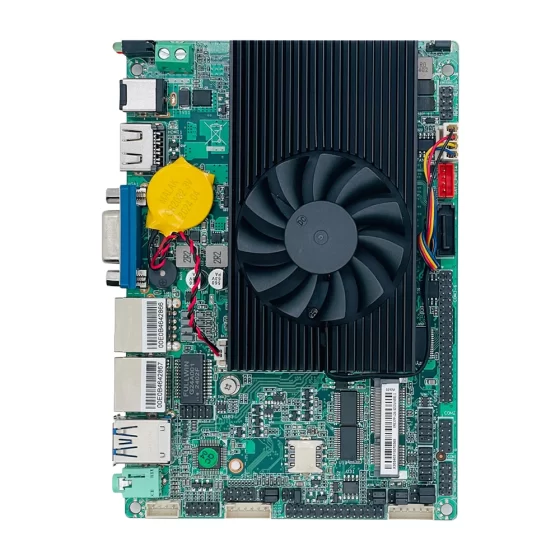
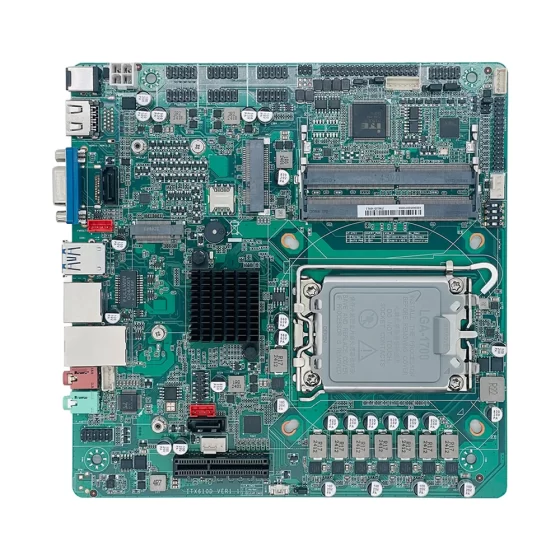
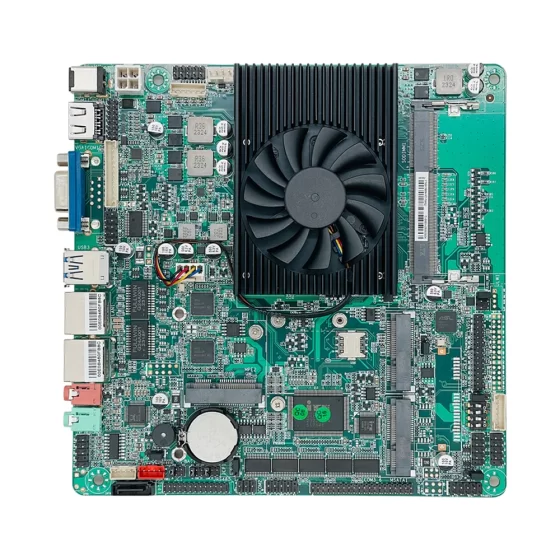
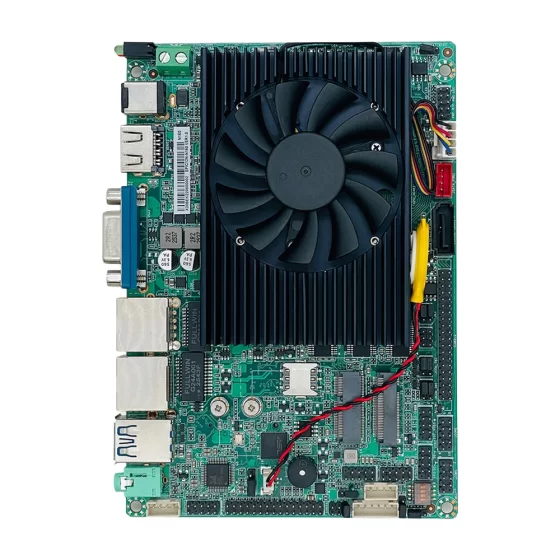
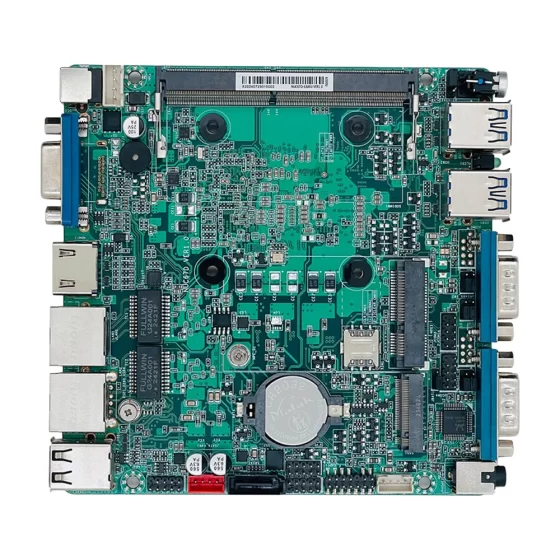
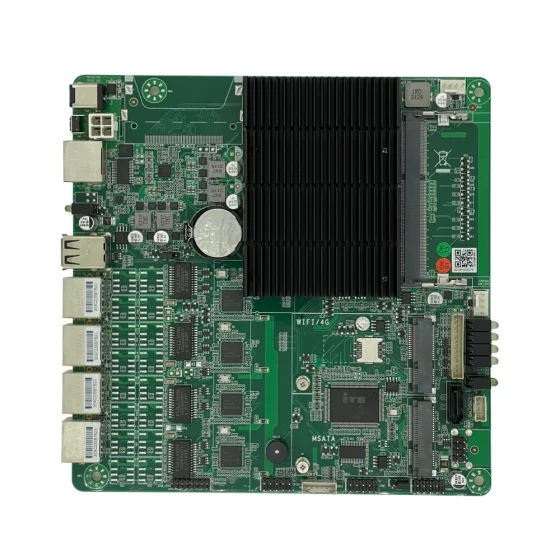
CoreIPC 산업용 컴퓨팅 솔루션

지사 보안 라우터: 안전한 분산 네트워크 연결을 위한 지사 라우터
요약
A branch office router provides the secure networking foundation for distributed offices, 원격 시설, 창고, 소매점, 서비스 센터, 산업 분야, 엔터프라이즈 시스템에 대한 안정적인 액세스가 필요한 엣지 위치, 클라우드 플랫폼, 및 로컬 장치.
현대 조직은 더 이상 하나의 본사 네트워크로 제한되지 않습니다.. 많은 회사가 여러 지점에 걸쳐 운영됩니다., 공장, 물류센터, 에너지 사이트, 교통시설, 및 원격 서비스 위치. 각 사이트에는 안전한 인터넷 액세스가 필요할 수 있습니다., VPN 연결, 방화벽 보호, 로컬 라우팅, 원격 관리, 및 네트워크 세분화.
산업용 컴퓨터 또는 임베디드 컴퓨터에 구축된 지사 보안 라우터는 유연한 다중 LAN 연결을 제공할 수 있습니다., 안전한 원격 액세스, VPN 터널, 방화벽 정책, SD-WAN 기능, 로컬 로깅, 안정적인 엣지 배포.
표준 소비자 라우터와 비교, 산업용 컴퓨터는 비즈니스 및 산업 지점 환경에 더욱 강력한 신뢰성을 제공합니다.. 견고한 설치를 지원합니다., 팬리스 디자인 옵션, 안정적인 전원 입력, 안정적인 스토리지, 유연한 I/O, 다중 LAN 포트, 긴 수명주기 가용성.
For branch offices connected to industrial environments, a security router may also need to protect PLC networks, warehouse automation systems, IIoT 게이트웨이, 카메라, 센서, 로컬 서버, 및 원격 유지 관리 도구.
This article explains how a branch office router supports secure distributed connectivity, what deployment challenges appear in real environments, 솔루션 아키텍처의 작동 방식, and which hardware features matter when selecting an industrial computer or embedded computer for branch office security router deployment.
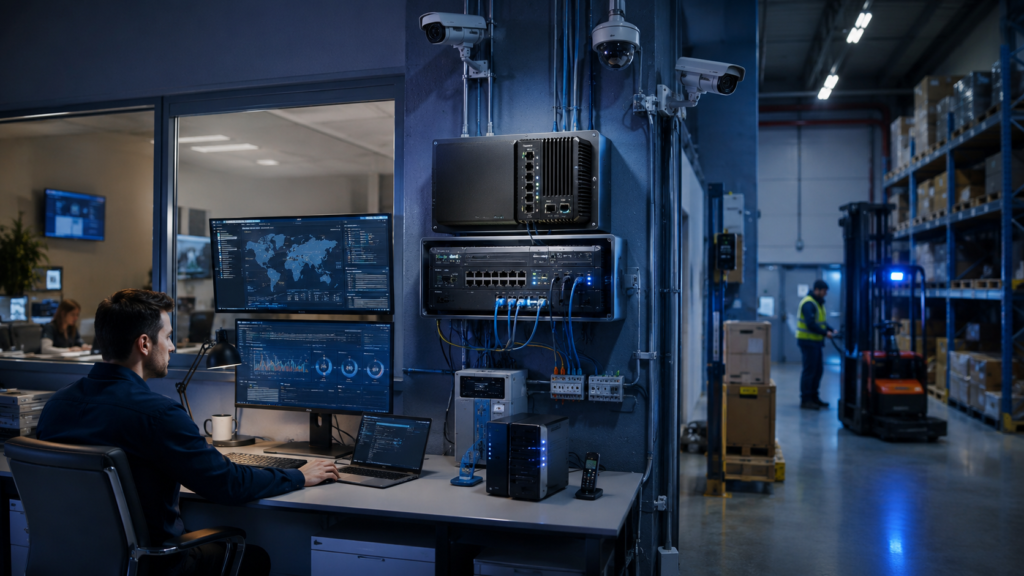
Branch office routers connect remote sites, headquarters, 클라우드 플랫폼, and local devices through controlled network paths.
산업 개요
Distributed Sites Need Secure Network Access
Branch offices and remote facilities need more than basic internet access.
They often connect users, local devices, cloud applications, enterprise platforms, remote support systems, and site equipment. In industrial or operational environments, they may also connect machines, 센서, 게이트웨이, 카메라, and automation systems.
Common branch connectivity needs include:
- Secure internet gateway
- Site-to-site VPN
- Remote user VPN
- Cloud platform access
- Local firewall protection
- 네트워크 세분화
- SD-WAN connectivity
- Remote monitoring
- Local device management
- Industrial IoT access
- Camera and security system connectivity
A branch office router helps create a controlled and manageable network boundary for each distributed site.
Branch Routers Are Becoming Security Appliances
Traditional branch routers mainly focused on routing traffic between local networks and wide area connections.
Modern branch environments require more security functions.
A practical branch office security router may support:
- Firewall rules
- VPN 터널
- WAN failover
- Remote management
- Traffic monitoring
- 네트워크 세분화
- Access control
- 로컬 로깅
- SD-WAN routing
- Secure cloud connectivity
- User and device policy control
This is especially important when branch offices connect to headquarters, 클라우드 플랫폼, and operational networks.
Industrial Computing Expands Branch Router Deployment
Many branch sites are not clean office environments.
Some routers are installed in warehouses, equipment rooms, factory cabinets, roadside facilities, 에너지 사이트, retail back rooms, logistics hubs, or remote monitoring stations.
These environments may include dust, 진동, 열, unstable power, 제한된 공기 흐름, and limited maintenance access.
Industrial computers and embedded computers provide a stronger hardware foundation for these deployments.
They can support rugged enclosures, 다중 LAN 포트, 컴팩트한 장착, 로컬 저장소, 팬리스 작동, 긴 수명주기 배포.

LAN zones, VPN workloads, WAN failover, 카메라, IIoT devices, 벌채 반출, and field conditions affect router deployment.
주요 과제
Connecting Branches Without Increasing Risk
Branch sites need access to enterprise and cloud systems, but they should not become weak points in the network.
A poorly secured branch router can expose internal systems, local devices, or remote access paths.
Important security questions include:
- Which users need access?
- Which applications are required?
- Which local systems should remain isolated?
- Which traffic should use VPN?
- Which traffic can go directly to the internet?
- Which devices should be blocked?
- Which events should be logged?
- Which remote access paths are allowed?
The branch office router must support secure connectivity without creating unnecessary exposure.
Managing Multiple Network Zones
A branch office may contain different networks.
A typical site may include office user devices, guest Wi-Fi, 로컬 서버, security cameras, point-of-sale systems, warehouse devices, 산업용 게이트웨이, 또는 자동화 장비.
These systems should not always share one flat network.
A branch office router may need to separate:
- WAN uplink
- Office LAN
- Guest network
- 카메라 네트워크
- Local server network
- 산업용 IoT 네트워크
- 원격 유지보수 네트워크
- 관리 네트워크
Multiple LAN ports and clear policies help improve segmentation.
Supporting VPN and Site-to-Site Connectivity
Many branch offices need secure communication with headquarters, 데이터 센터, 클라우드 플랫폼, or other sites.
VPN performance depends on encryption workload, tunnel count, traffic volume, and hardware capability.
The branch router may need to support:
- Site-to-site VPN
- Remote user VPN
- Branch-to-cloud tunnels
- Headquarters connectivity
- Remote maintenance access
- Secure backup links
- Centralized management traffic
- Industrial monitoring data
The hardware should be selected according to real traffic requirements, not only basic routing needs.
WAN Reliability and Failover
Branch offices often depend on wide area network links.
If the internet connection fails, business applications, 원격 모니터링, cloud access, and support workflows may be interrupted.
A branch office security router may need to support primary and backup links.
Examples include:
- Fiber uplink
- Broadband uplink
- Cellular backup router
- Secondary WAN connection
- SD-WAN policy routing
- Automatic failover
- Link health monitoring
- 로컬 데이터 버퍼링
Reliable WAN design improves business continuity.
Field Deployment and Maintenance
Branch routers may be deployed in locations with limited IT staff.
A device may need to run for long periods with minimal maintenance.
Deployment challenges may include:
- Small cabinet space
- Cable stress
- Dust
- Heat
- 진동
- 불안정한 힘
- Remote troubleshooting
- Limited on-site technical support
- Long hardware lifecycle requirements
Industrial hardware helps reduce maintenance risk and improves long-term stability.

Branch routers connect local networks, VPN 터널, 클라우드 플랫폼, logging systems, headquarters, and remote management tools.
Branch Office Router Solution Architecture
Local Branch Network Layer
The local branch network layer includes users, 장치, and systems at the branch site.
이 레이어에는 다음이 포함될 수 있습니다.:
- Office PCs
- Printers
- Local servers
- Wi-Fi access points
- Security cameras
- Access control devices
- Industrial IoT gateways
- Warehouse equipment
- Point-of-sale devices
- 센서
- Embedded controllers
- Local monitoring systems
The branch office router provides routing, 분할, and security control between these devices and external networks.
Branch Security Router Layer
The branch security router layer is the core platform.
이 레이어에서는, 산업용 컴퓨터나 임베디드 컴퓨터는:
- Route branch traffic
- Apply firewall rules
- Establish VPN tunnels
- Segment local networks
- Support WAN failover
- Monitor link health
- Store logs
- Control remote access
- Support SD-WAN policies
- Provide local management access
This layer connects the branch site securely with enterprise and cloud resources.
Security Policy Layer
The security policy layer defines what traffic is allowed, blocked, routed, inspected, or logged.
Policies may be based on:
- User group
- Device type
- Network zone
- Application type
- Destination system
- Branch location
- Remote access need
- Time window
- Security risk
- Business priority
Clear policies help prevent broad network exposure and support safer branch operations.
WAN and VPN Connectivity Layer
The WAN and VPN connectivity layer connects the branch office to external systems.
여기에는 다음이 포함될 수 있습니다.:
- Internet uplink
- Backup WAN link
- Site-to-site VPN
- Remote user VPN
- Headquarters connection
- Cloud platform tunnel
- SD-WAN control path
- Remote management link
This layer allows the branch to communicate securely with enterprise applications, 클라우드 시스템, and remote teams.
Monitoring and Management Layer
Branch router deployments need visibility.
The router may provide local and remote status information, 포함:
- WAN link status
- VPN tunnel status
- Firewall events
- Blocked traffic logs
- Device health
- CPU and memory usage
- Storage status
- Remote access history
- Network traffic volume
- Configuration change records
This helps IT teams manage distributed sites more efficiently.
주요 특징
Multi-LAN Network Segmentation
Multiple LAN ports are important for branch office router hardware.
They allow the router to separate local networks and apply different policies.
Useful configurations may include:
- WAN uplink
- Backup WAN uplink
- Office LAN
- Guest network
- 카메라 네트워크
- 산업용 IoT 네트워크
- Local server network
- 관리 네트워크
Multi-LAN design improves security, traffic control, and network organization.
Firewall and VPN Performance
A branch office router must process routing, firewall rules, VPN 터널, and traffic monitoring reliably.
하드웨어 선택을 고려해야 합니다.:
- CPU 성능
- 메모리 용량
- LAN port count
- Port speed
- VPN tunnel count
- Encrypted throughput
- Firewall rule complexity
- WAN speed
- Logging workload
- 운영 체제 지원
For larger branch sites, performance should be validated with realistic traffic patterns.
WAN Failover and Link Management
WAN failover is important for distributed sites.
A practical router platform should support primary and backup connectivity planning.
The system may support:
- Primary WAN uplink
- Backup broadband link
- Cellular router connection
- Link health monitoring
- Automatic failover
- Policy-based routing
- Traffic prioritization
- Remote alerting
This helps keep branch systems connected during uplink problems.
안정적인 로컬 스토리지
Local storage supports router software, 로그, 구성 백업, certificates, 진단 파일, and security event records.
SSD 또는 NVMe 스토리지는 기계식 드라이브보다 빠른 액세스와 더 나은 충격 저항을 제공하기 때문에 일반적으로 선호됩니다..
스토리지 계획에서는 고려해야 할 사항:
- 로그 보존
- VPN certificates
- 구성 백업
- Local diagnostics
- Security records
- 지구력 쓰기
- 복구 워크플로
Reliable storage helps support troubleshooting and audit review.
견고하고 팬이 없는 디자인
Fanless industrial computers are useful for branch router deployment in dusty, 원격, or low-maintenance environments.
먼지 유입을 줄이고 일반적인 기계적 고장 지점 하나를 제거합니다..
견고한 인클로저로 진동으로부터 보호, cable strain, cabinet installation stress, 지속적인 작동.
Thermal design should still be reviewed because VPN encryption, firewall processing, and logging can create sustained workload.
유연한 산업용 I/O
Branch office security routers may need more than Ethernet.
유용한 I/O 옵션은 다음과 같습니다.:
- 랜
- USB
- RS232
- RS485
- GPIO
- 디지털 입력
- 디지털 출력
- HDMI
- 디스플레이포트
- M.2
- PCIe
- SATA 또는 NVMe
Serial ports may support legacy service access. GPIO can support alarm output. M.2 or PCIe expansion can support wireless modules, additional LAN, or storage.
긴 수명주기 및 유지 관리성
Branch router hardware may be deployed across many locations.
Consistent hardware simplifies configuration templates, 소프트웨어 이미지, 예비 부품 계획, remote maintenance, 및 수명주기 관리.
Industrial computing platforms with lifecycle planning help system integrators and operators maintain stable deployments across distributed branch networks.
배포 시나리오
Branch Office Network Gateway
A branch office router can act as the main security gateway for a remote office.
It can provide local routing, 방화벽 정책, VPN 액세스, internet gateway functions, 및 네트워크 세분화.
This supports secure connectivity between the branch site and enterprise systems.
Warehouse Branch Router
Warehouses may include office networks, WMS 플랫폼, 바코드 시스템, 카메라, 컨베이어, 산업용 컴퓨터.
A branch office security router can separate these networks and connect the warehouse securely to headquarters or cloud systems.
This supports logistics operations and remote management.
Retail and Service Site Router
Retail branches and service locations need secure connectivity for POS systems, local devices, 카메라, staff networks, and cloud applications.
An embedded computer-based router can provide compact, reliable deployment for distributed locations.
It can also support VPN access and local segmentation.
Industrial Branch Connectivity
Some branch offices are connected to production or operational systems.
The router may need to protect industrial IoT gateways, local PLC networks, 센서, 미터, or monitoring systems.
An industrial computer platform provides the rugged hardware and I/O flexibility required for these environments.
Remote Facility Router
Remote facilities may include utility rooms, 에너지 사이트, transportation cabinets, monitoring stations, or small field offices.
A branch office router can provide secure uplink connectivity, 원격 모니터링, local firewall functions, and data transfer.
Reliable hardware is important when on-site maintenance is limited.
Site-to-Site VPN Gateway
Branch offices often need secure tunnels to headquarters or data centers.
A security router can manage site-to-site VPN connections and route traffic according to policy.
This supports enterprise application access, file services, monitoring platforms, and remote management.
SD-WAN Branch Appliance
A branch office security router can also act as an SD-WAN edge appliance.
It can manage multiple uplinks, support failover, prioritize traffic, and connect the branch to centralized platforms.
This is useful for larger distributed organizations.
OEM Branch Security Appliance
System integrators and network security providers can build custom branch routers using industrial computers or embedded boards.
The platform can support firewall software, VPN, SD-WAN, 벌채 반출, 라우팅, and rugged appliance-style deployment.
비즈니스 이점
Secure Distributed Connectivity
A branch office router helps connect remote locations to enterprise systems through controlled network paths.
It can apply firewall rules, VPN policies, and segmentation between local devices and external networks.
This improves security for distributed operations.
Better Network Segmentation
Multi-LAN branch routers help separate office devices, guest networks, 카메라, industrial devices, 로컬 서버, and management traffic.
This reduces unnecessary exposure and improves network organization.
Segmentation is especially important when branch sites include operational or industrial equipment.
Improved Business Continuity
WAN failover and link monitoring help keep branch sites connected.
If the primary uplink fails, the router can switch to a backup path when configured properly.
This reduces downtime risk for cloud applications, monitoring systems, and remote management.
Easier Remote Management
Branch sites may not have full-time IT staff.
A security router with remote monitoring, 로그, and stable hardware helps central teams manage distributed locations.
This reduces field maintenance workload and improves troubleshooting efficiency.
Reliable Field Deployment
Industrial computers provide stronger hardware for branch router deployment in warehouses, 공장, equipment rooms, 교통 장소, and remote facilities.
Fanless design, 견고한 장착, 안정적인 스토리지, and long lifecycle support help reduce maintenance risk.
Scalable Branch Network Rollout
A standardized branch office router platform makes it easier to deploy across many sites.
Consistent hardware simplifies configuration, 소프트웨어 이미지, VPN templates, 예비 부품 계획, 및 수명주기 관리.
This supports scalable branch expansion and distributed network security.
왜 CoreIPC인가?
CoreIPC provides industrial computing platforms for network security, 산업용 IoT, 원격 모니터링, 공장 자동화, 및 임베디드 시스템 통합. For branch office router applications, CoreIPC는 안정적인 산업용 컴퓨터 하드웨어에 중점을 둡니다., 임베디드 컴퓨터 솔루션, 다중 LAN 구성, 유연한 I/O, 컴팩트한 시스템 디자인, 팬리스 배포 옵션, 로컬 저장 기능, 및 OEM/ODM 맞춤형 지원. CoreIPC는 시스템 통합자를 돕습니다., security solution providers, and industrial operators select computing platforms that match real deployment requirements, including LAN port count, VPN workload, WAN failover, 저장 요구 사항, 장착 방법, 전원 입력, 열적 조건, 및 수명주기 계획.
자주 묻는 질문
1. What is a branch office router?
A branch office router is a network gateway used to connect a remote office or branch site to the internet, headquarters, 클라우드 플랫폼, or other enterprise networks.
It may support routing, firewall rules, VPN 터널, WAN failover, 교통 모니터링, local segmentation, and remote management. In industrial branches, it may also protect IoT gateways, 카메라, 센서, or automation devices.
2. Why use an industrial computer for a branch office router?
An industrial computer provides rugged hardware and flexible connectivity for branch locations that may not have clean office conditions.
여러 LAN 포트를 지원할 수 있습니다., 안정적인 스토리지, 팬리스 작동, 산업용 장착, 안정적인 전원 입력, 긴 수명주기 가용성. These features are useful for warehouses, 원격 시설, 공장, and infrastructure sites.
3. How is an embedded computer used as a branch router?
An embedded computer can act as a compact branch router or security gateway.
It can be installed in a cabinet, equipment room, retail site, warehouse, or remote facility. It can run routing, 방화벽, VPN, 벌채 반출, and segmentation functions while using less space than larger network appliances.
4. Why are multiple LAN ports important for branch routers?
Multiple LAN ports allow the router to separate different networks.
One port may connect to WAN, another to office LAN, another to cameras, another to industrial IoT devices, and another to management or remote maintenance systems. This supports segmentation and better traffic control.
5. Can a branch office router support VPN?
예. A branch office router can support site-to-site VPN, remote user VPN, branch-to-cloud tunnels, and secure access to headquarters systems.
The required hardware depends on VPN tunnel count, encrypted throughput, number of users, and traffic volume.
6. Can a fanless industrial computer support branch router workloads?
예. Fanless industrial computers can support many branch router deployments because they reduce dust intake and remove one mechanical failure point.
하지만, VPN encryption, firewall rules, WAN traffic, and logging can create sustained heat. Enclosure design, 주변 온도, and cabinet airflow should be reviewed before deployment.
7. What hardware features matter for branch office security routers?
Important features include multiple LAN ports, 충분한 CPU 성능, 안정적인 메모리, SSD 또는 NVMe 스토리지, 견고한 인클로저, 팬리스 디자인, 산업용 전원 입력, USB, 직렬 포트, GPIO, 디스플레이 출력, 및 확장 옵션.
The final configuration should match branch size, traffic volume, VPN workload, WAN failover design, 및 설치 환경.
8. Can branch office routers support SD-WAN?
예. A branch office security router can serve as an SD-WAN edge platform if the software stack supports SD-WAN functions.
It may manage multiple uplinks, route traffic according to policy, support failover, and connect distributed branches with centralized platforms.
9. Can branch routers protect industrial IoT devices?
예. Branch routers can help protect industrial IoT devices by separating them from office networks, controlling external communication, and securing cloud or platform access.
This is useful when branch sites include sensors, 미터, 게이트웨이, 카메라, or automation systems.
10. 배포 전에 테스트해야 할 사항?
배포 전, the system should be tested with real network topology, WAN links, VPN 터널, firewall rules, segmentation design, traffic volume, logging behavior, 그리고 장기 실행 작업.
열 안정성, WAN failover, 원격 관리, 구성 백업, 복구 절차도 검증해야 합니다..
결론
A branch office router is a practical foundation for secure distributed connectivity, local firewall protection, VPN 액세스, WAN failover, 네트워크 세분화, and remote branch management.
By placing an industrial computer or embedded computer at the branch network edge, organizations can connect remote offices, 창고, 소매점, 산업 분야, transportation nodes, and remote facilities through controlled and reliable communication paths.
The right branch office router platform should be selected according to real deployment requirements, including LAN port count, WAN design, VPN workload, firewall rules, branch size, 네트워크 세분화, 저장 요구 사항, 장착 방법, 전원 입력, 열적 조건, 운영 체제 지원, 및 수명주기 계획.
CoreIPC supports branch office router projects with industrial computing platforms designed for practical business, 산업의, and field deployment. 올바른 하드웨어 기반을 갖춘 경우, system integrators and security solution providers can build reliable, 확장 가능, and secure branch network appliances.
문의하기
산업용 컴퓨터를 찾고 계시다면, 임베디드 컴퓨터, or multi-LAN platform for branch office router deployment?
프로젝트 요구 사항을 논의하려면 CoreIPC에 문의하세요., including LAN port count, WAN failover, VPN workload, firewall functions, 네트워크 세분화, 스토리지 구성, 장착 방법, 전원 입력, 운영 환경, 수명주기 요구 사항, 및 OEM/ODM 사용자 정의 옵션.