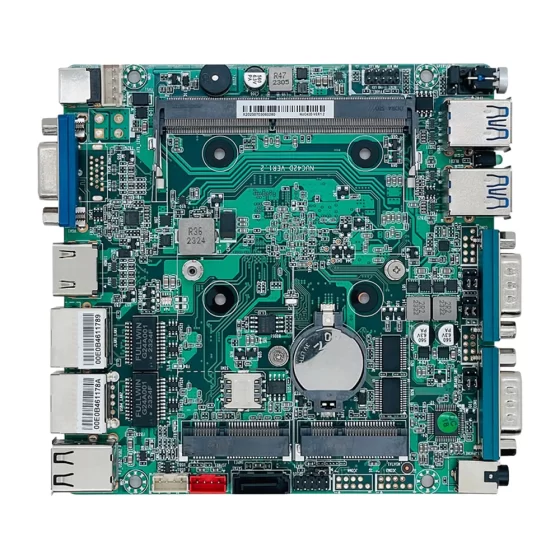
CoreIPC 산업용 컴퓨팅 솔루션

IDS 컴퓨팅 플랫폼: 산업용 네트워크 침입 탐지를 위한 IDS 어플라이언스
요약
An IDS appliance provides the industrial computing foundation for network intrusion detection, 교통 모니터링, 보안 가시성, 이상 탐지, 및 산업용 네트워크 보호.
현대 산업 환경은 점점 더 연결되고 있습니다.. 공장, 에너지 시설, 교통 시스템, 창고, 원격 인프라 사이트는 이제 PLC에 의존합니다., SCADA 시스템, 산업용 PC, 임베디드 컴퓨터, IIoT 게이트웨이, 카메라, 센서, HMI, 원격 유지 관리 플랫폼.
이러한 연결성을 통해 생산성과 가시성이 향상됩니다., 하지만 이는 또한 더 많은 네트워크 보안 노출을 야기합니다..
IDS 컴퓨팅 플랫폼은 생산 통신을 직접 중단하지 않고도 네트워크 트래픽을 모니터링하고 의심스러운 활동을 감지하는 데 도움이 됩니다.. 트래픽을 적극적으로 차단하는 인라인 보안 장치와는 달리, 침입 탐지 시스템은 일반적으로 트래픽을 관찰합니다., 이벤트 분석, 검토를 위한 알림을 생성합니다..
산업용 컴퓨터 또는 임베디드 컴퓨터가 IDS 하드웨어 플랫폼 역할을 할 수 있습니다.. 미러링된 네트워크 트래픽에 연결할 수 있습니다., 여러 네트워크 영역 모니터링, 보안 로그 저장, run detection software, and send alerts to security dashboards or monitoring platforms.
일반 사무용 PC와 비교, industrial computers are better suited for IDS appliance deployment because they support rugged installation, 다중 LAN 구성, 안정적인 스토리지, 팬리스 디자인 옵션, 안정적인 전원 입력, 긴 수명주기 가용성.
This article explains how IDS appliances support industrial cybersecurity, what challenges appear in real deployment, 솔루션 아키텍처의 작동 방식, and which hardware features are important when selecting an industrial computer or embedded computer for IDS computing platforms.
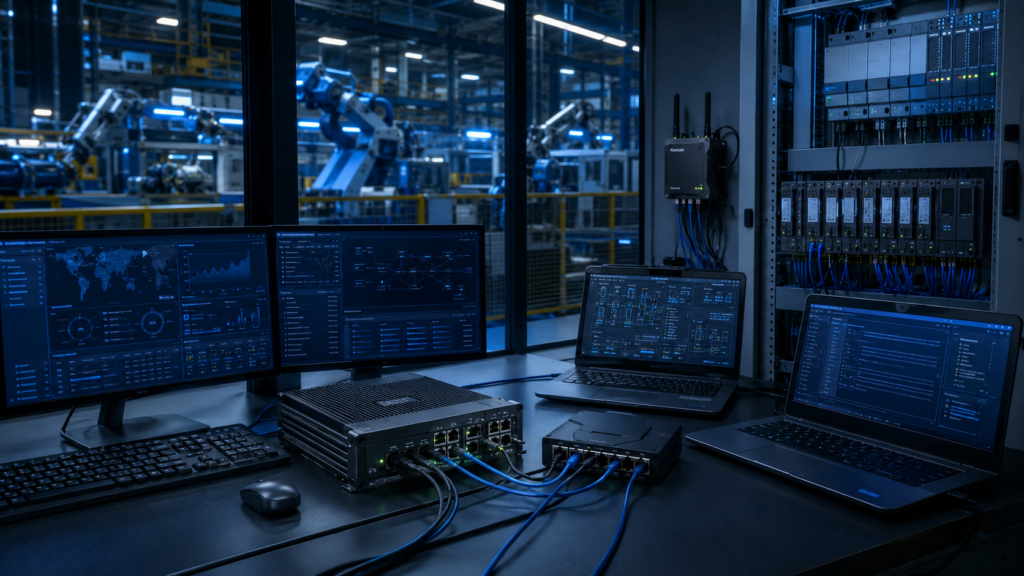
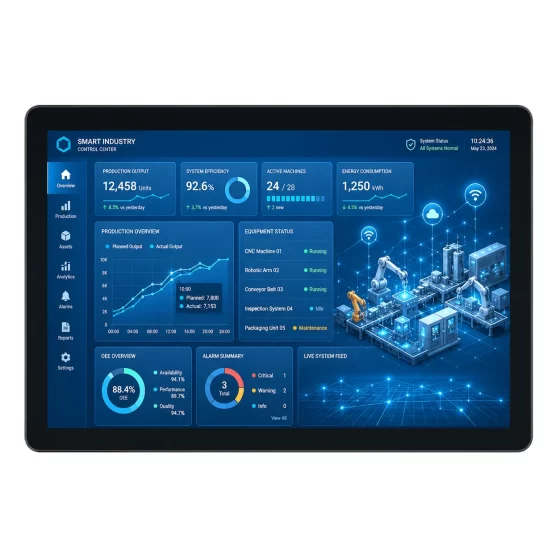
IDS computing platforms help monitor factory IT, 구약, PLC, SCADA, and machine networks.
산업 개요
Industrial Networks Need Better Security Visibility
Industrial networks are no longer isolated.
Production systems often exchange data with MES, SCADA, ERP, 클라우드 플랫폼, remote maintenance tools, 산업용 IoT 게이트웨이, and multi-site networks.
This makes security visibility more important.
Industrial operators need to know what is happening across:
- PLC 네트워크
- SCADA networks
- Machine networks
- Industrial IoT systems
- Camera networks
- Remote service connections
- Engineering workstations
- Energy monitoring systems
- Warehouse automation systems
- Transportation infrastructure
- Remote utility facilities
A practical IDS appliance helps monitor network behavior and identify suspicious communication patterns.
IDS Appliances Support Detection Without Immediate Blocking
An intrusion detection system is usually deployed to observe traffic and generate alerts.
This is especially useful in industrial environments because production communication must remain stable. Blocking the wrong traffic can stop machines, disrupt SCADA polling, or interfere with remote monitoring.
An IDS appliance can detect:
- Unusual network scans
- Unauthorized connection attempts
- Abnormal protocol behavior
- Suspicious remote access activity
- Unexpected device communication
- Malware-like traffic patterns
- Policy violations
- Unknown devices on the network
- Excessive traffic from specific endpoints
- Changes in baseline communication
The goal is to improve awareness before making network changes that could affect production.
Industrial Hardware Is Important for IDS Deployment
IDS systems are often deployed near network boundaries, 제어 캐비닛, production cells, 원격 시설, or infrastructure sites.
These locations may include vibration, 먼지, 제한된 공기 흐름, 온도 변화, 전기적 소음, and continuous operating schedules.
Industrial computers and embedded computers provide a suitable foundation for this type of deployment.
They support multi-LAN networking, 로컬 저장소, 견고한 기계 설계, 산업용 장착, 팬리스 작동 옵션, and stable long-term availability.

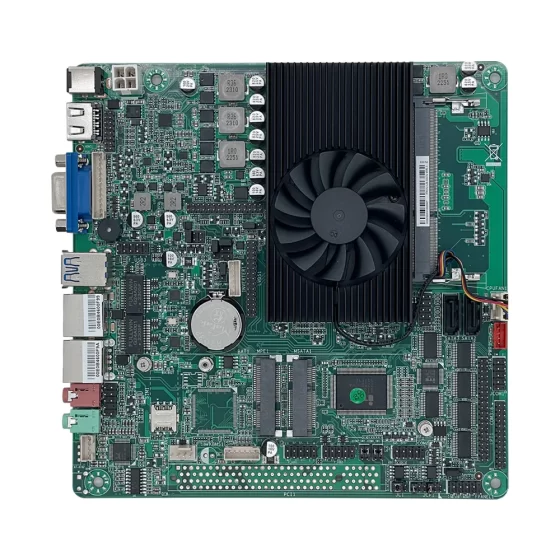
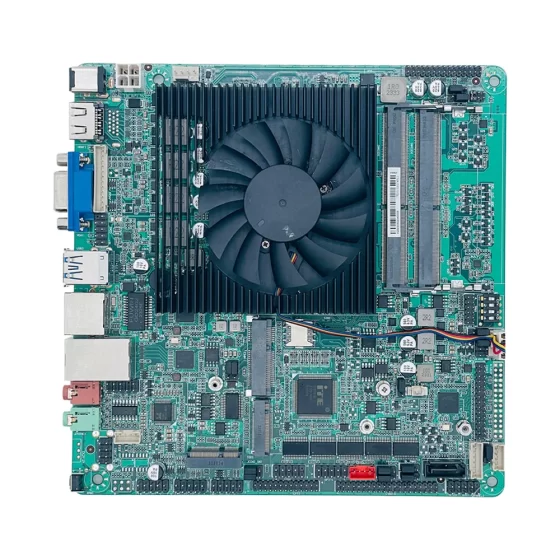
Mirrored traffic, network TAPs, high traffic volume, PLC 네트워크, and IIoT gateways affect IDS deployment planning.
주요 과제
Monitoring Without Interrupting Production
Industrial networks often carry critical traffic.
PLC 통신, SCADA polling, HMI access, robot controller traffic, 머신 데이터, and alarm communication may be sensitive to disruption.
An IDS appliance is often deployed passively through network mirroring, SPAN ports, or network TAPs.
This helps monitor traffic without becoming an inline point of failure.
하지만, passive deployment still requires careful planning.
System designers must understand:
- Which network segments should be monitored
- How mirrored traffic will be delivered
- Whether packet loss may affect visibility
- How much traffic the IDS must inspect
- Where alerts should be sent
- How logs should be retained
- How monitoring will scale across sites
High Network Traffic Volume
Industrial sites may generate large amounts of network traffic.
Camera systems, IIoT 게이트웨이, SCADA polling, historian uploads, remote service connections, and multi-site data transfer can all increase traffic volume.
An IDS appliance must process this traffic reliably.
중요한 작업 부하 요소는 다음과 같습니다.:
- Number of monitored network segments
- Port speed
- Mirrored traffic volume
- Packet inspection workload
- Detection rule complexity
- Log volume
- Alert frequency
- Local storage workload
- Dashboard integration
- 장기 실행 작업
If the hardware is underpowered, detection performance may become unstable.
Understanding Industrial Protocols
Industrial networks may use protocols and traffic patterns that differ from office networks.
The IDS platform may need to observe communication related to PLCs, SCADA 시스템, 산업용 게이트웨이, HMI, 센서, 미터, 로봇, and automation devices.
A useful IDS deployment should distinguish normal industrial communication from suspicious behavior.
This requires correct configuration, baseline monitoring, rule tuning, and cooperation between IT security teams and OT engineers.
Managing Alerts and False Positives
An IDS appliance can generate many alerts if it is not tuned properly.
Too many false positives can cause operators to ignore warnings. Too few alerts may miss important events.
A practical deployment should define:
- Critical alert types
- Baseline traffic behavior
- Allowed communication patterns
- Trusted devices
- Maintenance windows
- Remote service policies
- Logging priority
- Review workflow
- Escalation process
The hardware platform should support stable logging, local dashboards, and integration with monitoring systems.
Long-Term Reliability in Industrial Sites
IDS appliances may run continuously for years.
They may be installed inside security cabinets, 제어실, production areas, 에너지 사이트, transportation cabinets, or remote facilities.
If the IDS platform fails, security visibility may be lost.
Industrial hardware helps reduce this risk through rugged design, 안정적인 스토리지, 팬리스 옵션, industrial power support, and long lifecycle planning.

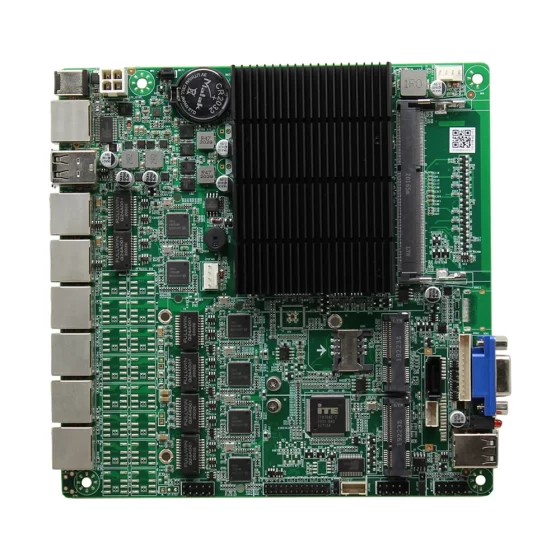
IDS appliances connect mirrored network traffic, industrial systems, event databases, and security monitoring platforms.
IDS Appliance Solution Architecture
Industrial Network Layer
The industrial network layer includes the systems being monitored.
이 레이어에는 다음이 포함될 수 있습니다.:
- PLC
- HMI
- SCADA servers
- 산업용 PC
- Embedded controllers
- Machine controllers
- Robots
- 카메라
- 센서
- 에너지 미터
- IIoT 게이트웨이
- Engineering workstations
These systems may be divided into multiple network zones.
The IDS appliance observes traffic across selected zones to detect suspicious behavior.
Traffic Collection Layer
The traffic collection layer provides the IDS appliance with network visibility.
Common methods include:
- Switch SPAN ports
- Network TAPs
- Mirrored traffic
- Dedicated monitoring ports
- Segmented network monitoring
- Aggregated traffic feeds
This layer should be designed carefully.
Poor traffic collection can create blind spots, packet loss, or incomplete detection.
IDS Computing Layer
The IDS computing layer is where the industrial computer or embedded computer processes monitored traffic.
이 레이어에서는, the system may:
- Receive mirrored network traffic
- Inspect packets
- Analyze protocol behavior
- Detect suspicious patterns
- Compare traffic against rules
- Store logs
- Generate alerts
- Display local dashboards
- Send events to security platforms
- Monitor system health
This layer provides the computing foundation for intrusion detection.
Detection and Analytics Layer
The detection and analytics layer contains the software logic used to identify potential threats.
Depending on the deployment, it may include:
- Signature-based detection
- Anomaly detection
- Protocol analysis
- Baseline comparison
- Device behavior monitoring
- Rule-based alerting
- Traffic pattern analysis
- Security event correlation
- Industrial protocol visibility
The industrial computer must support the required operating system, IDS software, 저장, network drivers, and monitoring tools.
Security Monitoring Layer
The monitoring layer connects IDS results with operators and security teams.
The IDS appliance may send alerts to:
- Local security dashboards
- SIEM platforms
- SOC systems
- Industrial network monitoring tools
- SCADA security dashboards
- Cloud monitoring platforms
- Maintenance workstations
- Central management systems
This helps convert network detection data into actionable security visibility.
주요 특징
Multi-LAN Monitoring Capability
Multiple LAN ports are important for IDS appliances.
They allow the platform to monitor different network zones or receive mirrored traffic from multiple switches.
Useful configurations may include:
- Monitoring port for PLC network
- Monitoring port for machine network
- Monitoring port for camera network
- Monitoring port for industrial IoT network
- Management port
- Alert uplink port
- Factory IT connection
- Local service port
Multi-LAN design improves visibility and deployment flexibility.
Packet Processing Performance
IDS workloads can be demanding.
The hardware must inspect network traffic without dropping important data.
Selection should consider:
- CPU 성능
- 메모리 용량
- LAN port count
- Port speed
- Traffic volume
- Detection rule complexity
- Log generation rate
- 저장 속도
- 운영 체제 지원
- Long-running stability
For larger sites, the IDS platform should be validated using realistic traffic volume and detection rules.
안정적인 로컬 스토리지
IDS appliances may generate large amounts of logs and security records.
Local storage may be used for:
- Packet captures
- Alert logs
- Event records
- System logs
- Baseline data
- Configuration backups
- Detection rules
- Diagnostic data
- Security investigation files
SSD 또는 NVMe 스토리지는 기계식 드라이브보다 빠른 액세스와 더 나은 충격 저항을 제공하기 때문에 일반적으로 선호됩니다..
Storage design should consider retention period, 지구력을 쓰다, 백업 작업 흐름, and log export requirements.
Passive Monitoring Support
Many industrial IDS appliances are deployed passively.
This reduces the risk of interrupting production communication.
Hardware design should support dedicated monitoring ports and management separation.
A practical IDS deployment may use one set of ports for traffic monitoring and another port for management, alert upload, or dashboard access.
This helps maintain clear separation between observed traffic and administrative communication.
견고하고 팬이 없는 디자인
Fanless industrial computers are useful for IDS deployment in dusty cabinets, production areas, and remote facilities.
먼지 유입을 줄이고 일반적인 기계적 고장 지점 하나를 제거합니다..
견고한 인클로저로 진동으로부터 보호, 케이블 스트레스, mounting impact, and long-term industrial operation.
Thermal design should still be reviewed carefully because continuous traffic inspection can create sustained processing load.
유연한 산업용 I/O
Although IDS appliances mainly focus on networking, industrial I/O can still be valuable.
유용한 옵션은 다음과 같습니다.:
- 랜
- USB
- RS232
- RS485
- GPIO
- 디지털 입력
- 디지털 출력
- HDMI
- 디스플레이포트
- M.2
- PCIe
- SATA 또는 NVMe
GPIO can support alarm output. USB and display ports can support local maintenance. PCIe or M.2 expansion can support additional network cards or storage.
긴 수명주기 및 유지 관리성
Industrial security systems may remain in service for many years.
Frequent hardware changes can create software compatibility issues, driver validation problems, 예비 부품 문제, 유지 관리의 복잡성.
Industrial computing platforms with lifecycle planning help system integrators and operators maintain consistent IDS deployments across multiple sites and equipment generations.
배포 시나리오
Factory Network Intrusion Detection
A factory can deploy an IDS appliance to monitor traffic between IT and OT networks.
The appliance can observe communication between enterprise systems, 생산 네트워크, SCADA servers, and industrial gateways.
This helps detect suspicious access attempts or unexpected traffic patterns.
PLC Network Monitoring
PLC networks are critical to production.
An IDS appliance can monitor PLC communication passively and alert security teams when abnormal device behavior, unauthorized access, or unexpected communication appears.
This supports better visibility without directly interfering with PLC operation.
SCADA Security Monitoring
SCADA systems often connect control rooms, remote devices, 운영자, and field equipment.
An IDS computing platform can monitor SCADA network traffic and send alerts to security dashboards.
This is useful for energy, 물, 운송, and facility infrastructure systems.
Industrial IoT Security Monitoring
Industrial IoT systems connect machines, 센서, 게이트웨이, 그리고 클라우드 플랫폼.
An IDS appliance can monitor communication between IIoT gateways and external systems.
This helps detect unusual data flow, unauthorized connections, or abnormal gateway behavior.
Remote Maintenance Visibility
Remote maintenance connections are useful but need oversight.
An IDS appliance can monitor traffic related to remote access, VPN connections, engineering workstations, and machine service sessions.
This improves visibility into who is connecting and how the network is being used.
Warehouse and Logistics Monitoring
Warehouses may use barcode systems, 컨베이어, industrial computers, 카메라, WMS 플랫폼, and sorting systems.
An IDS platform can monitor network traffic across automation systems and detect unusual communication patterns.
This supports more secure logistics infrastructure.
Transportation Infrastructure Security
Transportation environments may include roadside equipment, station systems, parking platforms, traffic controllers, and monitoring centers.
An industrial IDS appliance can monitor distributed infrastructure networks and provide security visibility for remote sites.
OEM IDS Appliance Development
System integrators and cybersecurity solution providers can build IDS appliances using industrial computers or embedded boards.
The hardware platform can support multi-LAN monitoring, 로컬 저장소, 교통 점검, 대시보드, alert forwarding, and rugged appliance-style deployment.
비즈니스 이점
Improved Network Security Visibility
An IDS appliance helps industrial operators understand what is happening on the network.
It can detect suspicious traffic, abnormal device behavior, unexpected connections, and policy violations.
This visibility is important for factories, 원격 시설, 유용, 창고, and transportation systems.
Lower Risk of Production Disruption
Because IDS appliances can be deployed passively, they can monitor traffic without directly blocking production communication.
This is useful for industrial environments where availability is critical.
Operators can review alerts and investigate issues before deciding whether to change firewall or access policies.
Stronger OT Monitoring
Industrial networks often contain devices that are difficult to monitor with standard IT tools.
An IDS computing platform can observe OT traffic, machine communication, PLC activity, SCADA connections, and industrial gateway behavior.
This helps security teams understand industrial network conditions more clearly.
Better Incident Investigation
IDS logs and alerts support security investigation.
Records can help teams understand when suspicious activity occurred, which devices were involved, and what communication patterns appeared.
Reliable local storage improves traceability and supports post-event review.
Scalable Security Deployment
A standardized IDS appliance platform makes it easier to deploy network monitoring across multiple machines, 생산 라인, 공장, 원격 사이트, and infrastructure facilities.
일관된 하드웨어로 소프트웨어 이미지가 단순화됩니다., 구성 템플릿, 예비 부품 계획, 유지 보수 훈련, and lifecycle support.
Support for Cybersecurity Maturity
Many industrial operators begin cybersecurity improvement with visibility.
An IDS appliance provides a practical first step because it can monitor traffic and generate alerts without major changes to production control systems.
This helps teams build a stronger security baseline over time.
왜 CoreIPC인가?
CoreIPC provides industrial computing platforms for network security, 산업용 IoT, 공장 자동화, 원격 모니터링, 및 임베디드 시스템 통합. For IDS appliance applications, CoreIPC는 안정적인 산업용 컴퓨터 하드웨어에 중점을 둡니다., 임베디드 컴퓨터 솔루션, 다중 LAN 구성, 유연한 I/O, 컴팩트한 시스템 디자인, 팬리스 배포 옵션, 및 OEM/ODM 맞춤형 지원. CoreIPC는 시스템 통합자를 돕습니다., security solution providers, 기계 제작자, and industrial operators select computing platforms that match real deployment requirements, including LAN port count, traffic monitoring workload, 저장 요구 사항, 장착 방법, 전원 입력, 열적 조건, 및 수명주기 계획.
자주 묻는 질문
1. What is an IDS appliance?
An IDS appliance is a hardware platform used to run intrusion detection software.
It monitors network traffic, analyzes communication patterns, detects suspicious behavior, and generates alerts. 산업 환경에서, IDS appliances are commonly used to monitor PLC networks, SCADA 시스템, 기계 네트워크, 산업용 IoT 게이트웨이, and remote access traffic.
2. Why use an industrial computer for an IDS appliance?
An industrial computer provides rugged hardware and flexible connectivity for factory and field deployment.
여러 LAN 포트를 지원할 수 있습니다., 팬리스 작동, reliable local storage, 산업용 장착, 안정적인 전원 입력, 긴 수명주기 가용성. These features make it suitable for IDS deployment in control cabinets, production areas, 원격 시설, and infrastructure sites.
3. How is an embedded computer used as an IDS platform?
An embedded computer can act as a compact IDS appliance inside a control cabinet, 기계 인클로저, remote facility, or OEM security gateway.
It can receive mirrored traffic, inspect packets, 로그 저장, generate alerts, and forward events to monitoring systems.
4. What is the difference between IDS and IPS?
An IDS detects suspicious activity and generates alerts.
An IPS can actively block or prevent traffic according to security policies. 산업 환경에서, IDS is often used first because passive monitoring reduces the risk of interrupting production communication. IPS deployment usually requires more careful testing.
5. Why are multiple LAN ports important for IDS appliances?
Multiple LAN ports allow the appliance to monitor different network segments.
One port may monitor a PLC network, another may monitor a machine network, another may connect to a management network, and another may send alerts to a monitoring platform. This improves visibility and network organization.
6. Can fanless industrial computers support IDS workloads?
예. Fanless industrial computers can support many IDS deployments because they reduce dust intake and remove one mechanical failure point.
하지만, IDS traffic inspection can create sustained CPU and storage load. Traffic volume, 인클로저 디자인, 주변 온도, and cabinet airflow should be reviewed before deployment.
7. What hardware features matter for industrial IDS platforms?
Important features include multiple LAN ports, 충분한 CPU 성능, 안정적인 메모리, SSD 또는 NVMe 스토리지, 견고한 인클로저, 팬리스 디자인, 산업용 전원 입력, USB, 디스플레이 출력, 및 확장 옵션.
The final configuration should match traffic volume, detection rules, log retention, 스토리지 워크로드, 및 설치 환경.
8. Can IDS appliances monitor industrial IoT systems?
예. IDS appliances can monitor communication between IIoT gateways, 기계, 클라우드 플랫폼, 및 공장 네트워크.
They can help detect unusual data flow, unauthorized connections, abnormal gateway behavior, or unexpected communication between devices.
9. Does an IDS appliance block attacks automatically?
대개, IDS appliances are designed to detect and alert rather than block traffic.
This is useful in industrial environments where accidental blocking can affect production. Some deployments may integrate IDS alerts with firewalls or other security systems, but blocking policies should be tested carefully.
10. What should be tested before deploying an IDS appliance?
배포 전, the system should be tested with real network topology, mirrored traffic, traffic volume, detection software, logging workload, 저장 동작, alert forwarding, 그리고 장기 실행 작업.
열 안정성, packet loss, network visibility, management access, and maintenance workflow should also be validated.
결론
An IDS appliance is a practical foundation for industrial network intrusion detection, 보안 가시성, passive traffic monitoring, 이상 탐지, and cybersecurity investigation.
By placing an industrial computer or embedded computer at key network monitoring points, manufacturers, 기계 제작자, 시스템 통합업체, and infrastructure operators can observe PLC networks, SCADA 시스템, 기계 네트워크, industrial IoT traffic, and remote maintenance connections more effectively.
The right IDS computing platform should be selected according to real deployment requirements, including LAN port count, traffic volume, detection workload, monitoring method, 저장 요구 사항, 장착 방법, 전원 입력, 열적 조건, 운영 체제 지원, security policy, 및 수명주기 계획.
CoreIPC supports IDS appliance projects with industrial computing platforms designed for practical factory, 기계측, and field deployment. 올바른 하드웨어 기반을 갖춘 경우, industrial operators and security solution providers can build reliable, 확장 가능, and production-friendly intrusion detection systems.
문의하기
산업용 컴퓨터를 찾고 계시다면, 임베디드 컴퓨터, or multi-LAN platform for IDS appliance deployment?
프로젝트 요구 사항을 논의하려면 CoreIPC에 문의하세요., including LAN port count, monitored network zones, traffic volume, 스토리지 디자인, 장착 방법, 전원 입력, 운영 환경, 수명주기 요구 사항, 및 OEM/ODM 사용자 정의 옵션.