CoreIPC Industrial Computing Solutions

IPS Security Appliance: IPS Appliance for Industrial Network Protection
Executive Summary
An ips appliance provides the industrial computing foundation for intrusion prevention, firewall enforcement, secure traffic control, network segmentation, remote access protection, and industrial cybersecurity deployment.
Modern industrial networks are no longer isolated. Factories, energy sites, warehouses, transportation systems, and remote infrastructure environments now connect PLCs, SCADA systems, industrial PCs, embedded computers, IIoT gateways, cameras, sensors, HMIs, robots, and cloud platforms.
This connectivity improves visibility and operational efficiency, but it also increases exposure to unauthorized access, abnormal network behavior, malware-like traffic, policy violations, and remote service risks.
An IPS security appliance helps detect and prevent suspicious traffic before it reaches critical industrial systems. Unlike IDS platforms that mainly monitor and alert, an intrusion prevention system is usually placed inline so it can inspect traffic and block or control unwanted communication according to defined policies.
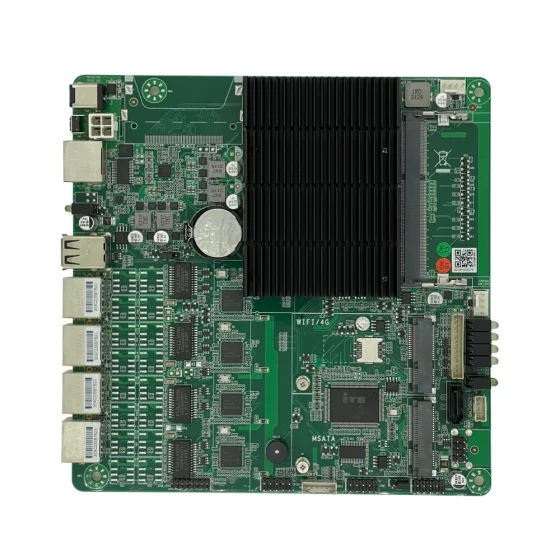
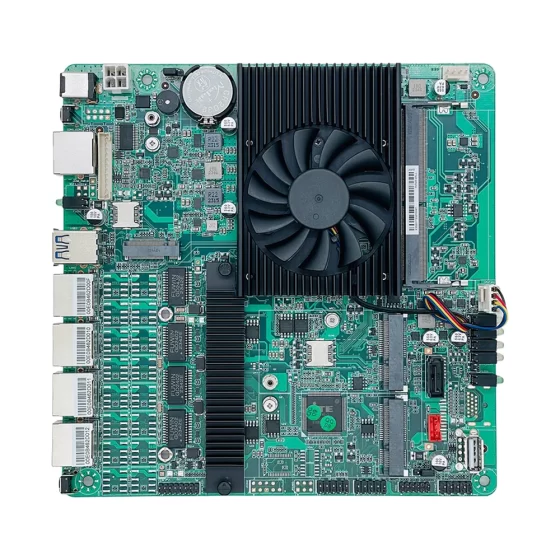
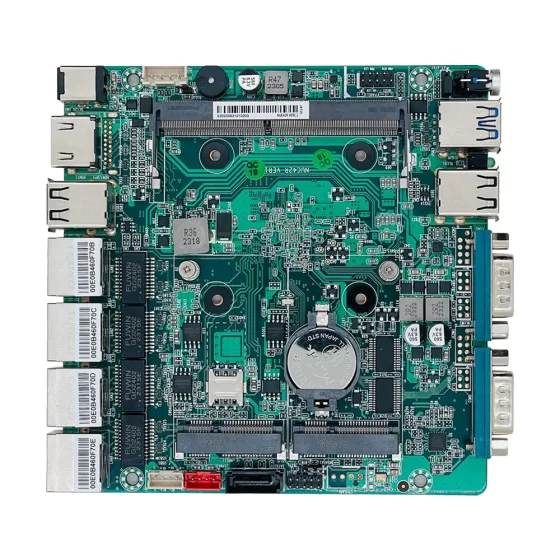
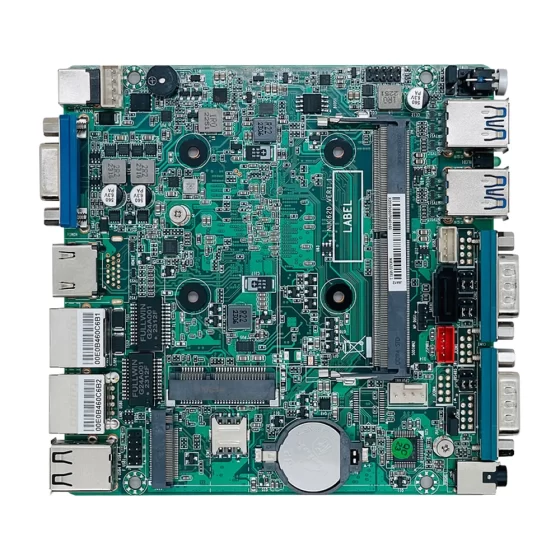
An industrial computer or embedded computer can act as the IPS hardware platform. It can provide multiple LAN ports, routing capability, firewall functions, local logging, security processing performance, reliable storage, and rugged deployment for factory or field environments.
Compared with standard office security devices, industrial IPS appliances must operate reliably inside cabinets, production areas, remote utility sites, transportation infrastructure, warehouses, and machine-side networks.
This article explains how IPS appliances support industrial network protection, what deployment challenges appear in real applications, how the solution architecture works, and which hardware features matter when selecting an industrial computer or embedded computer for IPS security appliance deployment.
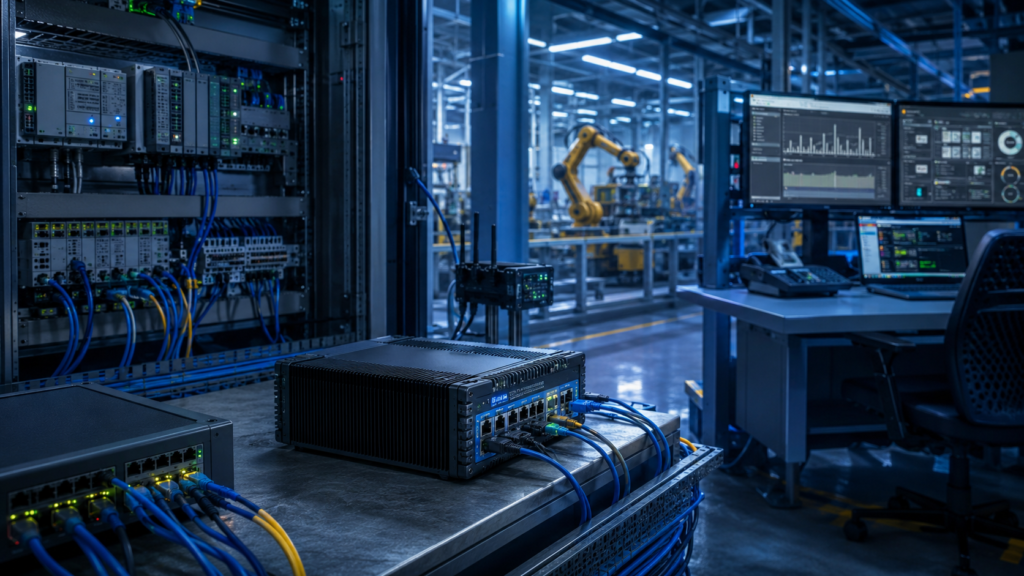
IPS security appliances help protect factory IT, OT, PLC, SCADA, and machine networks.
Industry Overview
Industrial Networks Need Active Protection
Industrial cybersecurity often begins with visibility.
IDS platforms help observe traffic and detect suspicious activity. However, some environments require active protection at network boundaries.
An IPS appliance can inspect traffic and enforce prevention policies.
It can help protect:
- PLC networks
- SCADA systems
- Machine networks
- Industrial IoT gateways
- Remote maintenance access
- Factory IT and OT boundaries
- Camera networks
- Energy monitoring systems
- Warehouse automation systems
- Transportation infrastructure
- Remote utility sites
The goal is to reduce risk while keeping production communication stable.
IPS Appliances Are Used at Critical Network Boundaries
An intrusion prevention system is commonly deployed where traffic must be controlled.
In industrial environments, this may include the boundary between IT and OT networks, machine networks and remote access systems, or industrial IoT gateways and external platforms.
The appliance may support:
- Traffic inspection
- Firewall enforcement
- Intrusion prevention
- VPN protection
- Network segmentation
- Access policy control
- Security event logging
- Traffic filtering
- Remote access restriction
- Industrial protocol monitoring
An IPS appliance should be configured carefully because it may actively affect network traffic.
Industrial Hardware Is Required for Reliable Deployment
Office network appliances are often installed in clean, temperature-controlled network rooms.
Industrial IPS appliances may be deployed in harsher locations.
They may operate inside control cabinets, machine enclosures, remote equipment rooms, warehouse racks, roadside cabinets, substations, or utility facilities.
These environments may include dust, vibration, temperature variation, electrical noise, limited airflow, cable stress, and continuous operation.
Industrial computers and embedded computers provide the rugged hardware foundation required for these conditions.

Inline traffic paths, firewall policies, VPN traffic, PLC networks, and IIoT gateways affect IPS deployment planning.
Key Challenges
Preventing Threats Without Disrupting Production
The main challenge of IPS deployment is balance.
The appliance must prevent unwanted traffic, but it should not block legitimate industrial communication. Production systems may depend on PLC polling, SCADA communication, HMI access, machine data transfer, alarm messages, and remote engineering sessions.
A poorly configured IPS policy can create operational disruption.
Before deployment, teams should understand:
- Required industrial traffic
- Normal device communication
- Critical production paths
- Remote service workflows
- Maintenance windows
- Allowed protocol behavior
- Emergency access requirements
- Logging and escalation rules
Industrial IPS deployment should always be validated carefully before full inline operation.
Inline Deployment and Availability Risk
IPS appliances are often deployed inline.
This means traffic passes through the appliance before reaching the destination network. Inline placement allows prevention, but it also makes hardware reliability more important.
If the appliance fails or is misconfigured, communication may be interrupted.
Deployment planning should consider:
- Bypass strategy
- Redundant network paths
- Fail-safe behavior
- Power stability
- Hardware lifecycle
- Local recovery access
- Configuration backup
- Remote management policy
Industrial-grade hardware helps reduce the risk of unexpected failure.
High Traffic Inspection Workload
An IPS appliance may need to inspect traffic continuously.
The required performance depends on traffic volume, port speed, rule complexity, VPN workload, routing needs, and logging requirements.
Important factors include:
- Number of network zones
- LAN port speed
- Traffic throughput
- IPS rule set
- Firewall policy complexity
- VPN tunnel count
- Encrypted traffic volume
- Log generation rate
- Remote access sessions
- Industrial protocol traffic
The computing platform should be selected based on realistic network conditions, not only basic hardware specifications.
IT and OT Policy Coordination
Industrial IPS deployment requires cooperation between IT security and OT engineering teams.
IT teams may focus on threat prevention, access control, and policy enforcement. OT teams focus on uptime, machine communication, production continuity, and maintenance workflows.
A practical IPS policy should reflect both sides.
It should protect networks without blocking the traffic required for production.
This requires baseline review, gradual policy tuning, staged deployment, and clear rollback procedures.
Long-Term Field Reliability
IPS appliances may become critical security infrastructure.
They may remain in service for many years across multiple factories, remote sites, or OEM equipment installations.
Frequent hardware changes can create software compatibility issues, driver validation problems, spare parts challenges, and maintenance complexity.
Industrial platforms with long lifecycle support help reduce these risks.

IPS appliances connect inline traffic control, industrial systems, event databases, and security monitoring platforms.
IPS Appliance Solution Architecture
Industrial Network Layer
The industrial network layer includes the systems that need protection.
This layer may include:
- PLCs
- HMIs
- SCADA servers
- Industrial PCs
- Embedded controllers
- Machine controllers
- Robots
- Cameras
- Sensors
- Energy meters
- IIoT gateways
- Engineering workstations
These systems may be divided into multiple zones. The IPS appliance helps control communication between those zones.
Inline Traffic Control Layer
The inline traffic control layer is where the IPS appliance sits directly in the traffic path.
It may be placed between:
- WAN and factory LAN
- IT and OT networks
- Machine network and remote service network
- Industrial IoT gateway and cloud connection
- SCADA network and external access
- Camera network and monitoring platform
- Remote facility and central management system
This placement allows the appliance to inspect, allow, block, or log traffic according to security policy.
IPS Computing Layer
The IPS computing layer is the core of the system.
At this layer, the industrial computer or embedded computer may:
- Inspect network packets
- Apply prevention rules
- Enforce firewall policies
- Route traffic between zones
- Manage VPN connections
- Log security events
- Support local dashboards
- Monitor system health
- Send alerts to security platforms
- Provide remote management access
This layer provides the computing power required for industrial intrusion prevention.
Security Policy Layer
The security policy layer defines what the IPS appliance should allow, block, inspect, or log.
Policies may be based on:
- Network zone
- Device type
- User role
- Remote access purpose
- Application type
- Industrial protocol
- Site location
- Maintenance window
- Risk level
- Traffic direction
A strong policy design avoids broad open access.
For industrial networks, policies should be tested with real traffic before enforcement.
Security Monitoring Layer
The security monitoring layer connects IPS results with operators and security teams.
The IPS appliance may send alerts and logs to:
- Local security dashboards
- SIEM platforms
- SOC systems
- Industrial monitoring platforms
- SCADA security dashboards
- Cloud security platforms
- Maintenance workstations
- Central management systems
This helps teams understand blocked traffic, suspicious activity, and appliance health.
Key Features
Multi-LAN Network Segmentation
Multiple LAN ports are essential for many IPS appliance deployments.
They allow the platform to separate different network zones and enforce policies between them.
Useful configurations may include:
- WAN uplink
- Factory IT network
- PLC network
- Machine network
- SCADA network
- Camera network
- Industrial IoT network
- Remote maintenance network
Multi-LAN design supports stronger segmentation and better traffic organization.
Intrusion Prevention Performance
IPS workloads can be demanding.
The hardware should be selected according to real traffic inspection requirements.
Selection should consider:
- CPU performance
- Memory capacity
- Port speed
- Traffic throughput
- Rule complexity
- VPN workload
- Firewall processing
- Logging volume
- Storage speed
- Operating system support
For larger deployments, performance should be validated using realistic industrial network traffic.
Reliable Local Storage
IPS appliances may need to store logs, system files, policies, configuration backups, certificates, event records, and diagnostic data.
SSD or NVMe storage is commonly preferred because it provides faster access and better shock resistance than mechanical drives.
Storage planning should consider:
- Log retention
- Security event records
- Configuration backup
- System recovery
- Certificate storage
- Diagnostic files
- Write endurance
- Backup workflow
Reliable storage improves auditability and troubleshooting.
Inline Reliability and Bypass Planning
Because IPS appliances may sit inline, reliability is critical.
Hardware and system design should consider how traffic behaves during power loss, reboot, maintenance, or unexpected failure.
Depending on the deployment, operators may need bypass support, redundant design, or documented recovery procedures.
This is especially important for production environments where network interruption can stop machines.
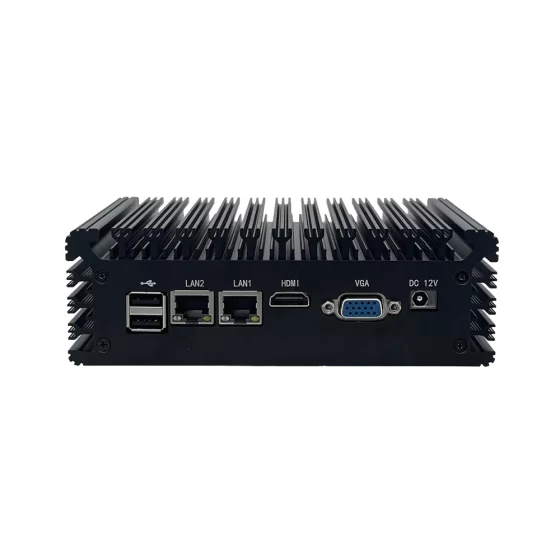
Rugged and Fanless Design
Fanless industrial computers are useful for IPS deployments in dusty cabinets and remote environments.
They reduce dust intake and remove one common mechanical failure point.
Rugged enclosures help protect against vibration, mounting stress, cable strain, and long operating hours.
Thermal design should still be reviewed carefully because traffic inspection, encryption, and logging can create continuous processing load.
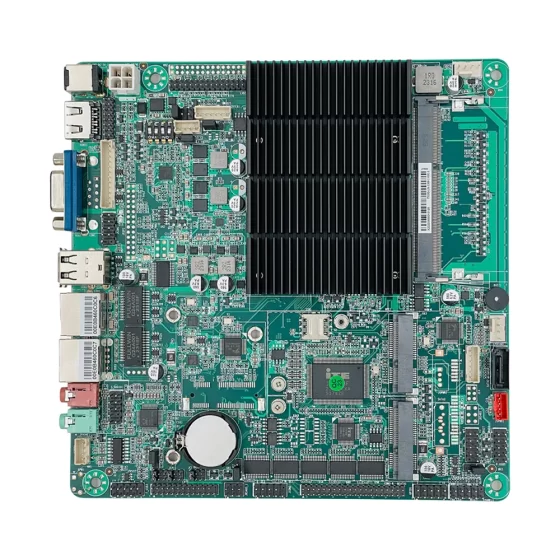
Flexible Industrial I/O
IPS platforms mainly focus on networking, but industrial I/O can still be useful.
Important options may include:
- LAN
- USB
- RS232
- RS485
- GPIO
- Digital input
- Digital output
- HDMI
- DisplayPort
- M.2
- PCIe
- SATA or NVMe
GPIO can support alarm output. USB and display ports can support local service. PCIe or M.2 expansion can support additional LAN modules, wireless modules, or storage devices.
Long Lifecycle and Maintainability
Industrial IPS appliances may stay in production for many years.
Consistent hardware helps maintain software images, security software compatibility, driver validation, spare parts planning, and configuration templates.
This is important for machine builders, system integrators, and industrial operators deploying security appliances across multiple sites.
Deployment Scenarios
IT and OT Boundary Protection
An IPS appliance can be deployed between factory IT and OT networks.
It can inspect traffic moving between enterprise systems and production networks.
This helps enforce controlled communication and reduce unnecessary exposure between business systems and industrial equipment.
Machine Network Protection
Machine builders can integrate IPS hardware into equipment networks.
The appliance can help protect machine controllers, HMIs, industrial PCs, and remote service access.
This is useful for OEM machines deployed at customer sites where remote support is required.
SCADA Network Protection
SCADA systems often connect control rooms, remote devices, engineering workstations, and monitoring platforms.
An IPS appliance can inspect traffic entering or leaving the SCADA network and enforce security policies.
This is useful for energy, water, transportation, and infrastructure environments.
Industrial IoT Security Gateway
Industrial IoT systems connect machines, sensors, gateways, and cloud platforms.
An IPS appliance can help inspect and control traffic between IIoT gateways and external systems.
This supports safer data transfer and better network segmentation.
Remote Maintenance Protection
Remote maintenance is useful, but it must be controlled.
An IPS appliance can enforce access policies, inspect remote service traffic, log activity, and protect machine networks from unnecessary exposure.
This supports secure service workflows for OEMs and system integrators.
Warehouse and Logistics Security
Warehouses may include conveyors, barcode systems, cameras, industrial PCs, WMS platforms, and automation controllers.
An IPS appliance can protect automation networks and control traffic between logistics systems, remote access, and management platforms.
Transportation Infrastructure Security
Transportation systems may include roadside equipment, traffic controllers, parking systems, station networks, and monitoring centers.
Industrial IPS appliances can support network protection in distributed infrastructure environments.
OEM IPS Appliance Development
Security solution providers can build custom IPS appliances using industrial computers or embedded boards.
The hardware platform can support multi-LAN networking, traffic inspection, firewall functions, VPN access, logging, and rugged appliance-style deployment.
Business Benefits
Active Network Protection
An IPS appliance can actively prevent unwanted traffic from reaching critical industrial systems.
This helps reduce the risk of unauthorized access, suspicious communication, and policy violations.
Active protection is valuable at network boundaries where controlled enforcement is required.
Stronger Network Segmentation
Multi-LAN IPS appliances help divide industrial networks into controlled zones.
This supports separation between IT, OT, machine, camera, IIoT, remote service, and management networks.
Better segmentation improves both security and network organization.
More Secure Remote Access
IPS hardware can support secure remote maintenance by combining prevention policies, firewall rules, VPN connectivity, and logging.
Authorized engineers can access required systems while unnecessary traffic is restricted.
This helps reduce risk during remote service operations.
Better Security Visibility
IPS appliances provide logs, prevention events, blocked traffic records, tunnel status, and system health information.
This helps operators and security teams understand what is happening at the network boundary.
Good visibility supports audit review, incident investigation, and troubleshooting.
Reliable Industrial Deployment
Industrial computers provide rugged hardware for security appliances deployed outside office environments.
Fanless design, stable storage, industrial mounting, and long lifecycle support help reduce maintenance risk.
This is important for factories, energy facilities, transportation sites, warehouses, and remote installations.
Scalable Security Appliance Deployment
A standardized IPS hardware platform makes it easier to deploy intrusion prevention across multiple factories, machines, remote sites, and OEM systems.
Consistent hardware simplifies software images, policy templates, spare parts planning, validation, and lifecycle management.
This supports scalable industrial cybersecurity deployment.
Why CoreIPC
CoreIPC provides industrial computing platforms for network security, industrial IoT, factory automation, remote monitoring, and embedded system integration. For IPS appliance applications, CoreIPC focuses on reliable industrial computer hardware, embedded computer solutions, multi-LAN configurations, flexible I/O, compact system design, fanless deployment options, and OEM/ODM customization support. CoreIPC helps system integrators, security solution providers, machine builders, and industrial operators select computing platforms that match real deployment requirements, including LAN port count, IPS workload, firewall performance, VPN requirements, storage needs, mounting methods, power input, thermal conditions, and lifecycle planning.
Frequently Asked Questions
1. What is an IPS appliance?
An IPS appliance is a hardware platform used to run intrusion prevention functions.
It inspects network traffic and can block, allow, or log traffic according to security policies. In industrial environments, IPS appliances are commonly used to protect PLC networks, SCADA systems, machine networks, industrial IoT gateways, and remote access connections.
2. Why use an industrial computer for an IPS appliance?
An industrial computer provides rugged hardware and flexible connectivity for factory and field deployment.
It can support multiple LAN ports, fanless operation, reliable local storage, industrial mounting, stable power input, and long lifecycle availability. These features make it suitable for IPS deployment in cabinets, production areas, remote sites, and infrastructure systems.
3. How is an embedded computer used as an IPS platform?
An embedded computer can act as a compact IPS appliance inside a control cabinet, machine enclosure, remote facility, or OEM security gateway.
It can inspect traffic, enforce firewall policies, manage secure access, store logs, and forward alerts to monitoring systems.
4. What is the difference between IDS and IPS?
An IDS detects suspicious activity and generates alerts.
An IPS can actively prevent traffic by blocking or controlling communication according to defined policies. In industrial environments, IDS is often used for visibility, while IPS is used where active enforcement is required and carefully tested.
5. Why are multiple LAN ports important for IPS appliances?
Multiple LAN ports allow the appliance to sit between network zones.
For example, one port may connect to factory IT, another to PLC networks, another to machine networks, and another to remote maintenance or management networks. This supports inline protection and segmentation.
6. Can fanless industrial computers support IPS workloads?
Yes. Fanless industrial computers can support many IPS deployments because they reduce dust intake and remove one mechanical failure point.
However, IPS inspection, firewall processing, and VPN encryption can create sustained CPU and thermal load. Traffic volume, enclosure design, ambient temperature, and cabinet airflow should be reviewed before deployment.
7. What hardware features matter for industrial IPS platforms?
Important features include multiple LAN ports, sufficient CPU performance, reliable memory, SSD or NVMe storage, rugged enclosure, fanless design, industrial power input, USB, display output, GPIO, and expansion options.
The final configuration should match traffic volume, prevention rules, VPN workload, log retention, and installation environment.
8. Can IPS appliances protect industrial IoT systems?
Yes. IPS appliances can help protect industrial IoT systems by inspecting traffic between IIoT gateways, machines, cloud platforms, and factory networks.
They can enforce policies, restrict unwanted communication, and log abnormal traffic patterns at key network boundaries.
9. Does an IPS appliance replace a firewall?
Not completely. A firewall controls traffic based on rules, while an IPS inspects traffic for suspicious or unwanted behavior and can actively prevent it.
In many industrial security appliances, firewall and IPS functions work together to provide stronger network protection.
10. What should be tested before deploying an IPS appliance?
Before deployment, the platform should be tested with real network topology, traffic volume, industrial protocols, prevention policies, firewall rules, VPN workload, logging behavior, and long-running operation.
Thermal stability, failover behavior, recovery procedures, remote access workflow, and production communication should also be validated.
Conclusion
An ips appliance is a practical foundation for industrial intrusion prevention, active network protection, secure remote access, firewall enforcement, traffic control, and network segmentation.
By placing an industrial computer or embedded computer at key inline network boundaries, manufacturers, machine builders, system integrators, and infrastructure operators can protect PLC networks, SCADA systems, machine networks, industrial IoT platforms, and remote maintenance connections more effectively.
The right IPS security appliance should be selected according to real deployment requirements, including LAN port count, traffic volume, IPS workload, firewall performance, VPN tunnel count, storage needs, mounting method, power input, thermal conditions, operating system support, security policy, and lifecycle planning.
CoreIPC supports IPS appliance projects with industrial computing platforms designed for practical factory, machine-side, and field deployment. With the right hardware foundation, industrial operators and security solution providers can build reliable, scalable, and production-ready intrusion prevention systems.
Contact Us
Looking for an industrial computer, embedded computer, or multi-LAN platform for IPS appliance deployment?
Contact CoreIPC to discuss your project requirements, including LAN port count, network zones, traffic volume, IPS workload, storage design, mounting method, power input, operating environment, lifecycle needs, and OEM/ODM customization options.