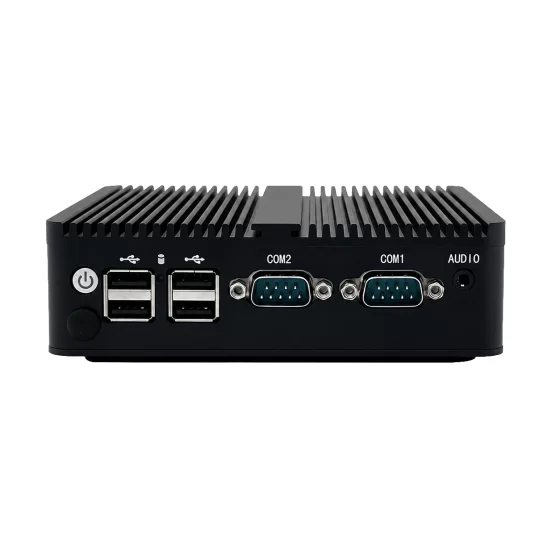
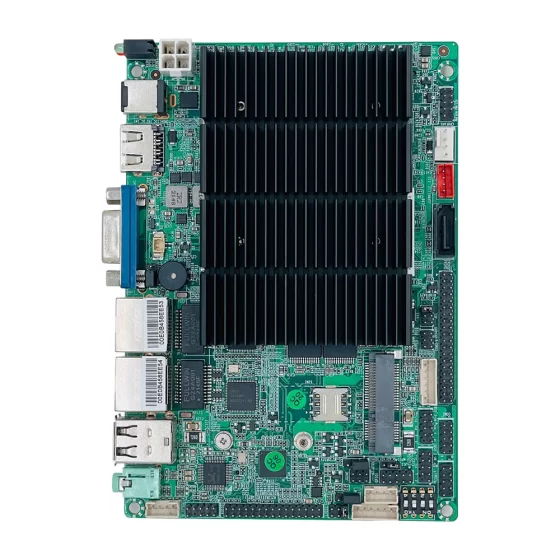
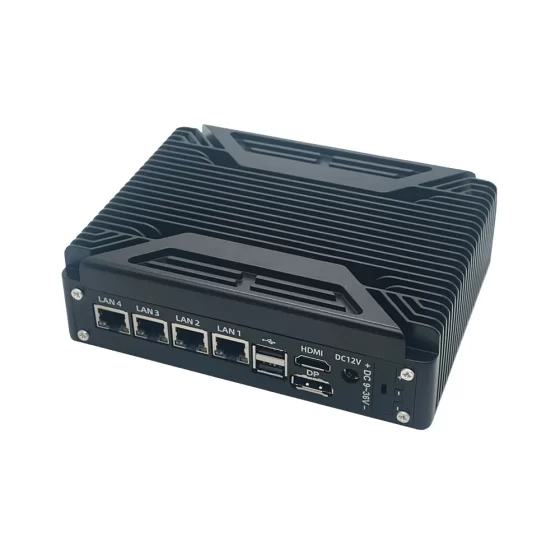
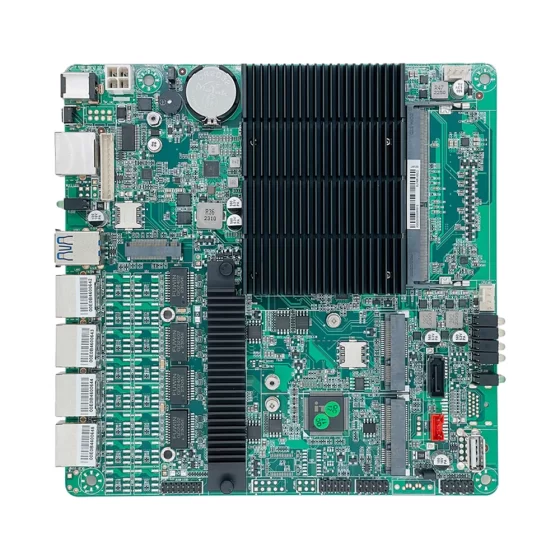
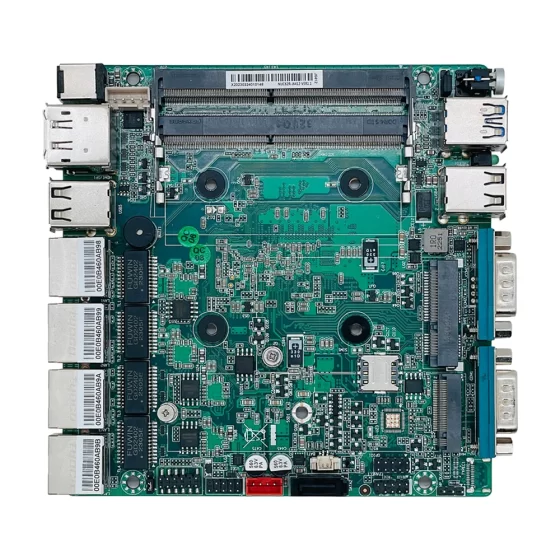
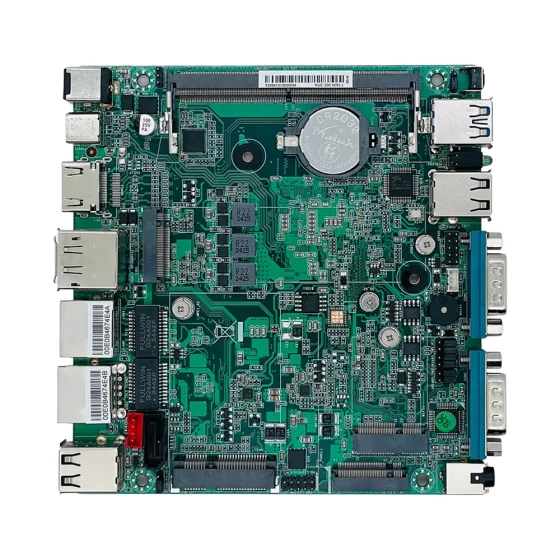
Soluciones de informática industrial CoreIPC

Plataforma informática de panel táctil industrial: PC con panel táctil industrial para interfaz de operador y control de bordes
Resumen ejecutivo
Una PC con panel táctil industrial proporciona la base informática para las interfaces del operador, visualización de la máquina, control local, seguimiento de la producción, visualización de datos del equipo, Operación HMI, gestión de alarmas, control de recetas, y conectividad de borde industrial.
Las fábricas modernas necesitan una interacción confiable del operador.
maquinas, líneas de producción, sistemas de embalaje, Equipos CNC, células robóticas, estaciones de servicios públicos, y los sistemas de automatización de almacenes requieren dispositivos de interfaz claros y estables. Los operadores necesitan ver el estado de la máquina, ajustar parámetros, reconocer alarmas, gestionar recetas, revisar datos de producción, y soporte para la resolución de problemas.
Una plataforma informática de panel táctil industrial combina pantalla, entrada táctil, e informática industrial en un sistema integrado. Puede conectar PLC, sensores, controladores, lectores de códigos de barras, cámaras industriales, Sistemas SCADA, plataformas MES, Cuadros de mando industriales de IoT, y bases de datos locales.
En comparación con pantallas táctiles comerciales estándar o PC de oficina, Las PC industriales con panel táctil están diseñadas para su implementación en el lado de la máquina. Soportan recintos resistentes, opciones de operación sin ventilador, montaje industrial, almacenamiento confiable, entrada de energía estable, múltiples interfaces de E/S, y disponibilidad de ciclo de vida prolongado.
Este artículo explica cómo las PC industriales con panel táctil admiten aplicaciones de interfaz de operador y control de borde., ¿Qué desafíos aparecen en entornos reales de fábrica?, cómo funciona la arquitectura de la solución, y qué características de hardware son importantes al seleccionar una computadora industrial o una computadora integrada para aplicaciones de panel táctil.

Las PC industriales con panel táctil muestran el estado de la máquina, alarmas, recetas, registros de producción, y datos de mantenimiento para operadores.
Descripción general de la industria
Las PC con panel táctil son fundamentales para el funcionamiento de las máquinas
Las PC industriales con panel táctil se utilizan ampliamente como interfaz principal entre los operadores y las máquinas..
Permiten a los operadores controlar el equipo., ver datos del proceso, monitorear alarmas, gestionar recetas, y acceder a las pantallas de mantenimiento directamente en la máquina o línea de producción.
Las aplicaciones comunes incluyen:
- Paneles HMI de la máquina
- Paneles de control de la línea de producción
- Interfaces de máquinas de embalaje
- Terminales de operador CNC
- Pantallas de células de trabajo robóticas
- Paneles de monitoreo de servicios públicos
- Terminales de automatización de almacenes
- Estaciones de visualización SCADA
- Paneles de control de IoT industriales
- Interfaces de inspección de calidad
- Paneles de servicio de mantenimiento.
- Pantallas de estado del equipo
Una PC industrial con panel táctil confiable mejora la usabilidad de la máquina y la visibilidad del operador.
La visualización y la informática integradas reducen la complejidad del sistema
Los sistemas HMI tradicionales pueden requerir un monitor separado, PC separada, controlador táctil externo, y cableado adicional del gabinete.
Un PC industrial con panel táctil integra display, entrada táctil, y computando en una unidad.
Esto ayuda a reducir:
- Cableado del gabinete
- Espacio de instalación
- Componentes externos
- Complejidad del cable
- tiempo de integración
- Puntos de mantenimiento
Para fabricantes de máquinas e integradores de sistemas, Una computadora con panel táctil integrado puede simplificar el diseño y mejorar la coherencia de la implementación..
Los entornos industriales requieren un diseño resistente
Las PC con panel táctil a menudo se instalan directamente en las máquinas., gabinetes, paneles de control, líneas de producción, o estaciones de operador.
Estos lugares pueden incluir polvo, vibración, calor, humedad, ruido electrico, operación táctil frecuente, y largas horas de producción.
Las computadoras industriales y las computadoras integradas brindan la confiabilidad requerida para estos entornos..
Soportan construcciones robustas, opciones de diseño sin ventilador, almacenamiento estable, E/S industriales, montaje seguro, y disponibilidad de la plataforma a largo plazo.

Ambientes polvorientos, cableado del autómata, interfaces seriales, Zonas Ethernet, operación táctil, y el hardware resistente afectan la implementación del panel táctil.
Desafíos clave
Garantizar una interacción confiable con el operador
El panel táctil suele ser la interfaz principal para el funcionamiento de la máquina..
Si la pantalla se vuelve inestable, la respuesta táctil se retrasa, o el software HMI se congela, Los operadores pueden perder el acceso a información importante de la máquina..
Esto puede afectar la resolución de problemas, cambio de producción, respuesta de alarma, y operación de la máquina.
Una PC industrial con panel táctil confiable debe proporcionar una salida de pantalla estable, rendimiento táctil sensible, almacenamiento confiable, y funcionamiento continuo.
Operando cerca de máquinas y líneas de producción
Las PC con panel táctil pueden instalarse en áreas industriales exigentes.
Pueden estar expuestos a:
- Polvo
- Vibración
- Calor
- Ruido electrico
- Niebla de aceite
- Humedad
- Tensión del cable
- Uso frecuente del operador
- Flujo de aire del gabinete limitado
Es posible que una computadora de oficina estándar o una pantalla comercial no sean adecuadas.
El hardware de calidad industrial ayuda a mejorar la confiabilidad y reducir el riesgo de mantenimiento.
Conexión de PLC y dispositivos industriales
Una plataforma informática de panel táctil industrial debe comunicarse con dispositivos de automatización..
Estos pueden incluir:
- Controladores PLC
- Sensores
- Servoaccionamientos
- Controladores de motores
- Lectores de códigos de barras
- Cámaras industriales
- Controladores de robots
- módulos de E/S
- Metros
- Sistemas SCADA
- plataformas MES
- interruptores industriales
Diferentes máquinas pueden requerir Ethernet, USB, RS232, RS485, GPIO, o E/S digitales.
La conectividad flexible hace que la plataforma sea más fácil de implementar en diferentes tipos de equipos.
Soporte de software y visualización HMI
Las aplicaciones HMI pueden incluir paneles de control, alarmas, gráficos de tendencias, pantallas de recetas, herramientas de mantenimiento, registros de producción, y páginas de guía para el operador.
La PC con panel táctil debe proporcionar suficiente rendimiento informático para el software seleccionado..
Los factores importantes incluyen:
- rendimiento de la CPU
- Capacidad de memoria
- Rendimiento de gráficos
- Soporte de controlador de pantalla táctil
- Resolución de pantalla
- Velocidad de almacenamiento
- Soporte del sistema operativo
- Compatibilidad del controlador PLC
- Carga de trabajo de base de datos
- Requisitos de acceso remoto
El hardware debe validarse con el software HMI real..
Preservar registros locales
Muchos sistemas de panel táctil almacenan registros importantes de la máquina localmente.
Estos pueden incluir:
- Historial de alarmas
- Archivos de recetas
- Acciones del operador
- La producción cuenta
- Registros de mantenimiento
- Registros de calidad
- Copias de seguridad de configuración
- Archivos de diagnóstico
- Cargar buffers
El almacenamiento local ayuda a preservar los registros durante las interrupciones de la red.
El almacenamiento SSD o NVMe mejora la velocidad de acceso y la confiabilidad en comparación con las unidades mecánicas.
Respaldar la implementación a largo plazo
Los sistemas HMI de las máquinas suelen permanecer en servicio durante muchos años.
Los cambios frecuentes de hardware pueden crear problemas con las imágenes de software, controladores de pantalla táctil, Configuración de comunicación del PLC, piezas de repuesto, y procedimientos de servicio.
Las PC industriales con panel táctil con planificación del ciclo de vida ayudan a los fabricantes y fabricantes de máquinas a mantener sistemas consistentes en múltiples máquinas y sitios..

Las PC con panel táctil industrial conectan los PLC, sensores, controladores, SCADA, MES, bases de datos, sistemas en la nube, y herramientas de mantenimiento remoto.
Arquitectura de solución de PC con panel táctil industrial
Capa de máquina y dispositivo
La capa de máquina y dispositivo incluye el equipo conectado a la PC con panel táctil..
Esta capa puede incluir:
- PLC
- Sensores
- Servoaccionamientos
- Controladores de motores
- Controladores de robots
- módulos de E/S
- Lectores de códigos de barras
- Cámaras industriales
- Metros
- Dispositivos de seguridad
- maquinas de produccion
- Equipo utilitario
Estos dispositivos proporcionan los datos en tiempo real que los operadores necesitan para ver y gestionar..
Capa informática del panel táctil
La capa informática del panel táctil es la plataforma de interfaz del operador local..
en esta capa, el ordenador industrial o el ordenador integrado pueden:
- Ejecute el software HMI
- Mostrar el estado de la máquina
- Mostrar alarmas
- Administrar recetas
- Almacenar registros locales
- Entrada del operador de soporte
- Conecte PLC y dispositivos
- Mostrar pantallas de mantenimiento
- Datos de producción de búfer
- Reenviar datos a los sistemas de fábrica
Esta capa combina visualización., interacción táctil, y computación de borde.
Controlar la capa de comunicación
La capa de comunicación conecta la PC con panel táctil con dispositivos de automatización..
Puede incluir:
- Ethernet
- USB
- RS232
- RS485
- GPIO
- E/S digitales
- Ethernet industrial
- comunicación PLC
- interruptores industriales
- Puertos de servicio local
El diseño de comunicación exacto depende de la arquitectura de la máquina y la plataforma de software..
Capa de integración de fábrica
La PC con panel táctil industrial puede conectarse con sistemas de fábrica de nivel superior.
Estos pueden incluir:
- SCADA
- MES
- ERP
- Bases de datos de calidad
- Plataformas industriales de IoT
- Paneles locales
- Sistemas de mantenimiento
- Sistemas de monitoreo en la nube
- Plataformas de trazabilidad
Esto permite que los datos a nivel de máquina formen parte de un sistema de información de fábrica más amplio..
Capa de seguridad y gestión
La capa de seguridad y gestión respalda el funcionamiento controlado y la capacidad de servicio a largo plazo..
Puede incluir:
- Permisos de usuario
- Segmentación de red
- Acceso remoto seguro
- Registro local
- Copia de seguridad de configuración
- Monitoreo de almacenamiento
- Monitoreo del estado del sistema
- Diagnóstico remoto
- Gestión de actualizaciones de software.
Esto ayuda a proteger el sistema de la máquina y simplificar el mantenimiento..
Características clave
Pantalla táctil y computación integradas
La principal ventaja de una PC con panel táctil industrial es la integración..
Combina visualización, entrada táctil, y hardware informático en una sola plataforma.
Esto reduce los componentes externos y simplifica el diseño del gabinete de la máquina..
Para fabricantes de maquinaria, Esto puede mejorar la eficiencia de la instalación y reducir la complejidad del cableado..
Diseño industrial sin ventilador
El diseño sin ventilador es valioso para aplicaciones de panel táctil.
Reduce la entrada de polvo y elimina un punto común de falla mecánica..
Esto es útil para:
- Pisos de fábrica
- Líneas de envasado
- Talleres CNC
- Armarios de control
- Sistemas de almacén
- Cuartos de servicio
- Estaciones HMI del lado de la máquina
- Paneles de operador de bajo mantenimiento
El diseño térmico aún debe validarse según la carga de trabajo real, temperatura ambiente, y condiciones de montaje.
Pantalla confiable y rendimiento táctil
Los paneles táctiles industriales deben permanecer claros y receptivos.
Las consideraciones importantes sobre visualización y tacto incluyen:
- Tamaño de pantalla
- Resolución
- Brillo
- Ángulo de visión
- tecnología táctil
- Requisitos para el uso de guantes
- Montaje en panel
- Diseño de bisel frontal
- Durabilidad táctil a largo plazo
- Soporte de controladores de software
El panel final debe coincidir con el entorno de trabajo y el uso del operador..
Conectividad multidispositivo
Las PC industriales con panel táctil deberían admitir interfaces de máquina prácticas.
Las opciones útiles pueden incluir:
- LAN
- USB
- RS232
- RS485
- GPIO
- Entrada digital
- Salida digital
- hdmi
- DisplayPort
- M.2
- PCIe
- Almacenamiento SATA o NVMe
Estas interfaces soportan PLC, sensores, lectores de códigos de barras, camaras, controladores, herramientas de servicio, y redes de fábricas.
Diseño de red multiLAN
Múltiples puertos LAN ayudan a separar rutas de comunicación.
Una PC con panel táctil puede usar redes separadas para:
- comunicación PLC
- Red de máquinas
- Red informática de fábrica
- Conexión SCADA
- conexión MES
- Mantenimiento remoto
- Gestión local
- Plataforma industrial de IoT
La separación de redes mejora la organización y reduce la exposición innecesaria entre sistemas.
Almacenamiento local y registro de datos
El almacenamiento local admite software HMI, registros de alarma, recetas, registros del operador, archivos de configuración, y datos de diagnóstico.
Generalmente se prefiere el almacenamiento SSD o NVMe porque proporciona un acceso rápido y una mejor resistencia a los golpes que las unidades mecánicas..
La planificación del almacenamiento debe considerar:
- Archivos de recetas
- Historial de alarmas
- Tamaño de la base de datos local
- Flujo de trabajo de respaldo
- Escribir resistencia
- Proceso de recuperación
- Comportamiento de interrupción de la red
El almacenamiento confiable mejora la trazabilidad y la capacidad de servicio.
Diseño de gabinete y montaje robusto
Las PC industriales con panel táctil pueden montarse en paneles, montado en VESA, o instalado en armarios de máquinas.
El hardware debe soportar un montaje estable y un enrutamiento seguro de los cables..
El diseño robusto del gabinete ayuda a proteger contra las vibraciones, manejo del operador, tensión del cable, y uso de producción continua.
Los fabricantes de máquinas también deberían considerar la disipación de calor., acceso al servicio, y espacio libre de instalación.
Disponibilidad de ciclo de vida prolongado
Los sistemas de paneles táctiles industriales pueden permanecer en servicio durante muchos años.
El hardware consistente ayuda a mantener las imágenes del software, conductores, compatibilidad con pantalla táctil, Configuración de comunicación del PLC, piezas de repuesto, y procedimientos de mantenimiento.
La disponibilidad de un ciclo de vida prolongado es importante para los fabricantes de máquinas OEM y los integradores de sistemas que implementan sistemas similares en muchos proyectos..
Escenarios de implementación
Panel HMI de la máquina
Una PC con panel táctil industrial puede servir como interfaz principal de operación de la máquina..
Puede mostrar el estado de la máquina., alarmas, recetas, procesar datos, y paginas de mantenimiento.
Esto mejora el acceso del operador y simplifica el diseño de la estación de control de la máquina..
Estación del operador de línea de producción
Las líneas de producción a menudo requieren paneles de control locales para conocer el estado de la línea., recuentos de ciclos, alarmas, resultados de calidad, y eventos de tiempo de inactividad.
Una computadora con panel táctil puede mostrar datos a nivel de línea y conectarse con sistemas MES o SCADA.
Esto apoya una respuesta de producción más rápida..
Interfaz de la máquina de embalaje
Las máquinas envasadoras requieren selección de recetas, estado de verificación del código de barras, resultados de la inspección de etiquetas, Rechazar recuentos, y alarmas de maquina.
Una PC con panel táctil industrial puede combinar visualización local, registro de datos, y comunicación del dispositivo.
Esto apoya la automatización del embalaje inteligente.
Interfaz de control de máquina CNC
Las máquinas CNC requieren gestión de programas, visualización de coordenadas, estado del husillo, datos de la herramienta, alarmas, y acceso de mantenimiento.
Una PC con panel táctil resistente puede proporcionar una interfaz de operador estable para equipos CNC.
Esto mejora la usabilidad y la visibilidad de la máquina..
HMI de celda de trabajo robótica
Las células robóticas necesitan pantallas locales para conocer el estado del robot, datos de la herramienta, estado de la zona de seguridad, resultados de la inspección, y registros de producción.
Una PC con panel táctil puede conectar controladores de robots, PLC, camaras, y sistemas de fábrica.
Esto admite la automatización robótica conectada..
Panel de monitoreo de servicios públicos
Los sistemas de servicios públicos pueden necesitar interfaces táctiles locales para las bombas, metros, equipo de potencia, sensores ambientales, o infraestructura remota.
Una PC con panel táctil industrial puede mostrar datos de estado, almacenar registros, y conectarse a SCADA o sistemas de monitoreo en la nube.
Esto respalda las operaciones de campo y de las instalaciones..
Terminal de panel de IoT industrial
Las fábricas pueden implementar PC con panel táctil como terminales de tablero de IoT industriales locales.
La plataforma puede mostrar el estado del equipo., tendencias de producción, uso de energía, alarmas, y estado del sitio remoto.
Esto ayuda a los operadores a tomar decisiones cerca del equipo..
Controlador de panel táctil OEM
Los fabricantes de máquinas pueden integrar PC con panel táctil industrial en plataformas de máquinas personalizadas.
El sistema puede admitir software HMI, comunicación PLC, registro de datos, diagnóstico remoto, y E/S específicas del cliente.
Esto ayuda a crear productos de máquina repetibles..
Beneficios comerciales
Mejor visibilidad del operador
Una PC con panel táctil industrial brinda a los operadores un acceso claro al estado de la máquina, alarmas, recetas, tendencias de producción, e información de mantenimiento.
Esto mejora la conciencia y ayuda a los operadores a responder más rápido..
Una mejor visibilidad respalda un funcionamiento más seguro y eficiente de la máquina.
Integración simplificada del sistema
Pantalla integrada, entrada táctil, y la informática reducen la necesidad de componentes separados.
Esto simplifica el diseño del gabinete., reduce la complejidad del cableado, y mejora la eficiencia de la instalación.
Los fabricantes de máquinas pueden crear sistemas más limpios y repetibles.
Menor riesgo de mantenimiento
El diseño sin ventilador reduce la entrada de polvo y elimina el ventilador mecánico del sistema..
Combinado con una construcción robusta y un almacenamiento confiable, Ayuda a reducir el riesgo de mantenimiento en entornos industriales..
Esto respalda la confiabilidad HMI a largo plazo.
Trazabilidad de producción mejorada
La plataforma del panel táctil puede recopilar registros de producción., registros de alarma, acciones del operador, cambios de receta, y datos de calidad.
Estos registros se pueden enviar al MES., SCADA, o sistemas industriales de IoT.
Esto mejora la trazabilidad y la generación de informes..
Solución de problemas más rápida
Registros locales, historial de alarmas, diagnóstico remoto, y las pantallas de estado de la máquina ayudan a los equipos de mantenimiento a identificar los problemas más rápidamente.
Una PC industrial con panel táctil confiable puede respaldar la resolución de problemas estructurada y reducir el tiempo de inactividad.
Implementación escalable de HMI
Se puede implementar una plataforma informática de panel táctil industrial estandarizada en muchas máquinas, líneas de producción, y sitios de clientes.
El hardware consistente simplifica las imágenes de software, validación del conductor, planificación de repuestos, entrenamiento del operador, y gestión del ciclo de vida.
Esto admite la implementación de automatización escalable.
Por qué CoreIPC
CoreIPC proporciona plataformas informáticas industriales para aplicaciones HMI, automatización industrial, visión artificial, IoT industrial, robótica, gestión de energía, e integración de sistemas integrados. Para aplicaciones industriales de PC con panel táctil, CoreIPC se centra en hardware informático industrial confiable, soluciones informáticas integradas, diseño de sistema sin ventilador, E/S flexibles, configuraciones de LAN múltiple, capacidad de almacenamiento local, factores de forma compactos, y soporte de personalización OEM/ODM. CoreIPC ayuda a los fabricantes de máquinas, integradores de sistemas, y los fabricantes seleccionan plataformas informáticas que coincidan con los requisitos de implementación reales, incluido el tamaño de la pantalla, interfaz táctil, comunicación PLC, interfaces de dispositivos, necesidades de almacenamiento, métodos de montaje, entrada de energía, condiciones termicas, y planificación del ciclo de vida.
Preguntas frecuentes
1. ¿Qué es una PC con panel táctil industrial??
Una PC industrial con panel táctil es una computadora industrial integrada con una pantalla táctil.
Se utiliza para HMI., visualización de la máquina, control del operador, seguimiento de la producción, gestión de alarmas, control de recetas, y comunicación del sistema de fábrica.
2. ¿Por qué utilizar una PC con panel táctil industrial en lugar de una pantalla táctil estándar??
Una PC industrial con panel táctil está diseñada para su implementación en el lado de la máquina y en la fábrica..
Proporciona computación integrada., diseño de carcasa resistente, montaje industrial, entrada de energía estable, almacenamiento confiable, y E/S industriales. Una pantalla táctil estándar generalmente requiere una PC separada y puede no ser adecuada para entornos hostiles..
3. ¿Cómo se utiliza una computadora integrada en una plataforma de panel táctil??
Una computadora integrada proporciona el núcleo informático dentro del sistema de panel táctil..
Ejecuta software HMI, Se comunica con PLC y dispositivos., almacena registros, procesa datos locales, y envía información a SCADA, MES, o plataformas industriales de IoT.
4. ¿Qué dispositivos puede conectar una PC con panel táctil industrial??
Puede conectar PLC, sensores, servoaccionamientos, controladores de robots, lectores de códigos de barras, cámaras industriales, módulos de E/S, metros, Sistemas SCADA, plataformas MES, e interruptores industriales.
El soporte exacto depende de las interfaces., controladores de software, y requisitos del proyecto.
5. ¿Por qué es importante el diseño sin ventilador??
El diseño sin ventilador reduce la entrada de polvo y elimina un punto de falla mecánica.
Esto es útil para las fábricas., gabinetes de máquinas, líneas de embalaje, Talleres CNC, almacenes, y paneles de control industriales donde el funcionamiento continuo y el bajo mantenimiento son importantes.
6. ¿Pueden las PC industriales con panel táctil almacenar datos de producción??
Sí. Pueden almacenar registros de alarmas., archivos de recetas, registros de producción, acciones del operador, datos de calidad, copias de seguridad de configuración, y archivos de diagnóstico.
Generalmente se prefiere el almacenamiento SSD o NVMe para un acceso rápido y una mejor resistencia a los golpes..
7. ¿Se puede conectar una PC con panel táctil industrial a SCADA o MES??
Sí. Las PC industriales con panel táctil pueden intercambiar datos con SCADA, MES, plataformas industriales de IoT, paneles locales, y sistemas de monitoreo en la nube.
Esto ayuda a conectar la información a nivel de máquina con los sistemas de gestión a nivel de fábrica..
8. ¿Qué características de hardware son importantes para las PC industriales con panel táctil??
Las características importantes incluyen el tamaño de la pantalla., rendimiento táctil, diseño sin ventilador, rendimiento confiable de la CPU, memoria suficiente, múltiples puertos LAN, USB, RS232, RS485, GPIO, E/S digitales, Almacenamiento SSD o NVMe, recinto resistente, entrada de energía industrial, y opciones de montaje.
La configuración final debe coincidir con el software HMI y el entorno de instalación..
9. ¿Pueden las PC industriales con panel táctil soportar el mantenimiento remoto??
Sí. Pueden admitir acceso remoto seguro, revisión de registros, copia de seguridad de configuración, actualizaciones de software, y diagnóstico del sistema.
El acceso remoto debe controlarse mediante la autenticación del usuario., permisos, explotación florestal, y segmentación de red.
10. Qué se debe probar antes de la implementación?
Antes del despliegue, La plataforma debe probarse con el software HMI real., Controladores de comunicación PLC, operación de pantalla táctil, resolución de pantalla, topología de red, comportamiento del almacenamiento local, flujo de trabajo de acceso remoto, y operación de larga duración.
Estabilidad térmica, recuperación de comunicación, procedimientos de respaldo, y también se debe validar la integración con SCADA o MES.
Conclusión
Una PC con panel táctil industrial es una base práctica para las interfaces de operador, visualización de la máquina, Operación HMI, gestión de alarmas, control de recetas, seguimiento de la producción, registro de datos, diagnóstico remoto, y conectividad de fábrica inteligente.
Integrando la pantalla táctil y la informática industrial en una sola plataforma, Los constructores y fabricantes de máquinas pueden simplificar el diseño del sistema mientras conectan los PLC., sensores, controladores, muestra, lectores de códigos de barras, camaras, Sistemas SCADA, plataformas MES, y paneles de IoT industriales a través de rutas de comunicación confiables.
La plataforma informática de panel táctil industrial adecuada debe seleccionarse de acuerdo con los requisitos de implementación reales., incluido el tamaño de la pantalla, interfaz táctil, software HMI, comunicación PLC, interfaces de dispositivos, Diseño de puerto LAN, configuración de almacenamiento, método de montaje, entrada de energía, condiciones termicas, soporte del sistema operativo, y planificación del ciclo de vida.
CoreIPC admite proyectos de plataformas informáticas de panel táctil industrial con soluciones informáticas industriales diseñadas para aplicaciones prácticas en el lado de la máquina., gabinete, panel, línea de montaje, y despliegue OEM. Con la base de hardware adecuada, Los constructores de máquinas y los fabricantes pueden construir confiables., escalable, y sistemas HMI táctiles fáciles de usar.
Contáctenos
Buscando una PC industrial con panel táctil, computadora industrial, o plataforma informática integrada para aplicaciones de interfaz de operador y HMI?
Póngase en contacto con CoreIPC para analizar los requisitos de su proyecto., incluido el tamaño de la pantalla, interfaz táctil, comunicación PLC, interfaces de dispositivos, Configuración del puerto LAN, diseño de almacenamiento, método de montaje, entrada de energía, entorno operativo, necesidades del ciclo de vida, y opciones de personalización OEM/ODM.