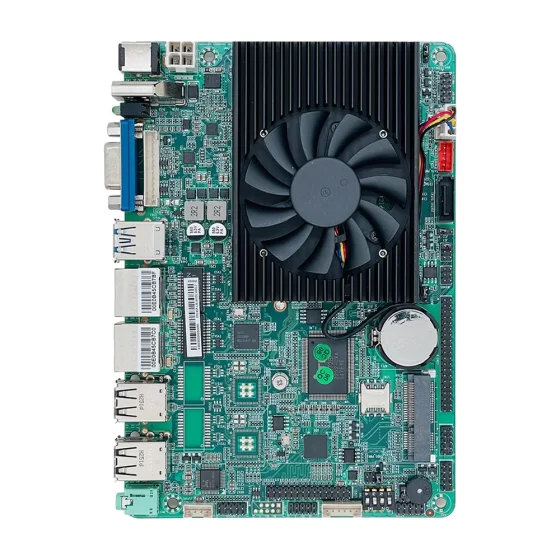
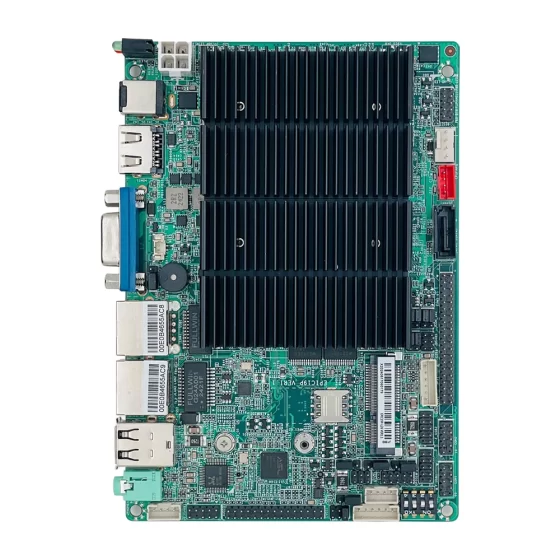
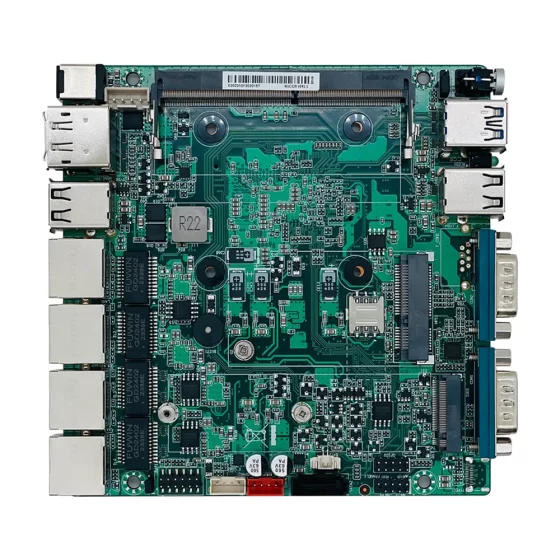
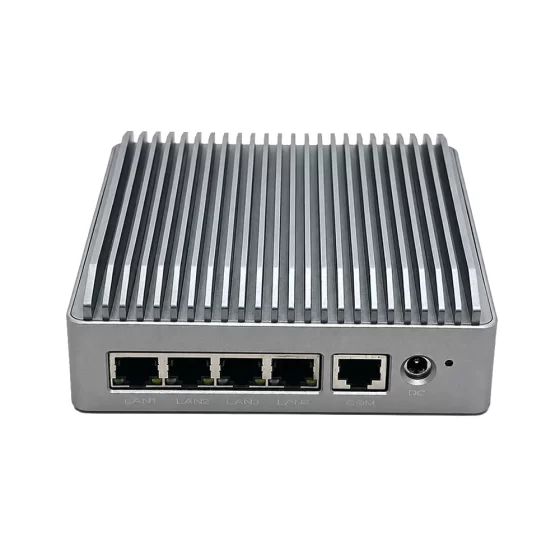
Soluciones de informática industrial CoreIPC

Computadora industrial para implementación remota de SCADA: Cómo seleccionar una computadora SCADA remota confiable
Resumen ejecutivo
Una computadora SCADA remota es la plataforma informática a nivel de campo que conecta activos industriales distribuidos a un sistema de monitoreo central.. Recoge datos de los PLC., RTU, metros, sensores, dispositivos de potencia, y equipos de comunicación, luego envía estos datos a los servidores SCADA, salas de control, plataformas en la nube, o equipos de mantenimiento.
En implementación SCADA remota, la computadora a menudo se instala en estaciones no tripuladas, gabinetes al aire libre, salas de bombas, subestaciones, sitios de energía renovable, infraestructura de transporte, o refugios industriales. Estas ubicaciones generalmente tienen acceso de mantenimiento limitado., condiciones de red inestables, y exigentes requisitos medioambientales.
Una computadora industrial adecuada para la implementación remota de SCADA debería soportar:
- Estable 24/7 operación en entornos de campo
- Ethernet, RS-232, RS-485, USB, y E/S ampliables
- Registro de datos locales y almacenamiento en búfer durante interrupciones de la red
- Entrada de energía de amplio voltaje y almacenamiento confiable
- Diseño sin ventilador para un mantenimiento reducido
- Disponibilidad de plataforma a largo plazo para implementación en múltiples sitios
Para integradores de sistemas y OEM, Seleccionar la computadora integrada adecuada no es solo una decisión de hardware. Afecta el diseño del gabinete., implementación de software, costo de mantenimiento, planificación de ciberseguridad, gestión de repuestos, y escalabilidad del proyecto a largo plazo.
 Descripción general de la industria
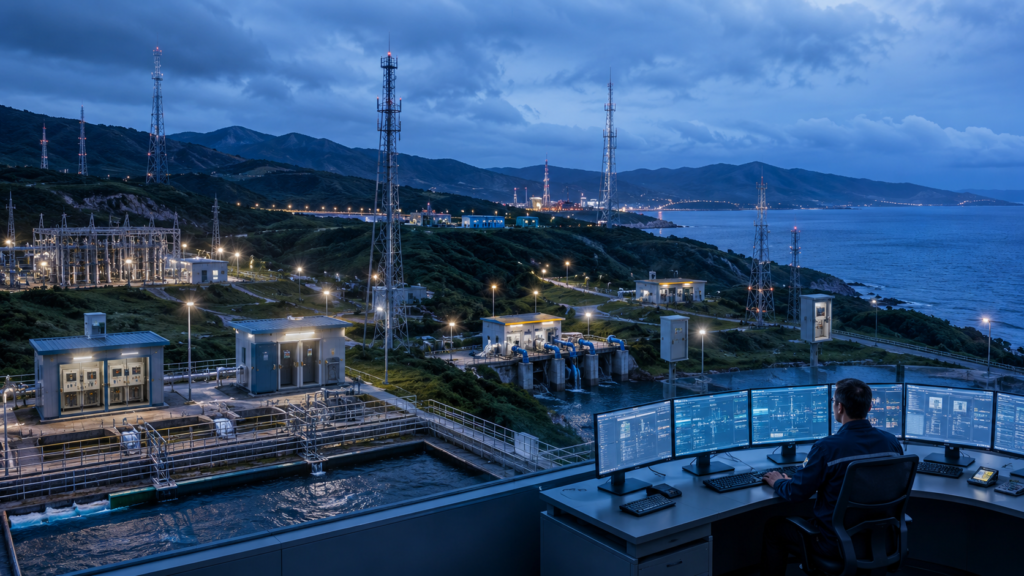
Los sistemas SCADA remotos se utilizan ampliamente en industrias donde los equipos están distribuidos en grandes áreas.. Estos sistemas ayudan a los operadores a monitorear los activos de campo sin tener que mantener a los ingenieros permanentemente en el sitio..
Los entornos SCADA remotos comunes incluyen:
- Estaciones de bombeo de agua y aguas residuales.
- Subestaciones eléctricas y plantas de energía renovable.
- Estaciones de oleoductos y gasoductos
- Armarios de control de tráfico y sistemas de túneles.
- Estaciones de monitoreo ambiental
- Instalaciones mineras y de servicios públicos remotas
- Salas de equipos industriales distribuidas.
En un sistema SCADA tradicional, la mayoría de los recursos informáticos estaban ubicados en una sala de control central. Hoy, Muchos proyectos requieren potencia informática más cercana al equipo de campo.. Esto se debe a que los sitios remotos generan más datos., requieren una respuesta local más rápida, y a menudo dependen de enlaces de comunicación inestables a larga distancia.
Una computadora SCADA remota actúa como nodo de borde local. No pretende reemplazar los PLC o RTU.. En cambio, Admite funciones de nivel superior, como la adquisición de datos., conversión de protocolo, registro de alarmas, visualización local, acceso remoto, y comunicación con plataformas de supervisión.
Esto convierte al ordenador industrial en una parte clave de la arquitectura SCADA.. Si la computadora de campo falla, El sistema central puede perder visibilidad en el sitio remoto.. Si el hardware carece de las interfaces adecuadas, la integración se vuelve más compleja. Si la plataforma cambia con frecuencia, el mantenimiento a largo plazo se vuelve difícil.
Por esta razón, Los proyectos SCADA remotos requieren plataformas informáticas integradas que sean estables., compacto, escabroso, y lo suficientemente flexible para soportar diferentes condiciones de campo.
Desafíos clave
La implementación remota de SCADA crea desafíos diferentes a los de la oficina, sala de control, o entornos de TI estándar. El hardware debe seleccionarse de acuerdo con las condiciones reales del sitio de campo..
| Desafío | Qué sucede en sitios remotos | Requisito de hardware |
|---|---|---|
| Ambiente áspero | Calor, polvo, humedad, vibración, y el flujo de aire limitado puede afectar el funcionamiento a largo plazo. | Computadora industrial sin ventilador con carcasa robusta y diseño térmico estable. |
| Interfaces mixtas | Los dispositivos de campo pueden usar Ethernet, RS-232, RS-485, USB, E/S digitales, o puertas de enlace de protocolo. | Configuración de E/S flexible con interfaces industriales nativas. |
| Red inestable | Celular, inalámbrico, satélite, o enlaces de larga distancia pueden desconectarse. | Registro de datos locales, almacenamiento en búfer, y soporte de reconexión automática. |
| fluctuación de energía | Los gabinetes de campo pueden usar energía CC., respaldo de batería, o energía industrial inestable. | Entrada de amplio voltaje y diseño de energía confiable. |
| Riesgo de ciberseguridad | El acceso remoto puede exponer las redes OT si no se controla adecuadamente. | Segmentación de red, configuración segura del sistema operativo, Soporte VPN, y control de acceso. |
| Largo ciclo de vida | Los sistemas SCADA a menudo funcionan durante muchos años en múltiples sitios. | Plataforma de hardware estable, Diseño de E/S consistente, y apoyo a la oferta a largo plazo. |
Confiabilidad ambiental
Las computadoras SCADA remotas a menudo se instalan en gabinetes de control., recintos al borde de la carretera, subestaciones, o refugios industriales. Es posible que estos lugares no tengan aire acondicionado limpio ni mantenimiento regular..
Las PC comerciales con ventiladores pueden volverse poco confiables porque el polvo bloquea el flujo de aire y los ventiladores se desgastan con el tiempo.. Una computadora integrada sin ventilador reduce las piezas móviles y es más adecuada para el funcionamiento continuo en entornos de campo difíciles.
Complejidad de la interfaz
Los sitios remotos suelen contener dispositivos nuevos y heredados.. Un solo gabinete puede incluir PLC Ethernet, Medidores RS-485, Analizadores RS-232, módulos de E/S, interruptores industriales, y enrutadores inalámbricos.
El uso de demasiados adaptadores externos aumenta la complejidad del cableado y crea más puntos de falla. Las interfaces seriales y LAN nativas ayudan a simplificar el diseño del gabinete y mejorar la confiabilidad del sistema..
Disponibilidad de red
Los sistemas SCADA remotos a menudo dependen de enlaces de comunicación que no siempre son estables. Cuando se interrumpe la conexión al sistema central, la computadora local debe continuar recopilando y almacenando datos importantes.
Por eso el almacenamiento local, almacenamiento en búfer de datos, funciones de vigilancia, y la lógica de recuperación son importantes para la implementación remota de SCADA.
 Arquitectura de solución para una computadora SCADA remota
Una computadora SCADA remota generalmente se ubica entre los dispositivos de control de campo y los sistemas de supervisión central.. Su función es recopilar datos de campo., procesarlo localmente, y transmitirlo de forma segura a plataformas de nivel superior.
1. Capa de dispositivo de campo
Esta capa incluye los equipos que generan datos operativos..
Los dispositivos típicos incluyen:
- PLC y RTU
- Medidores de flujo y sensores de presión.
- Medidores de potencia y relés de protección.
- Accionamientos de motor y controladores de bombas
- Inversores y equipos de energía.
- Temperatura, humedad, y sensores ambientales
- Módulos de E/S digitales y E/S remotas
Estos dispositivos pueden comunicarse a través de Ethernet., RS-232, RS-485, Modbus RTU, Modbus TCP, PODER, USB, u otras interfaces industriales.
2. Capa de computación perimetral
Aquí es donde está instalado el ordenador industrial..
La computadora puede ejecutar:
- Software de ejecución SCADA
- Aplicaciones de adquisición de datos
- Software HMI local
- Software de puerta de enlace OPC UA
- Servicios de conversión de protocolos
- Herramientas de registro de alarmas
- SQL o bases de datos locales ligeras
- Utilidades de mantenimiento remoto
La computadora integrada proporciona capacidad informática local incluso cuando el sitio remoto está desconectado temporalmente del sistema central..
3. Capa de comunicación
La capa de comunicación conecta el sitio remoto a la red exterior..
Puede incluir:
- Conmutadores Ethernet industriales
- Enrutadores celulares
- Puertas de enlace VPN
- Convertidores de fibra
- Puentes inalámbricos
- Cortafuegos
- Equipo de red privada
Una computadora SCADA remota con dos puertos LAN o múltiples LAN puede separar la red de control local de la red de comunicación externa.. Esto ayuda a mejorar la organización., solución de problemas, y diseño de ciberseguridad.
4. Capa de supervisión
La capa de supervisión incluye el servidor SCADA central., historiador, estación de trabajo de ingeniería, plataforma de alarma, o sistema de monitoreo en la nube.
Los operadores utilizan esta capa para:
- Ver el estado del equipo en tiempo real
- Recibir alarmas
- Analizar datos históricos
- Generar informes
- Coordinar mantenimiento
- Monitorear múltiples estaciones remotas
La computadora de campo mantiene el sistema central conectado al equipo físico..
5. Capa de mantenimiento remoto
Los sistemas SCADA remotos también deben admitir el acceso de ingeniería..
La computadora puede permitir que los usuarios autorizados verifiquen los registros., actualizar software, diagnosticar problemas de comunicación, o revisar el estado del sistema. Esto debe hacerse a través de políticas de acceso controlado., configuración de red segura, y permisos de usuario adecuados.
Características clave
Se debe seleccionar una computadora industrial confiable para la implementación SCADA remota en función del entorno operativo., requisitos de comunicación, plataforma de software, y plan de mantenimiento a largo plazo.
Diseño sin ventilador
El diseño sin ventilador reduce los puntos de falla mecánica. Es especialmente útil en armarios polvorientos., estaciones de bombeo, subestaciones, refugios al aire libre, y sitios no tripulados.
Para proyectos SCADA remotos, Los sistemas sin ventilador ayudan a reducir la frecuencia de mantenimiento y mejorar la confiabilidad a largo plazo..
Múltiples puertos LAN
El diseño de LAN dual o LAN múltiple es útil para la separación de redes.
Un puerto LAN puede conectarse a PLC locales, metros, y dispositivos industriales. Otro puerto LAN se puede conectar a un enrutador, cortafuegos, o red SCADA central. Se pueden utilizar puertos LAN adicionales para redundancia, acceso de mantenimiento, o redes de dispositivos aislados.
Soporte RS-232 y RS-485
La comunicación serie sigue siendo común en los sistemas SCADA.. muchos metros, analizadores, controladores, y los instrumentos de campo utilizan RS-232 o RS-485.
Una computadora SCADA remota con puertos serie nativos reduce la necesidad de adaptadores USB a serie y mejora la confiabilidad del cableado de campo.
Entrada de energía de amplio voltaje
Los sitios remotos pueden usar 12V, 24V, u otros sistemas de alimentación de CC. Algunos pueden depender de baterías de respaldo o fuentes de alimentación industriales..
La entrada de amplio voltaje ayuda a que la computadora integrada se adapte a diferentes diseños de energía del gabinete y reduce la necesidad de hardware de conversión adicional..
Almacenamiento confiable
Las aplicaciones SCADA remotas a menudo necesitan almacenar:
- Registros de alarma
- Registros de eventos
- Datos de tendencia
- Historial de comunicación
- Archivos de configuración
- Datos almacenados temporalmente
SSD de grado industrial, Almacenamiento M.2, o el almacenamiento SATA debe seleccionarse según el volumen de datos, escribir frecuencia, condiciones de temperatura, y requisitos del sistema operativo.
Vigilancia y recuperación automática
Un temporizador de vigilancia puede reiniciar el sistema si el sistema operativo o la aplicación deja de responder.. Esto es importante para sitios no tripulados donde el restablecimiento manual es difícil..
Las configuraciones de encendido automático y recuperación del BIOS también pueden ayudar a que el sistema vuelva a funcionar después de una interrupción del suministro eléctrico..
Expansión flexible
Algunos proyectos requieren módulos inalámbricos, puertos serie adicionales, comunicación CAN, almacenamiento adicional, o E/S personalizadas.
Ampliación a través de M.2, Mini PCIe, PCIe, encabezados internos, o el diseño de placa personalizado ayuda a los integradores de sistemas a utilizar una plataforma en diferentes proyectos SCADA.
Compatibilidad de software y sistema operativo
El software SCADA puede requerir Windows, linux, o soporte específico para el conductor. Antes del despliegue, Los integradores deben confirmar la compatibilidad del sistema operativo., Configuración del BIOS, disponibilidad del conductor, y gestión de imágenes a largo plazo.
La mejor computadora industrial no siempre es el modelo de mayor rendimiento. Es la plataforma que coincide con el software real., interfaz, y requisitos ambientales del proyecto..
Escenarios de implementación
Las plataformas informáticas SCADA remotas se utilizan dondequiera que sea necesario monitorear activos industriales a distancia..
Agua y aguas residuales
Los sistemas de agua a menudo incluyen estaciones de bombeo., embalses, estaciones de elevación, plantas de tratamiento, y puntos de monitoreo de tuberías.
Una computadora industrial puede recopilar datos de los PLC, medidores de flujo, sensores de presión, controladores de bombas, valvulas, e instrumentos de calidad del agua. También puede admitir el registro de datos local y el envío de alarmas al centro de operaciones central..
Poder y energía
La infraestructura eléctrica requiere un monitoreo confiable en todas las subestaciones, granjas solares, parques eólicos, sitios de generación distribuida, y sistemas de almacenamiento de energía en baterías.
La computadora integrada puede comunicarse con medidores de energía., relés de protección, inversores, sensores ambientales, sistemas de gestión de baterías, y plataformas de gestión energética.
Petróleo y gas
Los sitios de petróleo y gas pueden estar ubicados lejos de los equipos de mantenimiento.. Estaciones de oleoductos, estaciones de válvulas, sitios de pozos, y las instalaciones terminales requieren un monitoreo estable.
Una computadora SCADA remota puede recolectar presión, fluir, temperatura, estado de la válvula, señales de seguridad, y datos de condición del equipo. El almacenamiento local es importante cuando los enlaces de red son inestables o costosos.
Infraestructura de transporte
Los sistemas de transporte suelen incluir túneles., estaciones de ferrocarril, gabinetes de control de tráfico, salas de equipos en carretera, y sistemas de monitoreo de puentes.
Las computadoras industriales compactas pueden soportar el monitoreo local, comunicación del dispositivo, integración del sistema, y acceso de mantenimiento remoto.
Monitoreo ambiental y de servicios públicos
Los sitios de monitoreo ambiental pueden recopilar información meteorológica., nivel del agua, calidad del aire, vibración, o datos de estado del equipo.
Una computadora integrada robusta puede recopilar datos de campo, almacenar registros locales, y transmitir información a plataformas centrales de monitoreo.
Beneficios comerciales
Un ordenador SCADA remoto adecuado no sólo aporta valor a los ingenieros, sino también para directores de proyectos, integradores de sistemas, y operadores de infraestructura.
Menos visitas al sitio
Es costoso acceder a sitios remotos. Cuando la computadora integrada admite diagnóstico remoto, registros locales, recuperación de perro guardián, y comunicación estable, Los ingenieros pueden resolver más problemas sin tener que desplazarse al sitio..
Menor costo de mantenimiento
Diseño sin ventilador, entrada de energía industrial, y la construcción robusta ayudan a reducir fallas comunes de hardware. Esto reduce el esfuerzo de mantenimiento durante la vida útil del sistema SCADA..
Integración más sencilla del sistema
LAN nativa, puertos serie, USB, almacenamiento, y las opciones de expansión simplifican la conexión a los PLC, RTU, metros, sensores, y equipos de comunicación.
Esto reduce el uso del adaptador., complejidad del cableado, y riesgo de diseño del gabinete.
Mejor continuidad de los datos
El registro y el almacenamiento en búfer locales protegen los registros operativos durante cortes de red.
Cuando se recupera el enlace de comunicación, Los datos almacenados se pueden sincronizar con el sistema SCADA central o la plataforma de monitoreo..
Implementación escalable en múltiples sitios
Cuando un proyecto SCADA se expande desde varios sitios a docenas o cientos de estaciones, La consistencia del hardware se vuelve muy importante..
Una plataforma informática industrial estable ayuda a simplificar la implementación de imágenes, planificación de repuestos, formación de técnicos, y documentación a largo plazo.
Estabilidad del proyecto a largo plazo
Los sistemas SCADA suelen funcionar durante muchos años.. Una plataforma informática integrada consistente ayuda a reducir el trabajo de rediseño y evita cambios innecesarios en las imágenes del software., conductores, montaje, alambrado, y procedimientos de mantenimiento.
Por qué CoreIPC
CoreIPC proporciona computadoras industriales, computadoras integradas, tableros empotrados, y plataformas informáticas personalizadas para aplicaciones de automatización industrial y monitoreo remoto. Para implementación SCADA remota, CoreIPC se centra en un funcionamiento estable, diseño de sistema sin ventilador, configuración de E/S flexible, estructura mecánica compacta, y apoyo práctico a la integración. CoreIPC trabaja con integradores de sistemas, OEM, y proveedores de soluciones que necesitan hardware informático confiable para sitios industriales distribuidos. Con capacidad ODM y OEM, CoreIPC puede admitir interfaces específicas del proyecto, personalización del recinto, requisitos de marca, y planificación de suministro a largo plazo para aplicaciones B2B globales.
Preguntas frecuentes
1. ¿Qué es una computadora SCADA remota??
Una computadora SCADA remota es un dispositivo informático industrial instalado en un sitio de campo para recopilar, proceso, almacenar, y transmitir datos operativos. Suele conectarse a PLC., RTU, metros, sensores, conduce, y dispositivos de comunicación. Puede ejecutar software SCADA, herramientas de adquisición de datos, servicios de conversión de protocolos, o aplicaciones de monitoreo local. Su objetivo principal es conectar equipos industriales remotos con la plataforma SCADA central..
2. ¿Por qué los sistemas SCADA remotos deberían utilizar una computadora industrial??
Los sitios SCADA remotos a menudo tienen calor, polvo, vibración, poder inestable, y acceso de mantenimiento limitado. Una PC comercial no está diseñada para estas condiciones.. Una computadora industrial puede proporcionar refrigeración sin ventilador, entrada de amplio voltaje, diseño de carcasa resistente, E/S industriales, y una mejor estabilidad del ciclo de vida. Estas características ayudan a mejorar la confiabilidad en los gabinetes de control., subestaciones, salas de bombas, refugios al aire libre, y estaciones no tripuladas.
3. ¿Qué interfaces son importantes para la implementación remota de SCADA??
Las interfaces comunes incluyen Ethernet LAN, RS-232, RS-485, USB, E/S digitales, y expansión del almacenamiento. Ethernet se utiliza para PLC, enrutadores, interruptores, y redes SCADA. RS-232 y RS-485 se utilizan para medidores, analizadores, controladores heredados, e instrumentos de campo. Algunos proyectos también pueden requerir CAN, GPIO, expansión inalámbrica, o múltiples puertos LAN para separación y redundancia de la red.
4. ¿Puede una computadora integrada ejecutar software SCADA??
Sí. Muchas computadoras integradas pueden ejecutar software SCADA si cumplen con el sistema operativo requerido., UPC, memoria, almacenamiento, gráficos, y requisitos del conductor. Algunas plataformas SCADA requieren Windows, mientras que otros soportan Linux. Para implementación remota, La computadora integrada también debe admitir almacenamiento estable., recuperación de perro guardián, herramientas de mantenimiento remoto, e interfaces de comunicación fiables.
5. ¿Por qué es importante el diseño sin ventilador en aplicaciones SCADA remotas??
El diseño sin ventilador reduce los puntos de falla mecánica y reduce los requisitos de mantenimiento. En sitios remotos, el polvo y la mala ventilación pueden afectar los sistemas basados en ventiladores. Una computadora industrial sin ventilador utiliza un diseño térmico pasivo, que es más adecuado para armarios de control, estaciones de bombeo, subestaciones, recintos al borde de la carretera, e instalaciones no tripuladas. Esto mejora la confiabilidad donde la limpieza regular o el servicio de hardware son difíciles..
6. ¿Cómo maneja una computadora SCADA remota las interrupciones de la red??
Una computadora SCADA remota puede continuar recopilando datos localmente cuando la conexión al sistema central no está disponible. Puede almacenar registros de alarma, registros de eventos, datos de tendencia, e información del estado de la comunicación. Cuando la red vuelve, el sistema puede reenviar datos almacenados al servidor SCADA o plataforma de monitoreo. Esto ayuda a reducir la pérdida de datos en dispositivos móviles inestables., inalámbrico, o redes de larga distancia.
7. ¿Una computadora SCADA remota reemplaza un PLC o RTU??
No. Una computadora SCADA remota generalmente funciona con PLC y RTU en lugar de reemplazarlos.. Los PLC y RTU manejan la lógica de automatización y control en tiempo real. El ordenador industrial proporciona funciones de nivel superior, como el registro de datos., visualización local, conversión de protocolo, acceso remoto, y comunicación con sistemas SCADA centrales. Esta estructura mantiene el control confiable al mismo tiempo que agrega flexibilidad informática..
8. ¿Qué deben considerar los integradores de sistemas al seleccionar una computadora SCADA remota??
Los integradores de sistemas deben evaluar el entorno de campo., rango de temperatura, entrada de energía, interfaces requeridas, Sistema operativo, software SCADA, necesidades de almacenamiento, método de montaje, política de ciberseguridad, y requisitos del ciclo de vida. La plataforma adecuada debe equilibrar la confiabilidad, compatibilidad, utilidad, y disponibilidad a largo plazo. Una computadora estable y bien adaptada suele ser más valiosa que simplemente elegir el hardware de mayor rendimiento..
Conclusión
Una computadora SCADA remota es una parte esencial de los sistemas modernos de monitoreo y control distribuidos.. Conecta equipos de campo con plataformas centrales de supervisión., admite el procesamiento de datos locales, mejora la confiabilidad de la comunicación, y permite el mantenimiento remoto en sitios no tripulados o geográficamente dispersos.
Para sistemas de agua, infraestructura eléctrica, petróleo y gas, transporte, monitoreo ambiental, e instalaciones industriales, la plataforma de hardware debe ser estable, escabroso, flexible, y adecuado para funcionamiento a largo plazo.
Mediante el uso de una computadora industrial o una computadora integrada diseñada para la implementación remota de SCADA, Los integradores de sistemas pueden reducir el tiempo de inactividad., simplificar la integración de campo, Admite dispositivos tanto antiguos como modernos., y construir arquitecturas de monitoreo escalables. CoreIPC proporciona plataformas informáticas industriales confiables y soporte de personalización para empresas que necesitan soluciones de hardware prácticas para SCADA remoto y proyectos de monitoreo de borde industrial..
Contáctenos
Si está desarrollando un sistema SCADA remoto o necesita una plataforma informática industrial para monitoreo de campo distribuido, CoreIPC puede ayudarle a evaluar sus requisitos de hardware. Póngase en contacto con el equipo de CoreIPC para discutir la configuración de la interfaz., rendimiento informático, diseño de recinto, soporte del sistema operativo, Personalización ODM/OEM, y planificación de suministro a largo plazo para su próxima implementación SCADA.