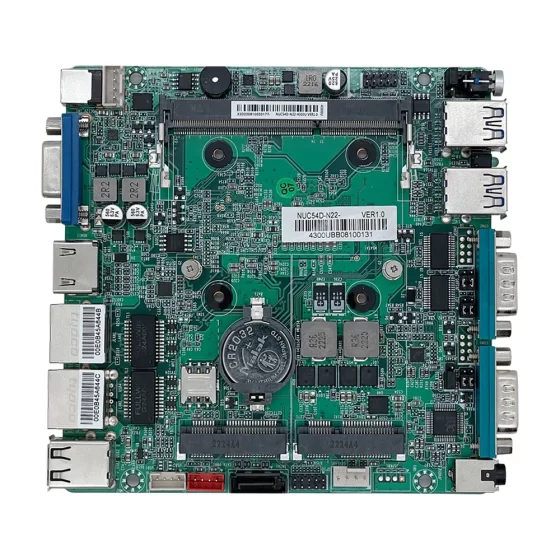
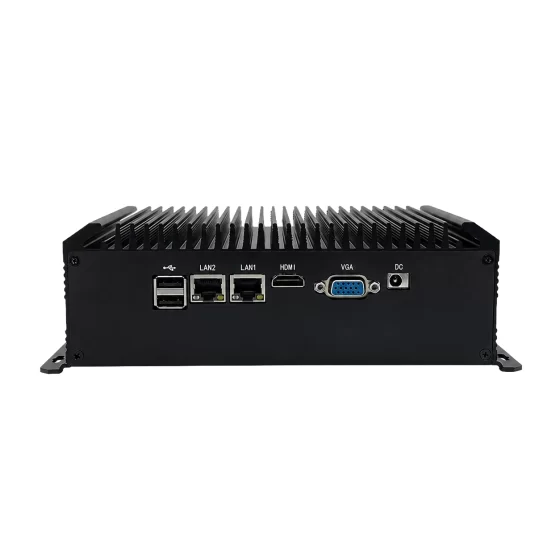
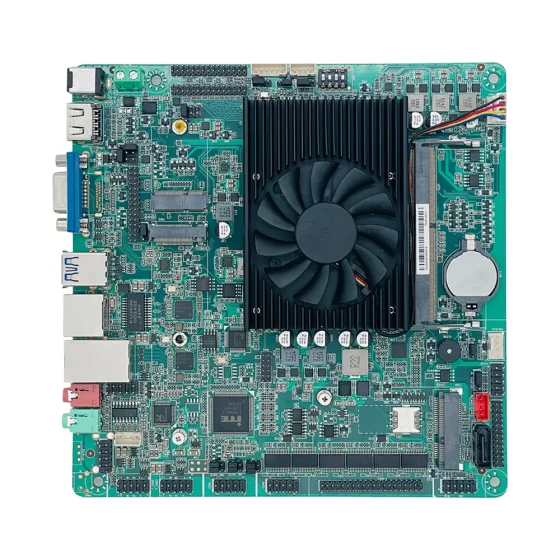
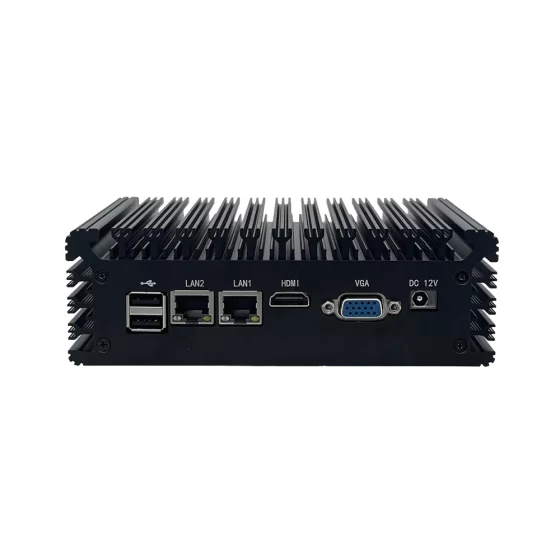
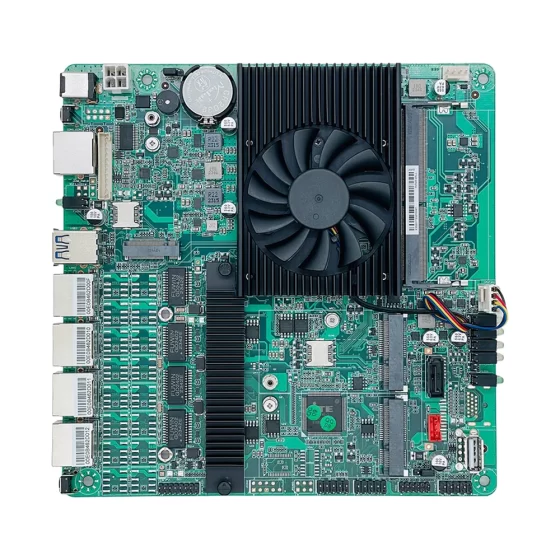
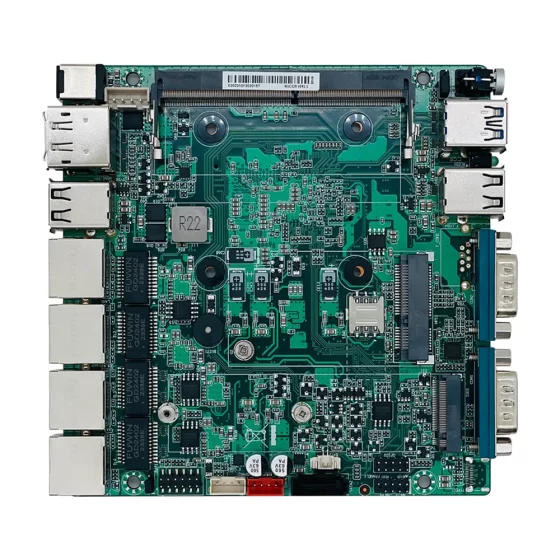
CoreIPC 産業用コンピューティング ソリューション

医用画像処理用産業用コンピュータ: 医療機器統合用医用画像処理コンピュータ
エグゼクティブサマリー
医用画像コンピュータは画像診断装置の産業用コンピューティング基盤を提供します, 画像取得, 医療機器制御, ローカルデータ処理, ワークステーションの視覚化, ストレージ管理, と医療システムの統合.
医用画像システムには信頼性の高いコンピューティング ハードウェアが必要です. 超音波システム, 内視鏡プラットフォーム, デジタルX線撮影装置, 歯科用画像装置, 病理画像システム, 眼科用画像機器, 実験用画像機器, 医療検査機械はすべて、安定したデータ収集に依存しています。, 正確な画像表示, 応答性の高い操作, 安全なデータ処理.
産業用コンピュータまたは組み込みコンピュータを医用画像機器の内部または近くで使用して、画像取得モジュールをサポートできます。, カメラインターフェース, センサー, 制御盤, ディスプレイシステム, ローカルストレージ, 医療ワークステーション, 病院ネットワーク, およびヘルスケアデータプラットフォーム.
一般的なオフィスPCとの比較, 産業用コンピュータは堅牢な設計をサポートしているため、医療画像機器の統合に適しています。, コンパクトな設置, ファンレス動作オプション, 安定した電力入力, 信頼できるストレージ, 長いライフサイクルの可用性, 複数の I/O インターフェイス, およびOEM/ODMカスタマイズ.
この記事では、医用画像処理コンピューター プラットフォームが医療機器をどのようにサポートしているかについて説明します。, 医療画像環境で発生する導入上の課題, ソリューション アーキテクチャの仕組み, 産業用コンピュータまたは医用画像アプリケーション用の組み込みコンピュータを選択する際にどのハードウェア機能が重要になるか.

医用画像データの取得
業界の概要
医用画像処理には安定したコンピューティングが必要です
医療画像は医療診断において重要な役割を果たします, 検査, 治療サポート, 研究室のワークフロー.
画像システムはキャプチャする可能性があります, プロセス, 画面, 店, 患者からの視覚情報を伝達します, サンプル, 楽器, または医療機器.
一般的な医用画像アプリケーションには次のものがあります。:
- 超音波画像診断
- 内視鏡画像検査
- デジタルレントゲン撮影
- 歯科画像処理
- 眼科画像処理
- 病理スライドイメージング
- 研究室の画像処理
- 医療検査システム
- 手術画像サポート
- 皮膚科画像診断
- リハビリテーション画像システム
- 医療機器可視化プラットフォーム
各アプリケーションには信頼性の高い画像取得と安定したコンピューティング パフォーマンスが必要です。.
医用画像処理コンピュータは、これらの機能をサポートするローカル ハードウェア層を提供します。.
映像機器のコネクテッド化が進む
最新の医用画像機器はもはや独立したハードウェアではありません.
病院のネットワークに接続する必要がある場合があります, 医療ワークステーション, 画像ストレージシステム, 患者情報システム, リモートサービスプラットフォーム, およびクラウドベースのヘルスケア アプリケーション.
医用画像システムはサポートする必要がある場合があります。:
- 画像取得
- リアルタイム画像表示
- ローカル画像処理
- AI支援分析
- デバイス制御
- 患者記録の関連付け
- データストレージ
- ネットワーク通信
- リモート診断
- システムの健全性の監視
- 病院のワークフローの統合
これには信頼性の高い組み込みコンピューティング プラットフォームが必要です.
産業用コンピューティングがヘルスケア機器メーカーをサポート
医療画像機器メーカーは、コンパクトな筐体に統合できるコンピューティング プラットフォームを必要としています, ソフトウェアで検証済み, 長い製品ライフサイクルにわたって一貫して供給されます.
ハードウェアの変更はドライバーに影響を与える可能性があります, イメージングソフトウェア, 規制文書, 熱設計, 機械構造, およびサービス手順.
産業用コンピュータと組み込みコンピュータは、コンシューマ PC よりも安定したプラットフォーム計画をサポートします。.
また、さまざまな画像機器設計に合わせた柔軟なハードウェア構成も提供します。.

医用画像統合の課題
主要な課題
画像の取得と処理のサポート
医用画像システムは多くの場合、安定した画像のキャプチャと処理を必要とします。.
コンピューターにカメラを接続する必要がある場合があります, センサー, 獲得ボード, イメージングモジュール, ディスプレイパネル, ストレージデバイス, および制御システム.
画像データはリアルタイム処理が必要な場合があります.
重要な考慮事項には以下が含まれます::
- 画像解像度
- フレームレート
- カメラインターフェース
- センサーインターフェース
- 処理ワークロード
- ストレージの書き込み速度
- 表示出力
- ネットワーク転送
- ソフトウェアの互換性
- 熱設計
プラットフォームは実際のイメージングのワークロードに応じて選択する必要があります.
信頼性の高い表示性能を維持する
医用画像システムは正確で安定したディスプレイ出力に依存します。.
医師, 技術者, 研究室スタッフ, または、オペレーターは画像を鮮明に表示し、システムを迅速に操作する必要がある場合があります。.
コンピューターは高解像度ディスプレイをサポートする必要がある場合があります, 複数の画面, タッチスクリーン操作, ローカルワークステーション, または埋め込み型ディスプレイパネル.
安定したグラフィックス パフォーマンスと信頼性の高い表示インターフェイスは、オペレータの使いやすさにとって重要です.
医療機器と器具の統合
医用画像処理コンピュータでは、多くの種類のデバイスを接続する必要がある場合があります.
これらには以下が含まれる場合があります:
- イメージセンサー
- 産業用カメラ
- 医療用カメラ
- 取得モジュール
- 照明コントローラー
- モーションステージ
- タッチパネル
- フットペダル
- 制御盤
- バーコードリーダー
- プリンター
- ストレージデバイス
- ネットワーク機器
機器の設計によっては LAN が必要になる場合があります, USB, RS232, RS485, GPIO, デジタルI/O, PCIe, M.2, HDMI, またはディスプレイポート.
柔軟な I/O により、機器メーカーは外部アダプタを減らし、統合を簡素化できます。.
ローカルストレージとデータセキュリティの管理
医用画像データは大規模になる可能性があります.
画像, ビデオ, スキャン記録, 患者リンクファイル, デバイスログ, 診断レポートには信頼性の高いローカル ストレージが必要な場合があります.
システムは、高速ストレージ アクセスと制御されたデータ処理をサポートする必要があります。.
ストレージ計画で考慮すべきこと:
- 画像ファイルサイズ
- 動画データ量
- 一時的な画像キャッシュ
- ローカルデータベースのサイズ
- システムログ
- バックアップのワークフロー
- データ保持ポリシー
- 回復手順
- アクセス制御
- ストレージの健全性の監視
信頼性の高い SSD または NVMe ストレージにより、パフォーマンスと耐衝撃性が向上します.
連続運転と静音運転をサポート
多くの医療環境では、低騒音でメンテナンスの少ないシステムが必要です。.
ファンレス産業用コンピューターはノイズを低減し、機械的な故障点を 1 つ取り除くことができます.
医療用カートに便利です, 診療室, イメージングワークステーション, ポータブル診断装置, および密閉型医療機器.
しかし, システムが連続イメージングを処理する場合、ファンレスの熱設計を慎重に検証する必要があります, 高解像度ディスプレイ, ローカル処理, およびストレージへの書き込み.
長い製品ライフサイクルをサポート
医用画像機器は多くの場合、長い開発サイクルと展開サイクルを必要とします。.
ハードウェアの変更にはソフトウェアの再検証が必要になる場合があります, 機械的な再設計, ドキュメントの更新, そしてサービストレーニング.
機器メーカーにとって、長いライフサイクルの可用性は重要です.
安定した組み込みコンピュータ プラットフォームは、一貫したシステム イメージの維持に役立ちます, ドライバー, インターフェース, 複数の製品世代にわたるスペアパーツ.

医用画像処理コンピュータのアーキテクチャ
医用画像コンピュータ ソリューション アーキテクチャ
イメージングデバイス層
画像デバイス層には、医用画像機器と接続されたコンポーネントが含まれます。.
この層には以下が含まれる場合があります:
- 医療用カメラ
- イメージセンサー
- 超音波モジュール
- 内視鏡モジュール
- X線画像モジュール
- 歯科用画像装置
- 光学イメージングシステム
- 病理スキャナー
- 研究室用カメラ
- モーションステージ
- 照明コントローラー
- 制御盤
これらのデバイスは画像データを生成します, デバイス信号, および稼働状況情報.
医用画像処理コンピュータ層
医用画像処理コンピュータ層はローカル コンピューティング プラットフォームです.
この層では, 産業用コンピュータまたは組み込みコンピュータは、:
- 画像データを取得する
- イメージング ソフトウェアを実行する
- 医療画像を表示する
- ローカル画像データを処理する
- 接続されたデバイスを制御する
- 画像記録を保存する
- システムログを管理する
- サポートユーザーインターフェースソフトウェア
- 病院ネットワークを接続する
- リモート診断のサポート
この層は、画像機器のコンピューティング基盤を提供します。.
デバイス通信層
通信層は、コンピュータとイメージング モジュールおよびシステム デバイスを接続します。.
含まれる場合があります:
- LAN
- USB
- RS232
- RS485
- GPIO
- デジタル I/O
- PCIe
- M.2
- HDMI
- ディスプレイポート
- ストレージインターフェース
- 産業用カメラインターフェース
正確な通信設計は画像機器のアーキテクチャに依存します.
視覚化とユーザーインターフェイス層
視覚化レイヤーは画像表示とオペレーターの対話をサポートします。.
含まれる場合があります:
- 医療用ディスプレイ
- タッチスクリーンパネル
- ローカルモニター
- ワークステーションの画面
- オペレーター制御インターフェース
- イメージング ソフトウェア ダッシュボード
- 患者ワークフロー画面
- メンテナンス画面
コンピューターは安定した視覚化と応答性の高いインタラクションをサポートする必要があります.
ヘルスケア システム統合層
医用画像システムはより高いレベルの医療プラットフォームに接続できる可能性がある.
これらには以下が含まれる場合があります:
- 病院情報システム
- 画像保管システム
- 医療ワークステーション
- ローカルデータベース
- リモートサービスプラットフォーム
- ヘルスケアクラウドプラットフォーム
- 研究室情報システム
- デバイス管理システム
この統合により、画像データとデバイス情報が臨床および運用ワークフローをサポートできるようになります。.
セキュリティおよび管理層
セキュリティおよび管理層は、制御されたアクセスと保守性をサポートします.
含まれる場合があります:
- ユーザー権限
- ネットワークのセグメンテーション
- 安全なリモートアクセス
- ローカルロギング
- 構成のバックアップ
- ストレージの監視
- システムの健全性の監視
- ソフトウェア更新管理
- デバイスの診断
- アクセス制御
医療機器メーカーとシステム インテグレーターは、セキュリティと検証の要件をアプリケーションと規制上の責任と整合させる必要があります。.
主な特長
確実な画像取得サポート
医用画像コンピュータは、接続された画像デバイスからの安定した画像取得をサポートする必要があります.
ハードウェアの選択は次の点を考慮する必要があります:
- カメラインターフェース
- センサーインターフェース
- USB帯域幅
- LAN帯域幅
- PCIeの拡張
- 画像解像度
- フレームレート
- バッファリングのニーズ
- ストレージ速度
- ソフトウェア実行環境
プラットフォームは、実際のイメージング モジュールと実際のイメージ ワークロードを使用してテストする必要があります。.
高解像度ディスプレイのサポート
医療画像アプリケーションでは、多くの場合、鮮明で安定した視覚化が必要です。.
便利な表示機能には次のものがあります。:
- HDMI出力
- DisplayPort出力
- マルチディスプレイのサポート
- タッチスクリーンのサポート
- 高解像度画像表示
- 安定したグラフィックス性能
- 埋め込みパネルのサポート
- ワークステーションモニターのサポート
最終的なディスプレイ構成は、医用画像ソフトウェアとオペレーターのワークフローに一致する必要があります。.
コンパクトな組み込み設計
多くの医用画像システムは内部スペースが限られています.
コンパクトな組み込みコンピュータをデバイスのエンクロージャに統合可能, ポータブル機器, 医療カート, 画像ステーション, およびOEMシステム.
コンパクトなハードウェアによりシステムの設置面積が削減され、機械設計が簡素化されます。.
装置メーカー向け, コンパクトな組み込み IPC プラットフォームは、より柔軟な製品設計をサポートできます.
ファンレスでメンテナンスの手間がかからない動作
ファンレス設計は多くの医療アプリケーションにとって価値があります.
騒音を低減し、一般的な機械的故障点を 1 つ除去します。.
これは次のような場合に便利です:
- 臨床画像検査室
- 診断カート
- 医療ワークステーション
- 研究室用画像システム
- 患者側のデバイス
- ポータブル画像機器
- 密閉型機器の設計
熱パフォーマンスは、実際のイメージングのワークロードと周囲条件の下で検証する必要があります。.
柔軟な産業用 I/O
医用画像システムには多くのインターフェースが必要になる場合があります.
便利なオプションとしては、次のようなものがあります。:
- LAN
- USB
- RS232
- RS485
- GPIO
- デジタル入力
- デジタル出力
- HDMI
- ディスプレイポート
- M.2
- PCIe
- SATA または NVMe ストレージ
これらのインターフェースはカメラをサポートしています, センサー, 制御盤, ディスプレイ, バーコードリーダー, プリンター, サービスデバイス, およびネットワーク接続.
ローカルストレージとデータバッファリング
イメージング システムには、イメージ用に信頼性の高いローカル ストレージが必要な場合があります, ビデオ, ログ, 一時ファイル, ソフトウェアデータ, および診断記録.
SSD または NVMe ストレージは、機械式ドライブよりも高速アクセスと優れた耐衝撃性を備えているため、一般的に好まれます。.
ストレージ設計で考慮すべきこと:
- 画像ボリューム
- 動画ファイルサイズ
- 一時キャッシュ
- 書き込み速度
- 保持のニーズ
- バックアップのワークフロー
- 回復プロセス
- データセキュリティ要件
信頼性の高いストレージによりシステムの安定性と保守性が向上します.
エッジAIと画像処理能力
一部の医用画像システムでは、高度な画像処理または AI 支援機能が使用されています。.
コンピューターは画像強化のためのローカル処理をサポートしている場合があります, 特徴検出, ワークフローの自動化, または意思決定支援の前処理.
ハードウェアの選択は次の点を考慮する必要があります:
- CPU性能
- メモリ容量
- オプションの GPU または AI アクセラレータ
- モデルサイズ
- 画像解像度
- 推論頻度
- ソフトウェアフレームワーク
- 熱設計
導入前にアプリケーション固有の検証が必要です.
ネットワークおよびリモート サービスのサポート
医用画像システムにはリモート メンテナンスとソフトウェア サポートが必要な場合があります.
コンピュータは安全なリモート診断をサポートしている場合があります, ログレビュー, システムの健全性の監視, 構成のバックアップ, および制御されたソフトウェア更新.
ネットワーク設計では病院の IT 要件を考慮する必要があります, アクセス制御, データ処理, システムのセグメント化.
長いライフサイクルの可用性
医用画像機器は多くの場合、長年にわたり安定したハードウェアを必要とします.
長いライフサイクルの可用性は維持に役立ちます:
- ソフトウェアイメージ
- ドライバー
- イメージング SDK
- 機械設計
- 規制文書
- スペアパーツ
- サービス手順
- 検証ワークフロー
これは、OEM 機器ビルダーやヘルスケア システム インテグレーターにとって重要です。.

医用画像機器事業
導入シナリオ
超音波画像装置
超音波システムには安定した信号処理が必要です, 画像表示, ストレージ, およびユーザーインターフェイスの操作.
医用画像処理コンピュータはローカル画像処理ソフトウェアをサポートできます, ディスプレイ出力, ストレージ管理, およびネットワーク接続.
これは、機器製造業者が信頼性の高い診断プラットフォームを作成するのに役立ちます.
内視鏡画像システム
内視鏡システムには画像キャプチャが必要です, ビデオディスプレイ, 照明制御, ストレージ, とオペレーターの対話.
組み込みコンピュータはリアルタイムビデオ処理をサポートできます, ディスプレイ出力, デバイス通信, およびシステムログ.
コンパクトで信頼性の高い内視鏡装置の設計をサポートします。.
デジタル X 線撮影ワークステーション
デジタル X 線撮影システムには画像取得が必要です, ローカル処理, 画面, ストレージ, と病院のネットワーク接続.
産業用コンピュータは画像処理ソフトウェアをサポートできます, ストレージアクセス, ネットワーク転送, およびワークステーションの操作.
これによりワークフローの統合が向上します.
歯科用画像システム
歯科用画像撮影装置にはコンパクトなハードウェアが必要な場合があります, 安定した表示, 画像ストレージ, とクリニックのワークフローの統合.
組み込みコンピュータは画像デバイスをサポートできます, ローカルソフトウェア, ディスプレイパネル, およびネットワーク接続.
これは、チェアサイドまたはワークステーションベースのイメージング システムをサポートします。.
病理学と検査画像処理
病理学および研究室の画像システムではカメラが使用される場合があります, 顕微鏡, スライドスキャナ, 照明モジュール, およびローカルデータベース.
医用画像コンピュータは画像を収集できます, プロセスデータ, 記録を保存する, 研究室プラットフォームと接続します.
デジタルラボのワークフローをサポートします.
眼科用画像機器
眼科用画像システムにはカメラの統合が必要な場合があります, 正確なデバイス制御, 画像表示, および患者記録管理.
組み込みコンピュータはローカル イメージング ソフトウェアをサポートできます, デバイスインターフェース, およびネットワーク通信.
小型診断装置をサポートします.
医用画像カートまたはモバイル ワークステーション
モバイル医療ワークステーションにはコンパクトなコンピューティングが必要です, 低騒音運転, 信頼できるストレージ, ディスプレイのサポート, およびネットワーク接続.
ファンレス組み込みコンピュータは、モバイル イメージング ワークフローとローカル データ処理をサポートできます。.
これにより、臨床スペースのメンテナンスと騒音の削減に役立ちます。.
OEM 医用画像プラットフォーム
医療機器メーカーは産業用コンピューターや組み込みボードをカスタム画像システムに統合できます.
プラットフォームは画像取得をサポートできます, ローカル処理, 画面, ストレージ, リモート診断, および顧客固有の I/O.
これは、再現可能な医療画像機器プラットフォームの作成に役立ちます.
ビジネス上のメリット
イメージング システムの信頼性の向上
医用画像コンピュータは画像取得のための安定したコンピューティングを提供します, 画面, ストレージ, とデバイス通信.
産業グレードのハードウェアは、システムの不安定性を軽減し、医療機器の継続的な動作をサポートします。.
これにより機器の信頼性が向上します.
OEM 機器の統合の向上
産業用コンピュータと組み込みコンピュータはカメラに柔軟なインターフェイスを提供します, センサー, 制御盤, ディスプレイ, ストレージ, およびネットワークシステム.
これにより、医療機器メーカーはハードウェアをより効率的に統合できるようになります。.
一貫したプラットフォームにより製品開発が簡素化されます.
メンテナンスのリスクの軽減
ファンレス動作オプション, 信頼できるストレージ, 頑丈な構造, 確実な取り付け, 安定した電力入力により、メンテナンスのリスクが軽減されます。.
これは臨床機器にとって価値があります, 診断ワークステーション, 複数のサイトに展開される医療機器.
より高速な画像ワークフロー
ローカル処理とストレージにより、イメージング システムがデバイスの近くで画像データを処理できるようになります.
これによりレスポンシブ表示がサポートされます, ローカルレビュー, 一時的なバッファリング, 医療システムへの構造的な移行.
ワークフローの改善により、オペレーターの作業効率が向上します。.
より簡単なリモートサービス
リモート診断は、機器メーカーやサービスチームがログを確認するのに役立ちます, システムステータス, ストレージの健全性, 構成, およびソフトウェアのバージョン.
これにより、オンサイトのサービス時間が短縮され、サポート効率が向上します。.
アクセス制御と安全なサービスのワークフローは慎重に設計する必要があります.
スケーラブルな医療機器の開発
標準化された医用画像コンピュータ プラットフォームは、複数の機器モデルまたは製品世代をサポートできます。.
一貫したハードウェアによりソフトウェア イメージが簡素化されます, ドライバーの検証, 機械設計, スペアパーツの計画, およびライフサイクル管理.
これにより、スケーラブルな OEM 医用画像開発がサポートされます。.
CoreIPC を選ぶ理由
CoreIPC は医療画像処理用の産業用コンピューティング プラットフォームを提供します, 医療機器, マシンビジョン, エッジAI, 産業オートメーション, および組み込みシステムの統合. 医用画像コンピュータアプリケーション向け, CoreIPC は信頼性の高い産業用コンピューター ハードウェアに重点を置いています, 組み込みコンピュータソリューション, コンパクトなシステム設計, ファンレス導入オプション, 柔軟な I/O, マルチLAN構成, ローカルストレージ機能, OEM/ODMカスタマイズサポート. CoreIPC は医療機器メーカーを支援します, システムインテグレーター, ヘルスケア ソリューション プロバイダーは、実際の導入要件に一致するコンピューティング プラットフォームを選択します。, イメージングのワークロードを含む, デバイスインターフェース, ディスプレイのサポート, ストレージデザイン, 取付方法, 電源入力, 熱条件, およびライフサイクル計画.
よくある質問
1. 医用画像処理コンピュータとは?
医用画像処理コンピュータは、医用画像処理装置の内部または近くで使用される産業用または組み込みコンピューティング プラットフォームです。.
画像取得をサポートする場合があります, 画像表示, ローカル処理, デバイス通信, ストレージ, システムロギング, ユーザーインターフェースソフトウェア, とヘルスケアネットワークの統合.
2. 医療用画像機器に産業用コンピュータを使用する理由?
産業用コンピュータは、長期にわたる機器の導入に信頼性の高いハードウェアを提供します.
コンパクトな設置に対応可能, 頑丈なデザイン, ファンレス動作オプション, 安定した電力入力, 信頼できるストレージ, 柔軟な I/O, 長いライフサイクルの可用性.
これらの機能は、OEM 医用画像システムやヘルスケア ワークステーションに役立ちます。.
3. 組み込みコンピュータは医療画像処理にどのように使用されますか?
組み込みコンピュータを画像機器内に設置可能, 診断カート, 制御モジュール, またはワークステーション システム.
カメラを接続できます, センサー, 獲得ボード, ディスプレイ, ストレージデバイス, イメージング ソフトウェアやデバイス制御アプリケーションを実行しながら、ネットワーク システムを構築する.
4. 組み込みコンピュータを使用できる医用画像アプリケーション?
アプリケーションには超音波イメージングが含まれます, 内視鏡システム, デジタルX線撮影ワークステーション, 歯科画像診断, 眼科画像処理, 病理画像処理, 研究室の画像処理, 医療検査システム, およびモバイルイメージングカート.
最終的なプラットフォームは、イメージングのワークロードとシステム設計によって異なります。.
5. 医用画像処理コンピュータにとって重要なハードウェア機能は何ですか?
重要な機能には信頼性の高い CPU パフォーマンスが含まれます, 十分なメモリ, USB, LAN, PCIe, M.2, HDMI, ディスプレイポート, SSDまたはNVMeストレージ, ファンレス設計オプション, コンパクトなフォームファクタ, 頑丈な筐体, 産業用電力入力, 長いライフサイクルの可用性.
最終的な構成は画像機器の要件に一致する必要があります。.
6. 医用画像処理コンピューターは AI 支援画像処理をサポートできますか?
はい. 一部の医用画像処理コンピューターは、適切な CPU があればエッジ AI または高度な画像処理をサポートできます。, GPU, メモリ, アクセル, ストレージ, とソフトウェア環境が選択されています.
導入前にアプリケーション固有の検証が必要です.
7. ファンレス設計がヘルスケア機器に役立つ理由?
ファンレス設計によりノイズが低減され、機械的な故障点が 1 つ除去されます。.
診療室に便利です, 診断カート, 医療ワークステーション, 実験用画像システム, メンテナンスの手間が少なく、静かな動作が重要な密閉型機器.
8. 医療画像処理にとってローカル ストレージが重要な理由?
ローカルストレージはイメージファイルをサポートします, ビデオレコード, 一時キャッシュ, システムログ, ソフトウェアデータ, 診断ファイル, ネットワーク中断時のバッファリング.
SSD または NVMe ストレージは、機械式ドライブよりも高速アクセスと優れた耐衝撃性を提供します。.
ストレージ設計では、アプリケーションのワークロードとデータ処理要件を考慮する必要があります.
9. 医用画像処理コンピューターは病院システムに接続できますか?
はい. 医用画像処理コンピュータが病院のネットワークに接続できる可能性がある, 医療ワークステーション, 画像ストレージシステム, ローカルデータベース, ヘルスケアプラットフォーム, およびリモートサービスシステム.
統合要件は機器メーカーによって異なります, 病院のワークフロー, およびソフトウェア環境.
10. 導入前にテストすべきこと?
導入前, プラットフォームは実際のイメージング ソフトウェアでテストする必要があります, カメラ, センサー, 取得モジュール, ディスプレイシステム, ストレージのワークロード, ネットワークトポロジー, リモートサービスのワークフロー, 長時間にわたる運用.
熱安定性, 通信回復, 保管動作, ディスプレイのパフォーマンス, アプリケーション固有の検証も完了する必要があります.
結論
医用画像コンピュータは医療機器統合の実用的な基盤です, 画像取得, ローカル処理, ディスプレイ出力, デバイス通信, ストレージ管理, リモート診断, および医療システムの接続性.
産業用コンピュータまたは組み込みコンピュータを医用画像機器の内部または近くに配置することによって, メーカーやシステムインテグレーターはカメラを接続できます, センサー, 取得モジュール, 制御盤, ディスプレイ, ストレージデバイス, 医療ワークステーション, 病院ネットワーク, 信頼性の高い通信パスを介したヘルスケア ソフトウェア プラットフォーム.
実際の導入要件に応じて、適切な医用画像処理コンピュータを選択する必要があります。, 画像解像度も含めて, フレームレート, デバイスインターフェース, ディスプレイのサポート, 処理ワークロード, ストレージデザイン, ネットワーク通信, 取付方法, 電源入力, 熱条件, オペレーティング システムのサポート, およびライフサイクル計画.
CoreIPC は、実用的な医療機器向けに設計されたプラットフォームを使用して、医療画像処理のための産業用コンピューターおよび組み込みコンピューター プロジェクトをサポートします。, ワークステーション, 診断装置, 研究室, およびOEM展開. 適切なハードウェア基盤があれば, 医療機器メーカーは信頼性の高い製品を構築できる, スケーラブルな, および保守可能な画像システム.
お問い合わせ
産業用コンピュータを探しています, 組み込みコンピュータ, または医用画像機器用のコンパクトな IPC プラットフォーム?
プロジェクトの要件については、CoreIPC にお問い合わせください。, イメージングのワークロードを含む, カメラインターフェース, ディスプレイのサポート, ストレージデザイン, デバイス通信, LANポートの設定, 取付方法, 電源入力, 動作環境, ライフサイクルのニーズ, および OEM/ODM カスタマイズ オプション.