CoreIPC Industrial Computing Solutions

Industrial Computer for Medical Imaging: Medical Imaging Computer for Healthcare Equipment Integration
Executive Summary
A medical imaging computer provides the industrial computing foundation for diagnostic imaging equipment, image acquisition, medical device control, local data processing, workstation visualization, storage management, and healthcare system integration.
Medical imaging systems require reliable computing hardware. Ultrasound systems, endoscopy platforms, digital radiography equipment, dental imaging devices, pathology imaging systems, ophthalmic imaging equipment, laboratory imaging instruments, and medical inspection machines all depend on stable data capture, accurate image display, responsive operation, and secure data handling.
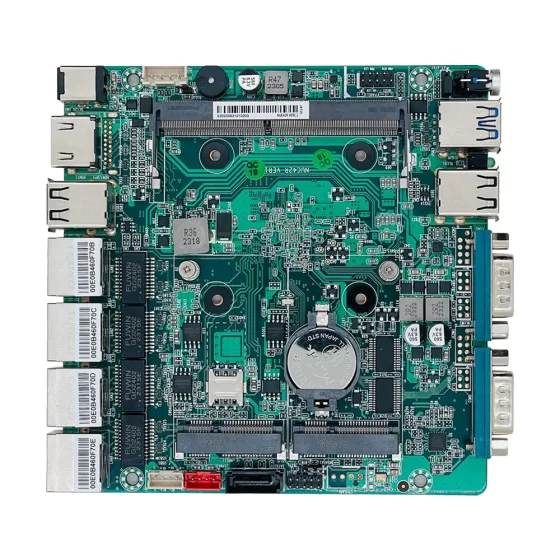
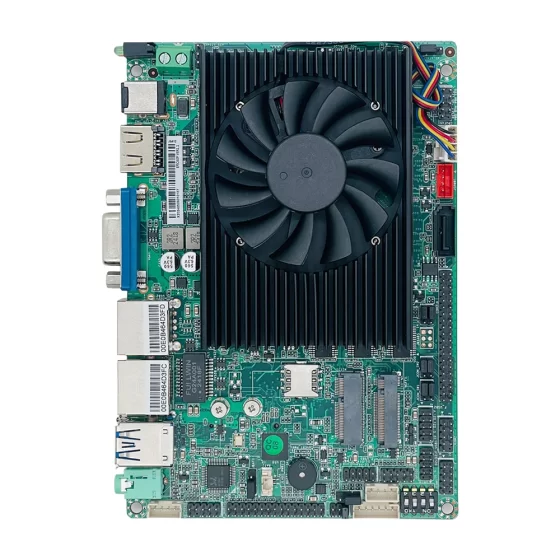
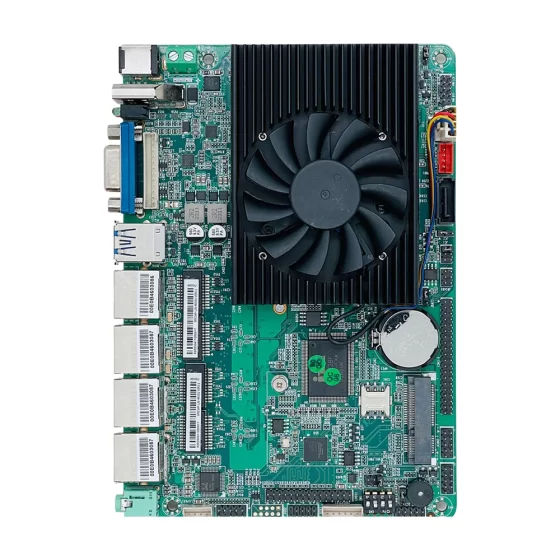
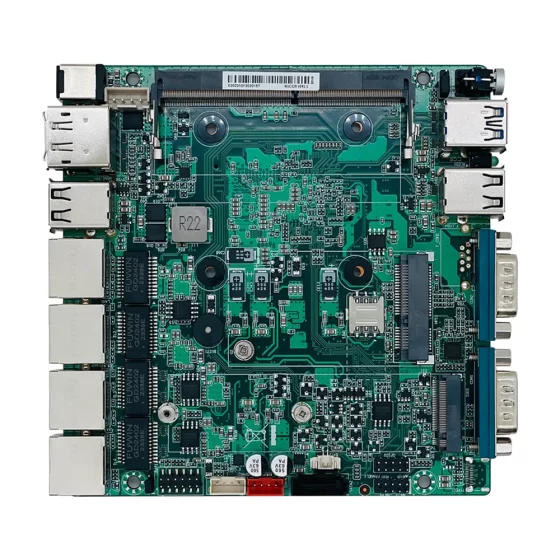
An industrial computer or embedded computer can be used inside or near medical imaging equipment to support image acquisition modules, camera interfaces, sensors, control boards, display systems, local storage, medical workstations, hospital networks, and healthcare data platforms.
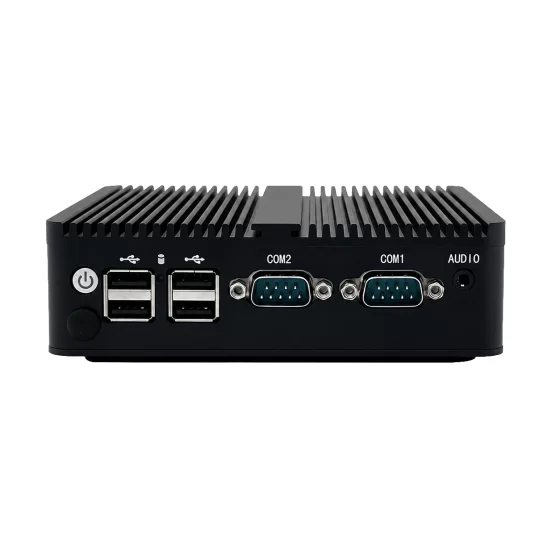
Compared with standard office PCs, industrial computers are better suited for medical imaging equipment integration because they support rugged design, compact installation, fanless operation options, stable power input, reliable storage, long lifecycle availability, multiple I/O interfaces, and OEM/ODM customization.
This article explains how medical imaging computer platforms support healthcare equipment, what deployment challenges appear in medical imaging environments, how the solution architecture works, and which hardware features matter when selecting an industrial computer or embedded computer for medical imaging applications.

Medical Imaging Data Acquisition
Industry Overview
Medical Imaging Requires Stable Computing
Medical imaging plays an important role in healthcare diagnosis, inspection, treatment support, and laboratory workflows.
Imaging systems may capture, process, display, store, and transmit visual information from patients, samples, instruments, or medical devices.
Common medical imaging applications include:
- Ultrasound imaging
- Endoscopy imaging
- Digital radiography
- Dental imaging
- Ophthalmic imaging
- Pathology slide imaging
- Laboratory imaging
- Medical inspection systems
- Surgical imaging support
- Dermatology imaging
- Rehabilitation imaging systems
- Medical device visualization platforms
Each application requires reliable image acquisition and stable computing performance.
A medical imaging computer provides the local hardware layer that supports these functions.
Imaging Equipment Is Becoming More Connected
Modern medical imaging equipment is no longer isolated hardware.
It may need to connect with hospital networks, medical workstations, image storage systems, patient information systems, remote service platforms, and cloud-based healthcare applications.
A medical imaging system may need to support:
- Image acquisition
- Real-time image display
- Local image processing
- AI-assisted analysis
- Device control
- Patient record association
- Data storage
- Network communication
- Remote diagnostics
- System health monitoring
- Hospital workflow integration
This requires a reliable embedded computing platform.
Industrial Computing Supports Healthcare Equipment Builders
Medical imaging equipment manufacturers need computing platforms that can be integrated into compact enclosures, validated with software, and supplied consistently over long product lifecycles.
Hardware changes can affect drivers, imaging software, regulatory documentation, thermal design, mechanical structure, and service procedures.
Industrial computers and embedded computers support more stable platform planning than consumer PCs.
They also provide flexible hardware configurations for different imaging equipment designs.

Medical Imaging Integration Challenges
Key Challenges
Supporting Image Acquisition and Processing
Medical imaging systems often require stable image capture and processing.
The computer may need to connect cameras, sensors, acquisition boards, imaging modules, display panels, storage devices, and control systems.
Image data may require real-time handling.
Important considerations include:
- Image resolution
- Frame rate
- Camera interface
- Sensor interface
- Processing workload
- Storage write speed
- Display output
- Network transfer
- Software compatibility
- Thermal design
The platform should be selected according to the actual imaging workload.
Maintaining Reliable Display Performance
Medical imaging systems depend on accurate and stable display output.
Doctors, technicians, laboratory staff, or operators may need to view images clearly and interact with the system quickly.
The computer may need to support high-resolution displays, multiple screens, touchscreen operation, local workstations, or embedded display panels.
Stable graphics performance and reliable display interfaces are important for operator usability.
Integrating Medical Devices and Instruments
A medical imaging computer may need to connect many device types.
These may include:
- Image sensors
- Industrial cameras
- Medical cameras
- Acquisition modules
- Lighting controllers
- Motion stages
- Touch panels
- Foot pedals
- Control boards
- Barcode readers
- Printers
- Storage devices
- Network equipment
Different equipment designs may require LAN, USB, RS232, RS485, GPIO, digital I/O, PCIe, M.2, HDMI, or DisplayPort.
Flexible I/O helps equipment builders reduce external adapters and simplify integration.
Managing Local Storage and Data Security
Medical imaging data can be large.
Images, videos, scan records, patient-linked files, device logs, and diagnostic reports may require reliable local storage.
The system should support fast storage access and controlled data handling.
Storage planning should consider:
- Image file size
- Video data volume
- Temporary image cache
- Local database size
- System logs
- Backup workflow
- Data retention policy
- Recovery procedure
- Access control
- Storage health monitoring
Reliable SSD or NVMe storage can improve performance and shock resistance.
Supporting Continuous and Quiet Operation
Many healthcare environments require low-noise and low-maintenance systems.
Fanless industrial computers can reduce noise and remove one mechanical failure point.
This is useful for medical carts, clinical rooms, imaging workstations, portable diagnostic equipment, and enclosed medical devices.
However, fanless thermal design must be validated carefully when the system handles continuous imaging, high-resolution display, local processing, and storage writes.
Supporting Long Product Lifecycles
Medical imaging equipment often has long development and deployment cycles.
Hardware changes may require software revalidation, mechanical redesign, documentation updates, and service training.
Long lifecycle availability is important for equipment manufacturers.
A stable embedded computer platform helps maintain consistent system images, drivers, interfaces, and spare parts across multiple product generations.

Medical Imaging Computer Architecture
Medical Imaging Computer Solution Architecture
Imaging Device Layer
The imaging device layer includes the medical imaging equipment and connected components.
This layer may include:
- Medical cameras
- Image sensors
- Ultrasound modules
- Endoscopy modules
- X-ray imaging modules
- Dental imaging devices
- Optical imaging systems
- Pathology scanners
- Laboratory cameras
- Motion stages
- Lighting controllers
- Control boards
These devices generate image data, device signals, and operating status information.
Medical Imaging Computer Layer
The medical imaging computer layer is the local computing platform.
At this layer, the industrial computer or embedded computer may:
- Acquire image data
- Run imaging software
- Display medical images
- Process local image data
- Control connected devices
- Store image records
- Manage system logs
- Support user interface software
- Connect hospital networks
- Support remote diagnostics
This layer provides the computing foundation for imaging equipment.
Device Communication Layer
The communication layer connects the computer with imaging modules and system devices.
It may include:
- LAN
- USB
- RS232
- RS485
- GPIO
- Digital I/O
- PCIe
- M.2
- HDMI
- DisplayPort
- Storage interfaces
- Industrial camera interfaces
The exact communication design depends on the imaging equipment architecture.
Visualization and User Interface Layer
The visualization layer supports image display and operator interaction.
It may include:
- Medical displays
- Touchscreen panels
- Local monitors
- Workstation screens
- Operator control interfaces
- Imaging software dashboards
- Patient workflow screens
- Maintenance screens
The computer must support stable visualization and responsive interaction.
Healthcare System Integration Layer
Medical imaging systems may connect with higher-level healthcare platforms.
These may include:
- Hospital information systems
- Image storage systems
- Medical workstations
- Local databases
- Remote service platforms
- Healthcare cloud platforms
- Laboratory information systems
- Device management systems
This integration allows image data and device information to support clinical and operational workflows.
Security and Management Layer
The security and management layer supports controlled access and serviceability.
It may include:
- User permissions
- Network segmentation
- Secure remote access
- Local logging
- Configuration backup
- Storage monitoring
- System health monitoring
- Software update management
- Device diagnostics
- Access control
Healthcare equipment manufacturers and system integrators should align security and validation requirements with their application and regulatory responsibilities.
Key Features
Reliable Image Acquisition Support
A medical imaging computer should support stable image acquisition from connected imaging devices.
Hardware selection should consider:
- Camera interface
- Sensor interface
- USB bandwidth
- LAN bandwidth
- PCIe expansion
- Image resolution
- Frame rate
- Buffering needs
- Storage speed
- Software runtime environment
The platform should be tested with real imaging modules and real image workloads.
High-Resolution Display Support
Medical imaging applications often require clear and stable visualization.
Useful display features may include:
- HDMI output
- DisplayPort output
- Multi-display support
- Touchscreen support
- High-resolution image display
- Stable graphics performance
- Embedded panel support
- Workstation monitor support
The final display configuration should match the medical imaging software and operator workflow.
Compact Embedded Design
Many medical imaging systems have limited internal space.
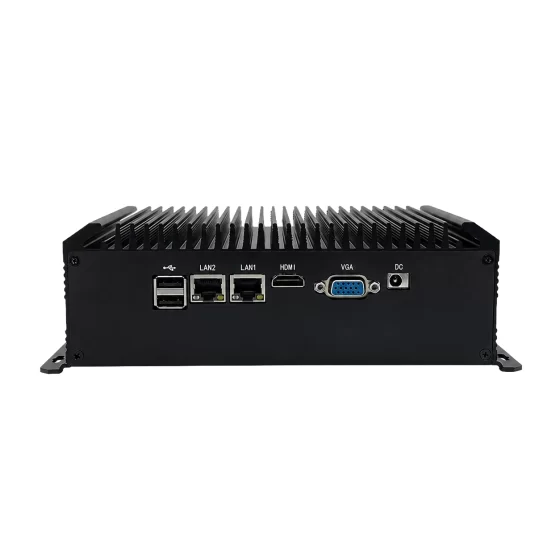
A compact embedded computer can be integrated into device enclosures, portable equipment, medical carts, imaging stations, and OEM systems.
Compact hardware helps reduce system footprint and simplifies mechanical design.
For equipment manufacturers, compact embedded IPC platforms can support more flexible product designs.
Fanless and Low-Maintenance Operation
Fanless design is valuable for many healthcare applications.
It reduces noise and removes one common mechanical failure point.
This is useful for:
- Clinical imaging rooms
- Diagnostic carts
- Medical workstations
- Laboratory imaging systems
- Patient-side devices
- Portable imaging equipment
- Enclosed equipment designs
Thermal performance should be validated under real imaging workloads and ambient conditions.
Flexible Industrial I/O
Medical imaging systems may require many interfaces.
Useful options may include:
- LAN
- USB
- RS232
- RS485
- GPIO
- Digital input
- Digital output
- HDMI
- DisplayPort
- M.2
- PCIe
- SATA or NVMe storage
These interfaces support cameras, sensors, control boards, displays, barcode readers, printers, service devices, and network connections.
Local Storage and Data Buffering
Imaging systems may need reliable local storage for images, videos, logs, temporary files, software data, and diagnostic records.
SSD or NVMe storage is commonly preferred because it provides fast access and better shock resistance than mechanical drives.
Storage design should consider:
- Image volume
- Video file size
- Temporary cache
- Write speed
- Retention needs
- Backup workflow
- Recovery process
- Data security requirements
Reliable storage improves system stability and serviceability.
Edge AI and Image Processing Capability
Some medical imaging systems use advanced image processing or AI-assisted functions.
The computer may support local processing for image enhancement, feature detection, workflow automation, or decision-support preprocessing.
Hardware selection should consider:
- CPU performance
- Memory capacity
- Optional GPU or AI accelerator
- Model size
- Image resolution
- Inference frequency
- Software framework
- Thermal design
Application-specific validation is required before deployment.
Network and Remote Service Support
Medical imaging systems may need remote maintenance and software support.
The computer may support secure remote diagnostics, log review, system health monitoring, configuration backup, and controlled software updates.
Network design should consider hospital IT requirements, access control, data handling, and system segmentation.
Long Lifecycle Availability
Medical imaging equipment often requires stable hardware over many years.
Long lifecycle availability helps maintain:
- Software images
- Drivers
- Imaging SDKs
- Mechanical design
- Regulatory documentation
- Spare parts
- Service procedures
- Validation workflow
This is important for OEM equipment builders and healthcare system integrators.

Medical Imaging Equipment Operations
Deployment Scenarios
Ultrasound Imaging Equipment
Ultrasound systems require stable signal processing, image display, storage, and user interface operation.
A medical imaging computer can support local imaging software, display output, storage management, and network connectivity.
This helps equipment builders create reliable diagnostic platforms.
Endoscopy Imaging Systems
Endoscopy systems require image capture, video display, lighting control, storage, and operator interaction.
An embedded computer can support real-time video handling, display output, device communication, and system logging.
This supports compact and reliable endoscopy equipment design.
Digital Radiography Workstations
Digital radiography systems require image acquisition, local processing, display, storage, and hospital network connection.
An industrial computer can support imaging software, storage access, network transfer, and workstation operation.
This improves workflow integration.
Dental Imaging Systems
Dental imaging equipment may require compact hardware, stable display, image storage, and clinic workflow integration.
An embedded computer can support imaging devices, local software, display panels, and network connectivity.
This supports chairside or workstation-based imaging systems.
Pathology and Laboratory Imaging
Pathology and laboratory imaging systems may use cameras, microscopes, slide scanners, lighting modules, and local databases.
A medical imaging computer can collect images, process data, store records, and connect with laboratory platforms.
This supports digital laboratory workflows.
Ophthalmic Imaging Equipment
Ophthalmic imaging systems may require camera integration, precise device control, image display, and patient record management.
An embedded computer can support local imaging software, device interfaces, and network communication.
This supports compact diagnostic equipment.
Medical Imaging Cart or Mobile Workstation
Mobile medical workstations require compact computing, low-noise operation, reliable storage, display support, and network connectivity.
A fanless embedded computer can support mobile imaging workflows and local data handling.
This helps reduce maintenance and noise in clinical spaces.
OEM Medical Imaging Platform
Medical device manufacturers can integrate industrial computers or embedded boards into custom imaging systems.
The platform can support image acquisition, local processing, display, storage, remote diagnostics, and customer-specific I/O.
This helps create repeatable medical imaging equipment platforms.
Business Benefits
Improved Imaging System Reliability
A medical imaging computer provides stable computing for image acquisition, display, storage, and device communication.
Industrial-grade hardware helps reduce system instability and supports continuous operation in healthcare equipment.
This improves equipment reliability.
Better Integration for OEM Equipment
Industrial computers and embedded computers provide flexible interfaces for cameras, sensors, control boards, displays, storage, and network systems.
This helps medical equipment builders integrate hardware more efficiently.
A consistent platform can simplify product development.
Reduced Maintenance Risk
Fanless operation options, reliable storage, rugged construction, secure mounting, and stable power input help reduce maintenance risk.
This is valuable for clinical equipment, diagnostic workstations, and medical devices deployed across multiple sites.
Faster Image Workflow
Local processing and storage allow imaging systems to handle image data close to the device.
This supports responsive display, local review, temporary buffering, and structured transfer to healthcare systems.
Better workflow helps operators work more efficiently.
Easier Remote Service
Remote diagnostics can help equipment manufacturers and service teams review logs, system status, storage health, configuration, and software versions.
This can reduce on-site service time and improve support efficiency.
Access control and secure service workflows should be carefully designed.
Scalable Medical Device Development
A standardized medical imaging computer platform can support multiple equipment models or product generations.
Consistent hardware simplifies software images, driver validation, mechanical design, spare parts planning, and lifecycle management.
This supports scalable OEM medical imaging development.
Why CoreIPC
CoreIPC provides industrial computing platforms for medical imaging, healthcare equipment, machine vision, edge AI, industrial automation, and embedded system integration. For medical imaging computer applications, CoreIPC focuses on reliable industrial computer hardware, embedded computer solutions, compact system design, fanless deployment options, flexible I/O, multi-LAN configurations, local storage capability, and OEM/ODM customization support. CoreIPC helps medical equipment manufacturers, system integrators, and healthcare solution providers select computing platforms that match real deployment requirements, including imaging workload, device interfaces, display support, storage design, mounting method, power input, thermal conditions, and lifecycle planning.
Frequently Asked Questions
1. What is a medical imaging computer?
A medical imaging computer is an industrial or embedded computing platform used inside or near medical imaging equipment.
It may support image acquisition, image display, local processing, device communication, storage, system logging, user interface software, and healthcare network integration.
2. Why use an industrial computer for medical imaging equipment?
An industrial computer provides reliable hardware for long-term equipment deployment.
It can support compact installation, rugged design, fanless operation options, stable power input, reliable storage, flexible I/O, and long lifecycle availability.
These features are useful for OEM medical imaging systems and healthcare workstations.
3. How is an embedded computer used in medical imaging?
An embedded computer can be installed inside imaging equipment, diagnostic carts, control modules, or workstation systems.
It can connect cameras, sensors, acquisition boards, displays, storage devices, and network systems while running imaging software and device control applications.
4. What medical imaging applications can use embedded computers?
Applications include ultrasound imaging, endoscopy systems, digital radiography workstations, dental imaging, ophthalmic imaging, pathology imaging, laboratory imaging, medical inspection systems, and mobile imaging carts.
The final platform depends on imaging workload and system design.
5. What hardware features matter for medical imaging computers?
Important features include reliable CPU performance, sufficient memory, USB, LAN, PCIe, M.2, HDMI, DisplayPort, SSD or NVMe storage, fanless design options, compact form factor, rugged enclosure, industrial power input, and long lifecycle availability.
The final configuration should match the imaging equipment requirements.
6. Can medical imaging computers support AI-assisted image processing?
Yes. Some medical imaging computers can support edge AI or advanced image processing when the correct CPU, GPU, memory, accelerator, storage, and software environment are selected.
Application-specific validation is required before deployment.
7. Why is fanless design useful in healthcare equipment?
Fanless design reduces noise and removes one mechanical failure point.
This is useful for clinical rooms, diagnostic carts, medical workstations, laboratory imaging systems, and enclosed equipment where low maintenance and quiet operation are important.
8. Why is local storage important for medical imaging?
Local storage supports image files, video records, temporary cache, system logs, software data, diagnostic files, and buffering during network interruptions.
SSD or NVMe storage provides fast access and better shock resistance than mechanical drives.
Storage design should consider application workload and data handling requirements.
9. Can medical imaging computers connect with hospital systems?
Yes. Medical imaging computers may connect with hospital networks, medical workstations, image storage systems, local databases, healthcare platforms, and remote service systems.
Integration requirements depend on the equipment manufacturer, hospital workflow, and software environment.
10. What should be tested before deployment?
Before deployment, the platform should be tested with actual imaging software, cameras, sensors, acquisition modules, display systems, storage workload, network topology, remote service workflow, and long-running operation.
Thermal stability, communication recovery, storage behavior, display performance, and application-specific validation should also be completed.
Conclusion
A medical imaging computer is a practical foundation for healthcare equipment integration, image acquisition, local processing, display output, device communication, storage management, remote diagnostics, and healthcare system connectivity.
By placing an industrial computer or embedded computer inside or near medical imaging equipment, manufacturers and system integrators can connect cameras, sensors, acquisition modules, control boards, displays, storage devices, medical workstations, hospital networks, and healthcare software platforms through reliable communication paths.
The right medical imaging computer should be selected according to real deployment requirements, including image resolution, frame rate, device interfaces, display support, processing workload, storage design, network communication, mounting method, power input, thermal conditions, operating system support, and lifecycle planning.
CoreIPC supports industrial computer and embedded computer projects for medical imaging with platforms designed for practical healthcare equipment, workstation, diagnostic device, laboratory, and OEM deployment. With the right hardware foundation, medical equipment manufacturers can build reliable, scalable, and serviceable imaging systems.
Contact Us
Looking for an industrial computer, embedded computer, or compact IPC platform for medical imaging equipment?
Contact CoreIPC to discuss your project requirements, including imaging workload, camera interface, display support, storage design, device communication, LAN port configuration, mounting method, power input, operating environment, lifecycle needs, and OEM/ODM customization options.