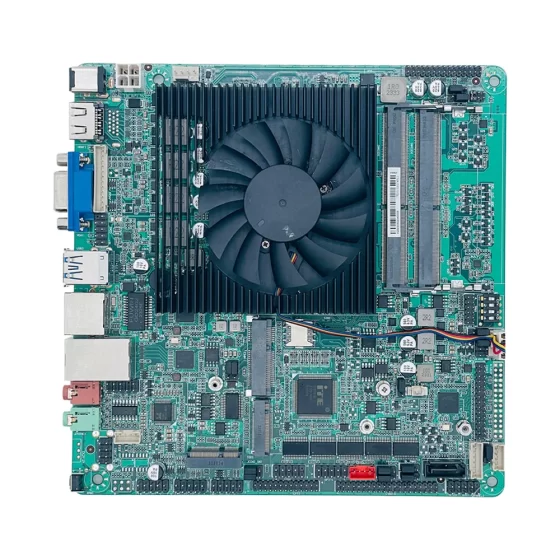
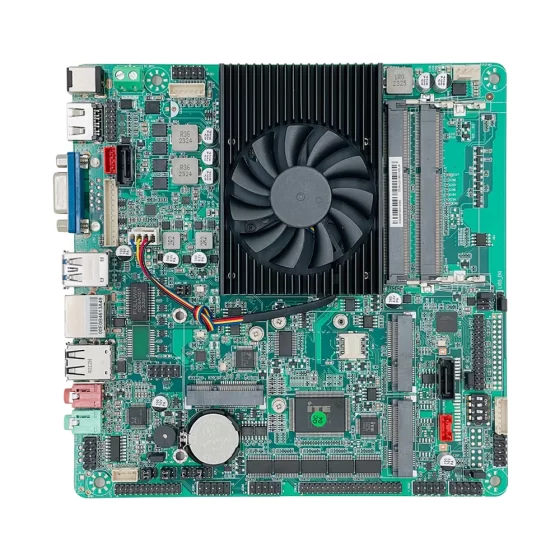
CoreIPC Industrial Computing-Lösungen

Industriecomputer für den Remote-SCADA-Einsatz: So wählen Sie einen zuverlässigen Remote-SCADA-Computer aus
Zusammenfassung
A remote SCADA computer is the field-level computing platform that connects distributed industrial assets to a central monitoring system. It collects data from PLCs, RTUs, Meter, Sensoren, Leistungsgeräte, and communication equipment, then forwards this data to SCADA servers, Kontrollräume, Cloud-Plattformen, or maintenance teams.
In remote SCADA deployment, the computer is often installed in unmanned stations, Außenschränke, Pumpenräume, Umspannwerke, Standorte für erneuerbare Energien, Verkehrsinfrastruktur, or industrial shelters. These locations usually have limited maintenance access, unstable network conditions, and demanding environmental requirements.
A suitable industrial computer for remote SCADA deployment should support:
- Stable 24/7 operation in field environments
- Ethernet, RS-232, RS-485, USB, und erweiterbare E/A
- Lokale Datenprotokollierung und Pufferung bei Netzwerkunterbrechungen
- Weitspannungseingang und zuverlässige Speicherung
- Lüfterloses Design für reduzierten Wartungsaufwand
- Langfristige Plattformverfügbarkeit für den Einsatz an mehreren Standorten
Für Systemintegratoren und OEMs, Die Auswahl des richtigen Embedded-Computers ist nicht nur eine Hardware-Entscheidung. Es beeinflusst das Schrankdesign, Softwarebereitstellung, Wartungskosten, Cybersicherheitsplanung, Ersatzteilmanagement, und langfristige Projektskalierbarkeit.
 Branchenüberblick
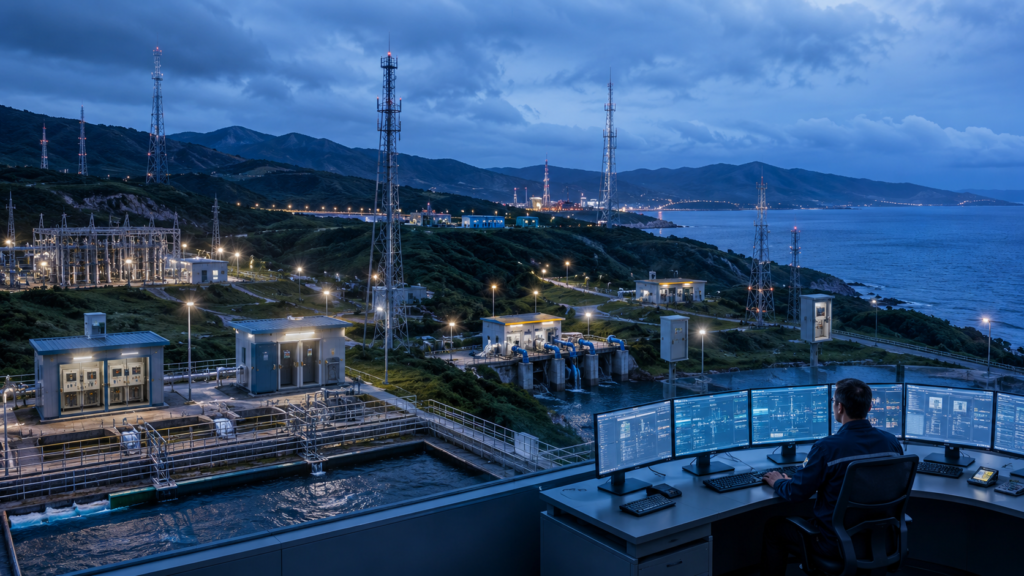
Remote-SCADA-Systeme werden häufig in Branchen eingesetzt, in denen die Ausrüstung über große Gebiete verteilt ist. Mit diesen Systemen können Betreiber Feldanlagen überwachen, ohne dass Ingenieure ständig vor Ort sein müssen.
Zu den gängigen Remote-SCADA-Umgebungen gehören::
- Wasser- und Abwasserpumpstationen
- Umspannwerke und Anlagen für erneuerbare Energien
- Öl- und Gaspipelinestationen
- Verkehrsleitschränke und Tunnelanlagen
- Umweltüberwachungsstationen
- Bergbau- und abgelegene Versorgungsanlagen
- Verteilte Industrieanlagenräume
In einem traditionellen SCADA-System, Die meisten Rechenressourcen befanden sich in einem zentralen Kontrollraum. Heute, Viele Projekte erfordern Rechenleistung näher an der Feldausrüstung. Dies liegt daran, dass entfernte Standorte mehr Daten generieren, erfordern eine schnellere lokale Reaktion, und sind häufig auf instabile Fernkommunikationsverbindungen angewiesen.
Ein entfernter SCADA-Computer fungiert als lokaler Edge-Knoten. Es ist nicht als Ersatz für SPS oder RTUs gedacht. Stattdessen, Es unterstützt übergeordnete Funktionen wie die Datenerfassung, Protokollkonvertierung, Alarmprotokollierung, lokale Visualisierung, Fernzugriff, und Kommunikation mit Aufsichtsplattformen.
Damit ist der Industrierechner ein zentraler Bestandteil der SCADA-Architektur. If the field computer fails, the central system may lose visibility into the remote site. If the hardware lacks the right interfaces, integration becomes more complex. Wenn sich die Plattform häufig ändert, long-term maintenance becomes difficult.
Aus diesem Grund, remote SCADA projects require embedded computer platforms that are stable, kompakt, rugged, and flexible enough to support different field conditions.
Wichtigste Herausforderungen
Remote SCADA deployment creates challenges that are different from office, control-room, or standard IT environments. The hardware must be selected according to the real conditions of the field site.
| Herausforderung | What Happens in Remote Sites | Hardware-Anforderung |
|---|---|---|
| Harsh environment | Hitze, Staub, Luftfeuchtigkeit, Vibration, and limited airflow can affect long-term operation. | Fanless industrial computer with rugged enclosure and stable thermal design. |
| Gemischte Schnittstellen | Field devices may use Ethernet, RS-232, RS-485, USB, digitale I/O, oder Protokoll-Gateways. | Flexible I/O-Konfiguration mit nativen Industrieschnittstellen. |
| Instabiles Netzwerk | Mobilfunk, kabellos, Satellit, oder Fernverbindungen können unterbrochen werden. | Lokale Datenprotokollierung, Pufferung, und automatische Wiederverbindungsunterstützung. |
| Leistungsschwankung | Feldschränke können Gleichstrom verwenden, Batterie-Backup, oder instabiler Industriestrom. | Weitspannungseingang und zuverlässiges Stromversorgungsdesign. |
| Cybersicherheitsrisiko | Der Fernzugriff kann OT-Netzwerke gefährden, wenn er nicht ordnungsgemäß kontrolliert wird. | Netzwerksegmentierung, sichere Betriebssystemkonfiguration, VPN-Unterstützung, und Zugangskontrolle. |
| Langer Lebenszyklus | SCADA-Systeme laufen oft über viele Jahre hinweg an mehreren Standorten. | Stabile Hardwareplattform, konsistentes I/O-Layout, und langfristige Versorgungsunterstützung. |
Umweltzuverlässigkeit
Remote-SCADA-Computer werden häufig in Schaltschränken installiert, Straßenrandeinfriedungen, Umspannwerke, or industrial shelters. Diese Standorte verfügen möglicherweise nicht über eine saubere Klimaanlage oder regelmäßige Wartung.
Fan-based commercial PCs can become unreliable because dust blocks airflow and fans wear out over time. A fanless embedded computer reduces moving parts and is better suited for continuous operation in difficult field environments.
Interface Complexity
Remote sites usually contain both new and legacy devices. A single cabinet may include Ethernet PLCs, RS-485 meters, RS-232 analyzers, I/O-Module, Industrieschalter, and wireless routers.
Using too many external adapters increases wiring complexity and creates more failure points. Native LAN and serial interfaces help simplify cabinet design and improve system reliability.
Network Availability
Remote SCADA systems often rely on communication links that are not always stable. When the connection to the central system is interrupted, Der lokale Computer sollte weiterhin wichtige Daten sammeln und speichern.
Aus diesem Grund lokaler Speicher, Datenpufferung, Watchdog-Funktionen, und Wiederherstellungslogik sind für die Remote-SCADA-Bereitstellung wichtig.
 Lösungsarchitektur für einen Remote-SCADA-Computer
Ein Remote-SCADA-Computer befindet sich normalerweise zwischen Feldsteuergeräten und zentralen Überwachungssystemen. Seine Aufgabe besteht darin, Felddaten zu sammeln, Verarbeiten Sie es lokal, und sicher an übergeordnete Plattformen übertragen.
1. Feldgeräteschicht
Diese Schicht umfasst die Ausrüstung, die Betriebsdaten generiert.
Zu den typischen Geräten gehören::
- SPS und RTUs
- Durchflussmesser und Drucksensoren
- Leistungsmesser und Schutzrelais
- Motorantriebe und Pumpensteuerungen
- Wechselrichter und Energieausrüstung
- Temperatur, Luftfeuchtigkeit, und Umweltsensoren
- Digitale I/O- und Remote-I/O-Module
These devices may communicate through Ethernet, RS-232, RS-485, Modbus RTU, Modbus TCP, DÜRFEN, USB, or other industrial interfaces.
2. Edge-Computing-Schicht
This is where the industrial computer is installed.
The computer may run:
- SCADA runtime software
- Data acquisition applications
- Lokale HMI-Software
- OPC UA gateway software
- Protocol conversion services
- Alarm logging tools
- SQL or lightweight local databases
- Remote maintenance utilities
The embedded computer provides local computing capability even when the remote site is temporarily disconnected from the central system.
3. Kommunikationsschicht
The communication layer connects the remote site to the outside network.
Es kann Folgendes umfassen::
- Industrielle Ethernet-Switches
- Cellular routers
- VPN-Gateways
- Fiber converters
- Wireless bridges
- Firewalls
- Private network equipment
A remote SCADA computer with dual LAN or multi-LAN ports can separate the local control network from the external communication network. This helps improve organization, Fehlerbehebung, and cybersecurity design.
4. Supervisory Layer
The supervisory layer includes the central SCADA server, Historiker, engineering workstation, alarm platform, or cloud monitoring system.
Operators use this layer to:
- View real-time equipment status
- Receive alarms
- Analyze historical data
- Berichte erstellen
- Coordinate maintenance
- Monitor multiple remote stations
The field computer keeps the central system connected to the physical equipment.
5. Remote Maintenance Layer
Remote SCADA systems must also support engineering access.
The computer may allow authorized users to check logs, update software, diagnose communication problems, or review system status. This should be done through controlled access policies, secure network configuration, and proper user permissions.
Hauptmerkmale
A reliable industrial computer for remote SCADA deployment should be selected based on the operating environment, communication requirements, Softwareplattform, and long-term maintenance plan.
Lüfterloses Design
Fanless design reduces mechanical failure points. It is especially useful in dusty cabinets, Pumpstationen, Umspannwerke, outdoor shelters, and unmanned sites.
For remote SCADA projects, fanless systems help reduce maintenance frequency and improve long-term reliability.
Multiple LAN Ports
Dual LAN or multi-LAN design is useful for network separation.
One LAN port can connect to local PLCs, Meter, und Industriegeräte. Another LAN port can connect to a router, Firewall, or central SCADA network. Additional LAN ports may be used for redundancy, Wartungszugang, or isolated device networks.
RS-232 and RS-485 Support
Serial communication is still common in SCADA systems. Many meters, analyzers, Controller, and field instruments use RS-232 or RS-485.
A remote SCADA computer with native serial ports reduces the need for USB-to-serial adapters and improves field wiring reliability.
Wide-Voltage Power Input
Remote sites may use 12V, 24V, or other DC power systems. Some may rely on battery backup or industrial power supplies.
Wide-voltage input helps the embedded computer adapt to different cabinet power designs and reduces the need for additional conversion hardware.
Zuverlässige Lagerung
Remote SCADA applications often need to store:
- Alarmaufzeichnungen
- Event logs
- Trend data
- Communication history
- Konfigurationsdateien
- Temporary buffered data
Industrial-grade SSDs, M.2-Speicher, or SATA storage should be selected according to data volume, Schreibhäufigkeit, Temperaturbedingungen, and operating system requirements.
Watchdog and Auto-Recovery
A watchdog timer can restart the system if the operating system or application becomes unresponsive. This is important for unmanned sites where manual reset is difficult.
Auto power-on and BIOS recovery settings can also help the system return to operation after a power interruption.
Flexible Erweiterung
Some projects require wireless modules, zusätzliche serielle Schnittstellen, CAN-Kommunikation, extra storage, or customized I/O.
Erweiterung durch M.2, Mini-PCIe, PCIe, internal headers, or customized board design helps system integrators use one platform across different SCADA projects.
Betriebssystem- und Softwarekompatibilität
SCADA software may require Windows, Linux, or specific driver support. Vor der Bereitstellung, integrators should confirm operating system compatibility, BIOS-Einstellungen, driver availability, and long-term image management.
The best industrial computer is not always the highest-performance model. It is the platform that matches the real software, Schnittstelle, and environmental requirements of the project.
Bereitstellungsszenarien
Remote SCADA computer platforms are used wherever industrial assets need to be monitored from a distance.
Water and Wastewater
Water systems often include pump stations, reservoirs, lift stations, treatment plants, and pipeline monitoring points.
An industrial computer can collect data from PLCs, flow meters, pressure sensors, pump controllers, valves, and water quality instruments. It can also support local data logging and alarm forwarding to the central operations center.
Power and Energy
Power infrastructure requires reliable monitoring across substations, Solarparks, Windparks, distributed generation sites, and battery energy storage systems.
The embedded computer may communicate with power meters, protection relays, Wechselrichter, Umweltsensoren, Batteriemanagementsysteme, und Energiemanagementplattformen.
Öl und Gas
Öl- und Gasstandorte liegen möglicherweise weit entfernt von Wartungsteams. Pipelinestationen, Ventilstationen, Nun, Websites, und Terminalanlagen erfordern eine stabile Überwachung.
Ein entfernter SCADA-Computer kann Druck sammeln, fließen, Temperatur, Ventilstatus, Sicherheitssignale, und Gerätezustandsdaten. Lokaler Speicher ist wichtig, wenn Netzwerkverbindungen instabil oder teuer sind.
Verkehrsinfrastruktur
Transportsysteme umfassen häufig Tunnel, Bahnhöfe, Verkehrskontrollschränke, Geräteräume am Straßenrand, und Brückenüberwachungssysteme.
Kompakte Industriecomputer können die lokale Überwachung unterstützen, Gerätekommunikation, Systemintegration, und Fernwartungszugriff.
Umwelt- und Versorgungsüberwachung
Umweltüberwachungsstandorte können Wetterdaten sammeln, Wasserstand, Luftqualität, Vibration, oder Gerätestatusdaten.
Ein robuster eingebetteter Computer kann Felddaten sammeln, Speichern Sie lokale Datensätze, and transmit information to central monitoring platforms.
Geschäftsvorteile
A suitable remote SCADA computer creates value not only for engineers, but also for project managers, Systemintegratoren, und Infrastrukturbetreiber.
Fewer Site Visits
Remote sites are expensive to access. When the embedded computer supports remote diagnostics, local logs, watchdog recovery, and stable communication, engineers can solve more problems without traveling to the site.
Lower Maintenance Cost
Lüfterloses Design, industrieller Stromeingang, and rugged construction help reduce common hardware failures. This lowers maintenance effort over the life of the SCADA system.
Easier System Integration
Native LAN, serielle Schnittstellen, USB, Lagerung, and expansion options simplify connection to PLCs, RTUs, Meter, Sensoren, and communication equipment.
This reduces adapter usage, wiring complexity, and cabinet design risk.
Better Data Continuity
Local logging and buffering protect operational records during network outages.
When the communication link recovers, stored data can be synchronized with the central SCADA system or monitoring platform.
Scalable Multi-Site Deployment
When a SCADA project expands from several sites to dozens or hundreds of stations, hardware consistency becomes very important.
A stable industrial computer platform helps simplify image deployment, Ersatzteilplanung, technician training, and long-term documentation.
Long-Term Project Stability
SCADA systems often run for many years. A consistent embedded computer platform helps reduce redesign work and avoids unnecessary changes in software images, Fahrer, Montage, Verdrahtung, und Wartungsverfahren.
Warum CoreIPC
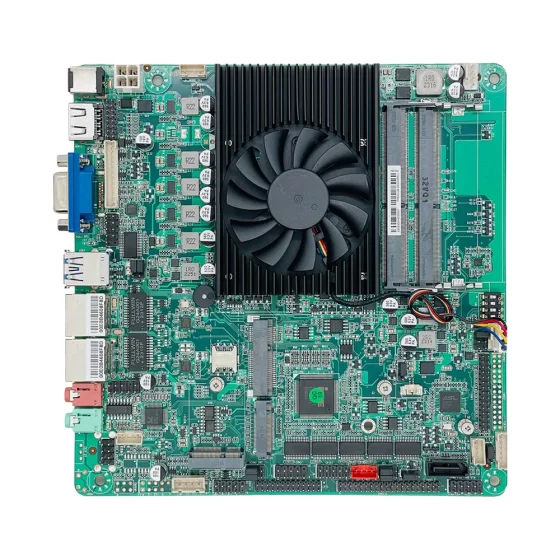
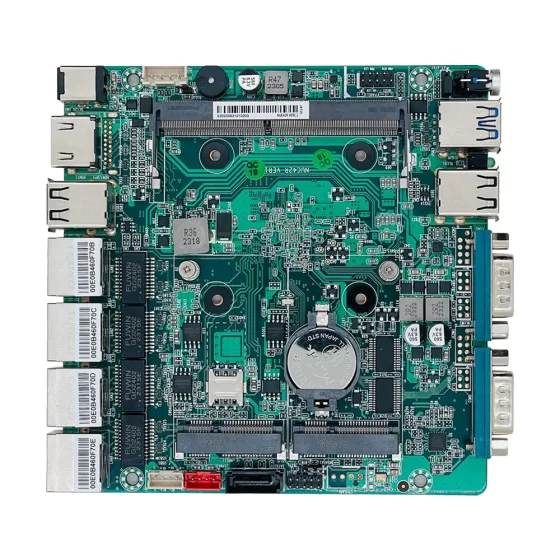
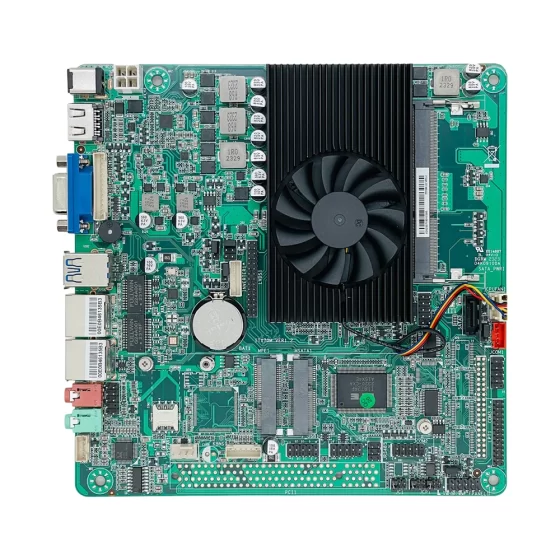
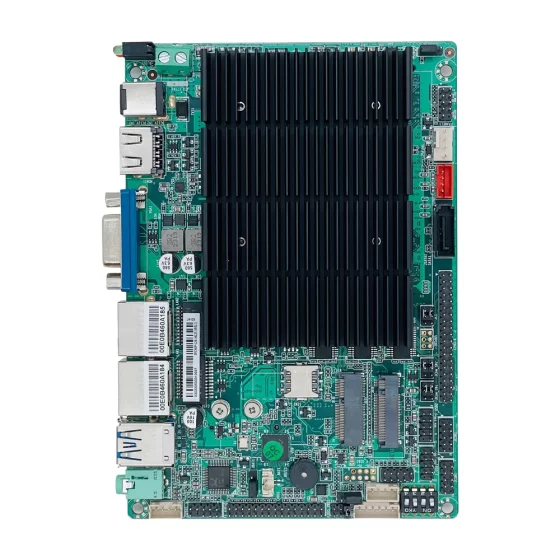
CoreIPC bietet Industriecomputer an, eingebettete Computer, eingebettete Platinen, and customized computing platforms for industrial automation and remote monitoring applications. For remote SCADA deployment, CoreIPC focuses on stable operation, lüfterloses Systemdesign, flexible I/O-Konfiguration, compact mechanical structure, und praktische Integrationsunterstützung. CoreIPC arbeitet mit Systemintegratoren zusammen, OEMs, and solution providers that need reliable computing hardware for distributed industrial sites. Mit ODM- und OEM-Fähigkeit, CoreIPC kann projektspezifische Schnittstellen unterstützen, Gehäuseanpassung, Branding-Anforderungen, and long-term supply planning for global B2B applications.
Häufig gestellte Fragen
1. What is a remote SCADA computer?
A remote SCADA computer is an industrial computing device installed at a field site to collect, Verfahren, speichern, and transmit operational data. It usually connects to PLCs, RTUs, Meter, Sensoren, Laufwerke, and communication devices. It may run SCADA software, data acquisition tools, protocol conversion services, or local monitoring applications. Its main purpose is to connect remote industrial equipment with the central SCADA platform.
2. Why should remote SCADA systems use an industrial computer?
Remote SCADA sites often have heat, Staub, Vibration, instabile Macht, und eingeschränkter Wartungszugang. A commercial PC is not designed for these conditions. An industrial computer can provide fanless cooling, wide-voltage input, Robustes Gehäusedesign, industrielle I/O, and better lifecycle stability. These features help improve reliability in control cabinets, Umspannwerke, Pumpenräume, outdoor shelters, and unmanned stations.
3. What interfaces are important for remote SCADA deployment?
Common interfaces include Ethernet LAN, RS-232, RS-485, USB, digitale I/O, and storage expansion. Ethernet is used for PLCs, Router, switches, and SCADA networks. RS-232 and RS-485 are used for meters, analyzers, legacy controllers, and field instruments. Some projects may also require CAN, GPIO, drahtlose Erweiterung, or multiple LAN ports for network separation and redundancy.
4. Can an embedded computer run SCADA software?
Ja. Many embedded computers can run SCADA software if they meet the required operating system, CPU, Erinnerung, Lagerung, Grafik, and driver requirements. Some SCADA platforms require Windows, while others support Linux. For remote deployment, the embedded computer should also support stable storage, watchdog recovery, Fernwartungstools, and reliable communication interfaces.
5. Why is fanless design important in remote SCADA applications?
Fanless design reduces mechanical failure points and lowers maintenance requirements. In remote sites, dust and poor ventilation can affect fan-based systems. A fanless industrial computer uses passive thermal design, which is more suitable for control cabinets, Pumpstationen, Umspannwerke, Straßenrandeinfriedungen, and unmanned facilities. This improves reliability where regular cleaning or hardware service is difficult.
6. How does a remote SCADA computer handle network interruptions?
A remote SCADA computer can continue collecting data locally when the connection to the central system is unavailable. It may store alarm records, event logs, trend data, and communication status information. When the network returns, the system can forward stored data to the SCADA server or monitoring platform. This helps reduce data loss in unstable cellular, kabellos, or long-distance networks.
7. Does a remote SCADA computer replace a PLC or RTU?
NEIN. A remote SCADA computer usually works with PLCs and RTUs rather than replacing them. PLCs and RTUs handle real-time control and automation logic. The industrial computer provides higher-level functions such as data logging, lokale Visualisierung, Protokollkonvertierung, Fernzugriff, and communication with central SCADA systems. This structure keeps control reliable while adding computing flexibility.
8. What should system integrators consider when selecting a remote SCADA computer?
System integrators should evaluate the field environment, temperature range, Leistungsaufnahme, benötigte Schnittstellen, Betriebssystem, SCADA software, Speicherbedarf, Montagemethode, cybersecurity policy, und Lebenszyklusanforderungen. The right platform should balance reliability, compatibility, serviceability, und Langzeitverfügbarkeit. A stable and well-matched computer is usually more valuable than simply choosing the highest-performance hardware.
Abschluss
A remote SCADA computer is an essential part of modern distributed monitoring and control systems. It connects field equipment with central supervisory platforms, supports local data processing, improves communication reliability, and enables remote maintenance across unmanned or geographically dispersed sites.
For water systems, power infrastructure, Öl und Gas, Transport, Umweltüberwachung, and industrial facilities, the hardware platform must be stable, rugged, flexible, and suitable for long-term operation.
By using an industrial computer or embedded computer designed for remote SCADA deployment, system integrators can reduce downtime, simplify field integration, support both legacy and modern devices, and build scalable monitoring architectures. CoreIPC provides reliable industrial computing platforms and customization support for companies that need practical hardware solutions for remote SCADA and industrial edge monitoring projects.
Kontaktieren Sie uns
If you are developing a remote SCADA system or need an industrial computer platform for distributed field monitoring, CoreIPC kann Ihnen bei der Bewertung Ihrer Hardwareanforderungen helfen. Contact the CoreIPC team to discuss interface configuration, Rechenleistung, Gehäusedesign, Betriebssystemunterstützung, ODM/OEM-Anpassung, and long-term supply planning for your next SCADA deployment.