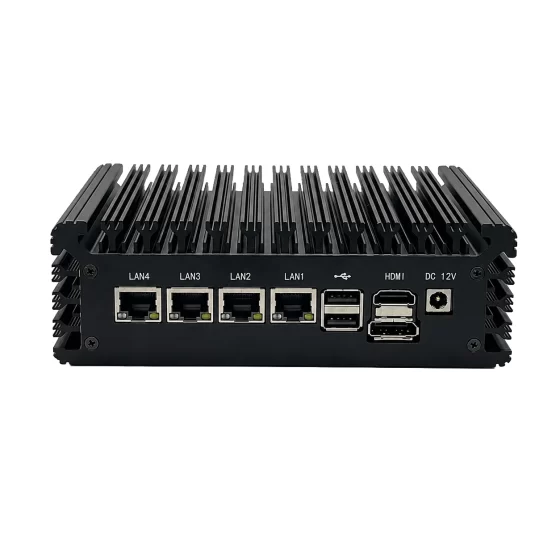
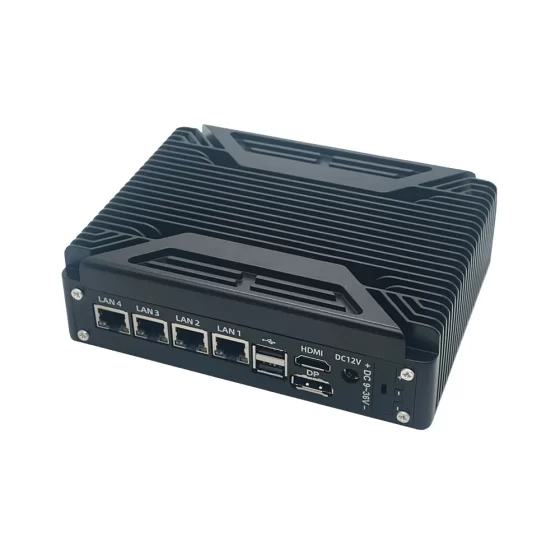
CoreIPC Industrial Computing Solutions

AI Quality Inspection Computer: Industrial Computing for Reliable AI-Based Visual Inspection
Executive Summary
An AI quality inspection computer provides the industrial computing foundation for automated visual inspection, defect detection, product verification, process monitoring, and quality data integration in modern manufacturing environments.
As factories move toward smarter production, quality inspection is becoming more data-driven, camera-based, and connected to automation systems. Traditional manual inspection can be limited by operator fatigue, inconsistent judgment, production speed, and difficulty handling large volumes of inspection data.
AI-based inspection systems use industrial cameras, lighting, sensors, machine vision software, AI inference models, and industrial computing hardware to detect defects, classify abnormalities, verify product assembly, and connect inspection results with MES or quality systems.
An industrial computer or embedded computer acts as the local AI processing platform. It receives image data, runs inspection algorithms, communicates with PLCs and automation equipment, stores inspection records, and uploads results to factory databases or production dashboards.
Compared with standard commercial PCs, industrial computers are better suited for factory deployment because they provide stable operation, flexible I/O, rugged mechanical design, fanless options, reliable networking, and long lifecycle support.
This article explains how AI quality inspection computers support industrial inspection, what challenges manufacturers face during deployment, how the solution architecture works, and which hardware features are important for reliable AI-based quality control.
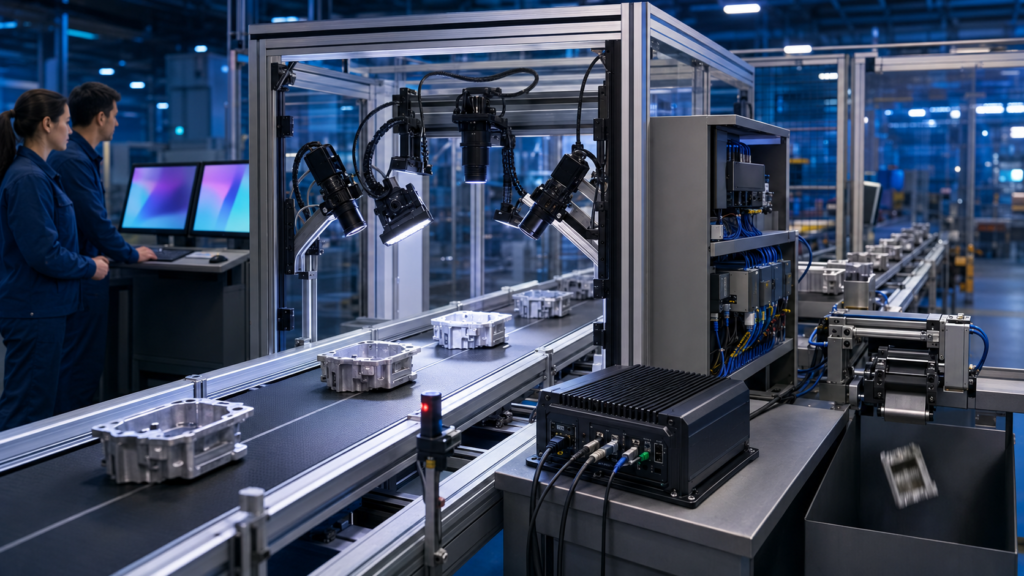
AI Quality Inspection on Production Lines
Industry Overview
Quality Inspection Is Moving Toward AI
Manufacturing quality control has traditionally relied on manual inspection, rule-based machine vision, sampling inspection, or offline testing.
These methods are still useful, but many modern production lines require faster, more consistent, and more data-connected inspection. Products are becoming more complex, production speeds are increasing, and factories need stronger traceability.
AI quality inspection can support:
- Surface defect detection
- Product appearance inspection
- Assembly verification
- Missing part detection
- Label and barcode checking
- Packaging inspection
- Dimension and position verification
- Foreign object detection
- Solder and component inspection
- Defect classification
- Quality data collection
A reliable AI quality inspection computer provides the local computing platform required to turn camera data into production decisions.
Why AI Is Used in Quality Inspection
Traditional rule-based vision systems work well when defects are clear, stable, and easy to define.
However, real-world defects are often more complex. Scratches, stains, cracks, dents, contamination, poor solder joints, missing components, deformation, and color variation may appear in different shapes, sizes, and lighting conditions.
AI inspection models can help identify visual patterns that are difficult to describe with fixed rules.
AI can be useful for:
- Variable defect shapes
- Complex product surfaces
- Mixed product models
- Subtle appearance differences
- Defect classification
- Anomaly detection
- Multi-stage quality analysis
AI does not replace proper camera, lens, lighting, and mechanical design. It depends on stable image acquisition and reliable computing hardware.
Industrial Computing Enables Real Factory Deployment
AI inspection systems are often installed directly on production lines.
They may operate near conveyors, robotic cells, assembly machines, packaging equipment, test stations, inspection benches, or control cabinets.
These environments may include vibration, dust, heat, electrical noise, cable movement, limited space, and long operating hours.
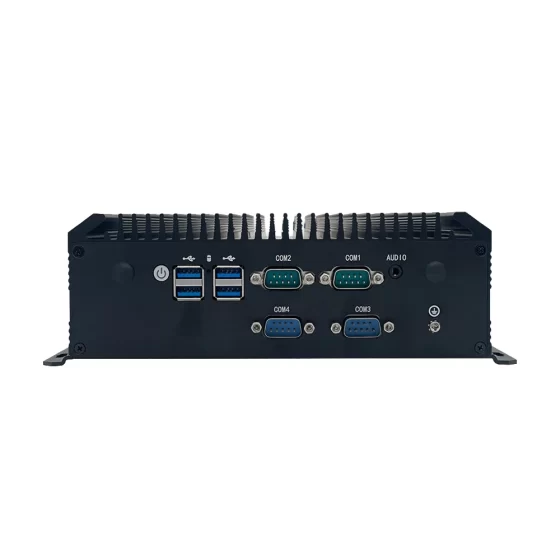
Industrial computers and embedded computers are designed for these deployment conditions. They support stable performance, industrial I/O, multiple camera interfaces, rugged installation, local storage, and long lifecycle availability.

AI Quality Inspection Vision Challenges
Key Challenges
Defect Variability
Defects are not always consistent.
The same defect type may appear differently depending on product material, lighting angle, surface texture, production process, or camera position.
Common inspection challenges include:
- Fine scratches
- Surface stains
- Cracks and dents
- Missing components
- Wrong assembly
- Color differences
- Contamination
- Foreign objects
- Misaligned parts
- Damaged packaging
The AI quality inspection computer must process images reliably under real production conditions.
High Image Processing Workload
AI inspection often uses high-resolution cameras and deep learning models.
The computing workload depends on camera resolution, number of cameras, frame rate, model complexity, inspection cycle time, and storage requirements.
If the computer is underpowered, the system may experience delayed processing, dropped frames, unstable inspection speed, or reduced production throughput.
Important workload factors include:
- AI model size
- Image resolution
- Number of cameras
- Required frame rate
- Local image storage
- Defect classification logic
- PLC communication timing
- MES or database upload frequency
Stable sustained performance is more important than short peak benchmark performance.
Camera and Lighting Integration
AI inspection accuracy depends heavily on image quality.
Poor lighting can create glare, shadows, motion blur, low contrast, or unstable color. These problems can reduce model accuracy and increase false detection.
A reliable system requires coordination between:
- Camera selection
- Lens design
- Lighting method
- Trigger timing
- Product positioning
- Mechanical mounting
- Software settings
- Computing hardware
The industrial computer must support stable image acquisition and reliable connection with lighting controllers, sensors, and camera systems.
Integration with Production Equipment
AI inspection results must be connected with production actions.
The system may need to communicate with PLCs, conveyors, robots, reject mechanisms, alarms, barcode readers, MES software, or quality databases.
A practical AI inspection computer may need:
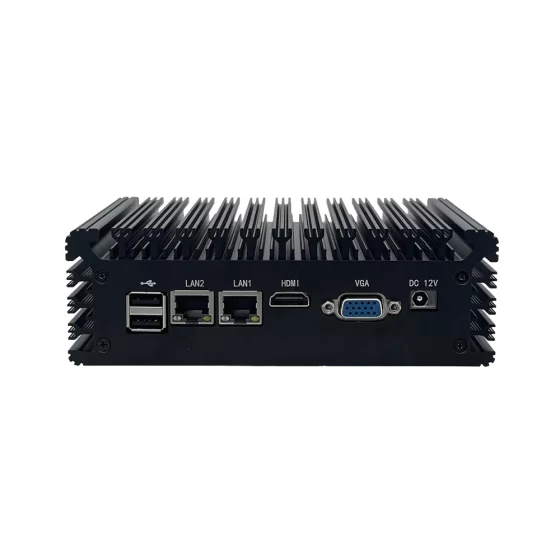
- LAN
- USB
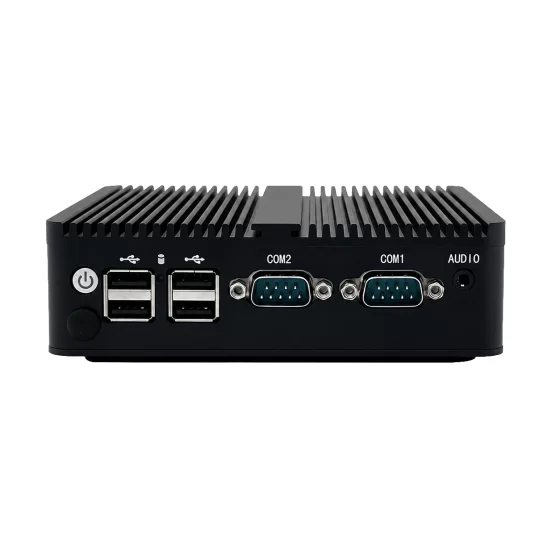
- RS232
- RS485
- GPIO
- Digital input
- Digital output
- HDMI or DisplayPort
- M.2 or PCIe expansion
Without the right I/O configuration, system integration becomes more complex and less reliable.
Continuous Operation and Maintenance
AI quality inspection systems often operate across multiple shifts.
If the inspection computer fails, image processing may stop, reject control may fail, and quality data may become incomplete.
Industrial-grade hardware helps reduce this risk by supporting stable thermal design, rugged mechanical installation, reliable storage, and long-term component availability.
Long lifecycle support is also important because inspection systems often remain in production for many years.

AI Quality Inspection Computer Architecture
AI Quality Inspection Computer Solution Architecture
Image and Sensor Acquisition Layer
The acquisition layer captures the raw data needed for AI inspection.
This layer may include industrial cameras, lenses, lighting modules, trigger sensors, barcode readers, measurement devices, and production sensors.
Depending on the application, the system may capture:
- Product surface images
- Assembly images
- Component images
- Packaging images
- Barcode or label images
- Defect images
- Position data
- Measurement values
- Process signals
Consistent input quality is essential. AI inspection results depend on clear, repeatable, and stable data capture.
Industrial AI Computing Layer
The industrial AI computing layer is where the AI quality inspection computer performs local processing.
At this layer, the industrial computer or embedded computer may:
- Receive images from cameras
- Run AI inference models
- Detect visual defects
- Classify abnormal conditions
- Compare results with inspection rules
- Store images and logs
- Display inspection results
- Send pass or fail signals
- Communicate with PLCs
- Upload data to quality systems
This edge computing layer allows inspection decisions to happen close to the production process.
Automation Control Layer
The automation control layer connects AI inspection results with equipment action.
A PLC, robot controller, motion controller, conveyor system, or reject mechanism may trigger inspection and receive results from the industrial computer.
For example, if the system detects a missing component, unreadable label, surface defect, or package damage, the computer can send a fail signal to the PLC. The equipment may then stop the line, activate a reject mechanism, or route the product for rework.
This closed-loop communication turns AI inspection into practical quality control.
Data Management Layer
Inspection results must be stored and connected with production records.
The industrial computer may send data to MES, quality management systems, factory databases, production dashboards, or analytics platforms.
Inspection data may include:
- Product ID
- Work order
- Batch number
- Inspection result
- Defect category
- Image evidence
- Confidence score
- Station ID
- Timestamp
- Operator action
- Recheck status
This supports traceability, quality analysis, process improvement, and production accountability.
User Interface and Engineering Layer
Operators and engineers need a local interface for monitoring and adjustment.
The AI quality inspection computer may connect to a monitor, touchscreen, keyboard, or HMI panel.
The interface can show live images, defect locations, inspection results, alarm messages, production counts, AI model status, camera status, and system logs.
A clear interface helps engineers review defects, adjust inspection settings, and troubleshoot production problems quickly.
Key Features
AI Inference Performance
AI inspection requires stable inference performance.
Different inspection tasks require different computing levels. A simple single-camera defect detection station may use a compact embedded computer. A multi-camera AI inspection line may require a more powerful industrial PC or edge AI computer.
Selection should consider:
- AI model complexity
- Camera resolution
- Number of cameras
- Inspection speed
- Frame rate
- CPU workload
- GPU or AI accelerator needs
- Memory capacity
- Storage workload
- Software framework
The best configuration should be selected according to real production data and actual inspection cycle time.
Camera Interface Support
Camera connectivity is one of the most important hardware requirements.
AI inspection systems commonly use USB cameras, GigE cameras, 2.5GbE cameras, or other industrial vision interfaces.
Useful hardware features may include:
- USB 3.0 ports
- Multiple LAN ports
- 2.5GbE or higher-speed LAN options
- PCIe expansion
- M.2 expansion
- HDMI or DisplayPort output
- High-speed storage
- Stable power design
For multi-camera systems, bandwidth planning should be completed before hardware selection.
Industrial I/O for Factory Integration
The AI inspection computer must connect with real production equipment.
Important I/O options may include:
- LAN
- USB
- RS232
- RS485
- GPIO
- Digital input
- Digital output
- HDMI
- DisplayPort
These interfaces can support cameras, sensors, lighting controllers, barcode readers, PLCs, conveyors, alarms, robots, and reject mechanisms.
Flexible I/O reduces external adapters and improves system reliability.
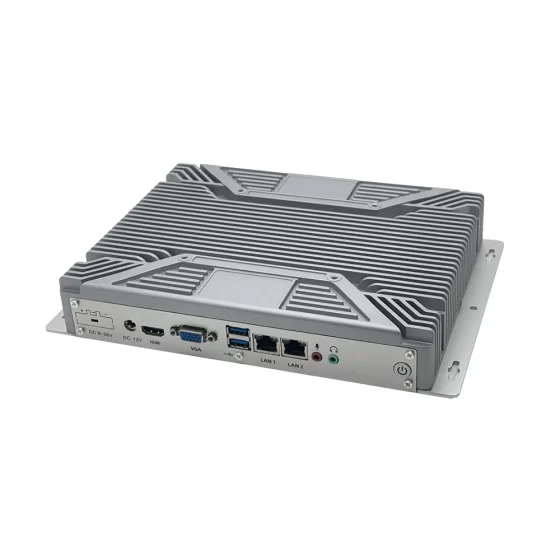
Fanless and Rugged Design
Fanless industrial computers are useful in many inspection environments.
They reduce dust intake and remove one common mechanical failure point. This is valuable when systems operate continuously and maintenance access is limited.
A rugged enclosure helps protect the computer from vibration, cable stress, and installation impact.
For high-performance AI workloads, thermal design must be reviewed carefully. Processor power, GPU or accelerator use, cabinet airflow, ambient temperature, and mounting position can all affect long-term stability.
Reliable Storage for Inspection Records
AI inspection systems may generate large amounts of data.
The computer may store defect images, accepted image samples, inspection logs, AI model files, reports, and local database records.
SSD or NVMe storage is commonly preferred because it provides faster access and better shock resistance than mechanical drives.
For image-heavy applications, storage capacity, write endurance, backup method, and data retention policy should be reviewed during system design.
Long Lifecycle and Maintainability
AI inspection systems may remain in production for many years.
Frequent changes in hardware models, ports, drivers, or expansion options can increase validation workload and maintenance cost.
Industrial computing platforms with lifecycle planning help manufacturers and OEM equipment builders maintain consistent systems across multiple lines, machines, and customer projects.
Deployment Scenarios
Surface Defect Detection
Surface defect detection is one of the most common AI inspection applications.
The system can inspect metal, plastic, glass, electronic parts, packaging materials, textiles, and other product surfaces.
The industrial computer processes images locally to detect scratches, stains, dents, cracks, contamination, and other visible defects.
Assembly Verification
AI inspection can verify whether products are assembled correctly.
The system can check component presence, orientation, position, connector alignment, screw placement, cable routing, label position, or missing parts.
An industrial computer processes camera images and sends results to the production system or PLC.
Electronics Inspection
Electronics manufacturing can use AI inspection for PCB inspection, solder joint review, component verification, barcode recognition, connector inspection, and defect classification.
An embedded computer can be installed near SMT lines, AOI equipment, test stations, or repair benches.
Inspection results can be connected with PCB serial numbers, work orders, and MES records.
Packaging Inspection
AI quality inspection can support packaging checks for labels, barcodes, date codes, seals, caps, cartons, pouches, bottles, and final packages.
The industrial computer processes images and sends pass or fail results to PLCs or reject mechanisms.
This helps reduce shipment errors and improve traceability.
Food and Pharmaceutical Inspection
Food and pharmaceutical production often require visual inspection of products, labels, packages, seals, codes, and final packaging.
AI inspection computers can support appearance inspection, label verification, fill-level checks, package completeness, and traceability record creation.
These applications require stable image acquisition and reliable data handling.
Battery and New Energy Inspection
Battery manufacturing can use AI inspection for electrode surfaces, cell appearance, tab welding areas, module assembly, wiring, labels, and final pack inspection.
The industrial computer processes defect images and connects results with production and quality systems.
This supports safer and more traceable battery manufacturing workflows.
Robotic Inspection Cells
AI inspection can be integrated with robotic systems.
A robot may move a product under a camera, position a camera around the product, or sort items based on inspection results.
The AI quality inspection computer processes images and communicates with the robot controller or PLC.
OEM Inspection Equipment
Machine builders can integrate industrial computers, embedded computers, or industrial motherboards into AI inspection machines.
The computing platform can provide image acquisition, AI inference, HMI display, automation communication, local storage, and factory data output.
This helps OEMs deliver inspection equipment ready for smart manufacturing integration.

AI Quality Inspection Defect Review
Business Benefits
Improved Inspection Consistency
AI quality inspection helps manufacturers inspect products more consistently across shifts.
The system processes images according to defined models and inspection logic. This reduces dependence on manual judgment and helps maintain stable quality control.
Reliable industrial computing hardware supports this consistency by keeping image acquisition and inference workloads stable.
Reduced Manual Inspection Workload
Manual inspection can be repetitive, slow, and inconsistent.
AI inspection automates many visual checks and allows operators to focus on exception handling, process adjustment, and equipment maintenance.
This improves production efficiency and reduces the risk of missed defects caused by fatigue.
Faster Defect Detection
Local AI processing allows inspection decisions to happen near the production line.
The industrial computer can detect defects and send pass, fail, or classification results to PLCs quickly.
This enables faster reject action, rework routing, or process correction.
Stronger Quality Traceability
AI inspection data can be linked with product IDs, work orders, defect categories, images, timestamps, station information, and operator actions.
This creates stronger quality records for production analysis, customer audits, warranty investigation, and root cause analysis.
Traceability becomes more useful when inspection data is collected consistently and connected with MES or quality systems.
Better Process Improvement
AI inspection platforms generate useful production data.
Manufacturers can analyze recurring defects, station performance, process drift, equipment issues, and inspection trends.
Reliable industrial computers help ensure that this data is stored, transferred, and displayed consistently.
Scalable Smart Manufacturing Deployment
A standardized industrial computing platform makes it easier to deploy AI inspection across multiple production lines and factories.
Consistent hardware simplifies software images, driver management, spare parts planning, maintenance training, and long-term technical support.
This supports scalable digital quality control and smart manufacturing development.
Why CoreIPC
CoreIPC provides industrial computing platforms for machine vision, edge AI, factory automation, and embedded system integration. For AI quality inspection computer applications, CoreIPC focuses on reliable industrial computer hardware, embedded computer solutions, flexible I/O configurations, compact system design, and OEM/ODM customization support. CoreIPC helps system integrators, machine builders, and manufacturing teams select computing platforms that match real deployment requirements, including camera interfaces, AI workloads, automation communication, mounting methods, power input, thermal design, storage needs, and lifecycle planning.
Frequently Asked Questions
1. What is an AI quality inspection computer?
An AI quality inspection computer is an industrial computer used to run AI-based inspection software near production equipment.
It connects to cameras, lighting controllers, sensors, PLCs, and factory networks. It receives image data, runs AI inference, detects defects, stores inspection records, and sends results to automation systems or quality databases.
2. Why use an industrial computer for AI quality inspection?
AI inspection systems often operate directly on production lines.
An industrial computer is more suitable than an office PC because it supports continuous operation, rugged mounting, industrial I/O, camera connectivity, stable thermal design, and long lifecycle deployment. These features help inspection systems remain reliable during real factory operation.
3. How is an embedded computer used in AI inspection systems?
An embedded computer can be installed inside inspection machines, robotic cells, production cabinets, compact vision stations, or OEM equipment.
It can process camera data, run AI models, communicate with PLCs, display local results, and upload inspection records. Its compact design makes it useful for space-limited machine-side deployment.
4. What defects can AI quality inspection detect?
AI quality inspection can support detection of scratches, dents, cracks, stains, contamination, missing parts, wrong assembly, poor labels, barcode errors, seal defects, surface defects, and packaging damage.
The actual detection capability depends on camera quality, lighting design, AI model training, product variation, and real production validation.
5. What interfaces are important for AI inspection computers?
Important interfaces may include USB 3.0, multiple LAN ports, 2.5GbE, RS232, RS485, GPIO, digital input, digital output, HDMI, DisplayPort, M.2, and PCIe expansion.
Camera interfaces are critical for image acquisition. Industrial I/O is important for PLC communication, trigger signals, lighting control, sensors, alarms, conveyors, and reject mechanisms.
6. Does an AI quality inspection computer need a GPU?
Some AI inspection workloads may need GPU or AI accelerator support, especially for high-resolution images, multiple cameras, or complex models.
Other applications may run on CPU-based industrial computers if the model is lightweight and the inspection speed is moderate. Hardware should be selected based on real model performance and production cycle time.
7. Is a fanless industrial computer suitable for AI inspection?
A fanless industrial computer can be suitable for many AI inspection applications because it reduces dust intake and removes one common mechanical failure point.
However, AI workloads can generate significant heat. CPU performance, GPU or accelerator use, cabinet airflow, ambient temperature, and mounting method should be reviewed before final selection.
8. How does AI inspection support traceability?
AI inspection supports traceability by linking inspection results with product IDs, work orders, defect categories, images, timestamps, station IDs, and operator actions.
This data can be uploaded to MES, quality systems, or production databases. Complete records help manufacturers analyze defects, support audits, and improve production processes.
9. Can AI inspection connect with MES systems?
Yes. Industrial computers can send AI inspection results to MES, quality databases, production dashboards, or analytics platforms.
Uploaded data may include product IDs, inspection results, defect categories, image records, timestamps, line numbers, and station information. This helps connect visual inspection with production management and quality analysis.
10. What should be tested before deployment?
Before deployment, the system should be tested with real products, real defects, production lighting, actual camera resolution, line speed, AI models, PLC communication, storage workload, and network conditions.
Long-running stability and thermal performance should also be tested. This helps confirm that the platform can operate reliably in production.
Conclusion
An AI quality inspection computer is a practical foundation for automated visual inspection, defect detection, production traceability, and smart manufacturing quality control.
By placing industrial computing hardware close to cameras, lighting systems, sensors, PLCs, conveyors, robots, and inspection equipment, manufacturers can process inspection data locally and respond faster to quality issues.
The right industrial computer or embedded computer should be selected according to real deployment requirements, including AI workload, camera interface, image resolution, I/O configuration, network design, storage needs, mounting method, power input, thermal conditions, operating system support, and lifecycle planning.
CoreIPC supports AI quality inspection computer projects with industrial computing platforms designed for practical factory deployment. With the right hardware foundation, manufacturers and equipment builders can build more reliable, scalable, and data-driven quality inspection systems.
Contact Us
Looking for an industrial computer, embedded computer, or industrial motherboard for AI quality inspection?
Contact CoreIPC to discuss your project requirements, including camera interface, AI workload, I/O configuration, automation communication, mounting method, power input, operating environment, lifecycle needs, and OEM/ODM customization options.