CoreIPC Industrial Computing Solutions

Industrial Computer MES Systems: Reliable Shop-Floor Computing for Manufacturing Execution
Executive Summary
An industrial computer MES deployment provides the hardware foundation for connecting production equipment, operators, quality stations, and manufacturing software across the factory floor.
In a modern manufacturing execution system, data must move reliably from machines and workstations to MES servers, databases, dashboards, and enterprise systems. This requires more than a standard office PC. It requires industrial-grade computing hardware designed for continuous operation, stable connectivity, and practical integration with real production environments.
Industrial computers are commonly used as MES terminals, machine data collection nodes, quality inspection workstations, barcode scanning stations, traceability gateways, and production line monitoring computers. They connect to PLCs, sensors, scanners, RFID readers, printers, vision systems, testing instruments, and factory networks.
For manufacturers, system integrators, and OEM equipment builders, selecting the right industrial computer or embedded computer affects system uptime, data accuracy, traceability, maintenance cost, and long-term scalability.
This article explains how industrial computers support MES systems, what challenges appear during deployment, how a practical solution architecture is structured, and which hardware features matter most for reliable manufacturing execution.
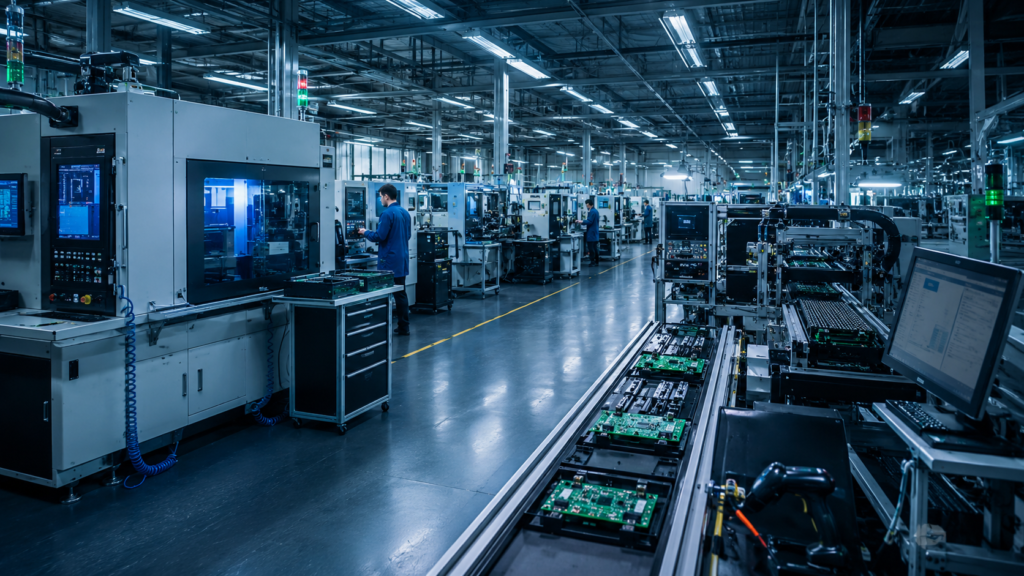
Industrial computers help collect shop-floor data for manufacturing execution systems.
Industry Overview
MES Is Moving Closer to the Factory Floor
Manufacturing execution systems were traditionally viewed as software platforms for production reporting, work order tracking, and quality records.
Today, MES systems are becoming more closely connected to machines, production lines, operators, and real-time factory data. This shift increases the importance of reliable shop-floor computing hardware.
MES platforms often need to collect data from:
- Assembly stations
- CNC machines
- SMT production lines
- Testing equipment
- Barcode and RFID systems
- Quality inspection workstations
- Packaging and labeling stations
- Warehouse and material handling areas
Each data point must be captured accurately and transferred to the MES system without unnecessary delay.
Why Industrial Computers Matter
A standard commercial computer may be enough for office use, but shop-floor environments are different.
Industrial computers are designed for factory conditions where systems may face vibration, dust, unstable power, electrical noise, limited space, and long operating hours.
In MES projects, industrial PCs and embedded computers provide the local computing layer between physical production equipment and higher-level software systems.
They help manufacturers build a more reliable digital manufacturing environment by supporting real-time data collection, operator interaction, equipment communication, and production traceability.
From Manual Reporting to Digital Manufacturing
Many factories still rely on paper forms, manual input, or delayed reporting for production status.
MES systems reduce this gap by collecting production data directly at the point of operation. Industrial computers make this possible by placing computing power close to the machines and operators.
This enables faster response to production issues, better quality control, and more complete manufacturing records.

Mixed factory equipment requires reliable industrial computers for MES integration.
Key Challenges
Equipment Connectivity
One of the biggest MES deployment challenges is connecting different types of production equipment.
Factories often use machines from different generations, vendors, and control platforms. Some machines support modern Ethernet communication, while others still rely on serial ports or external data collection devices.
A practical MES computer may need to support:
- LAN communication
- RS232 and RS485 interfaces
- USB peripherals
- Barcode scanners
- RFID readers
- Label printers
- Vision cameras
- Digital I/O or gateway modules
Without the right hardware interfaces, the MES system may not be able to collect complete production data.
Harsh Shop-Floor Conditions
MES terminals are often installed near machines, conveyors, cabinets, test benches, or operator workstations.
These environments may include heat, dust, vibration, electrical interference, and limited airflow. A computer failure at a production station can interrupt scanning, reporting, quality checks, or process confirmation.
Industrial computers are better suited for these conditions because they can offer rugged enclosures, fanless thermal designs, stable mounting options, and industrial power input.
Data Accuracy and Traceability
MES systems depend on accurate and complete data.
If barcode scans are missed, machine data is delayed, or quality results are not uploaded correctly, production traceability becomes incomplete. This can affect quality control, customer audits, warranty analysis, and production improvement.
Reliable industrial computers help reduce data loss by supporting stable communication, local buffering, and continuous operation at key production points.
Network Design and Security
MES computers often connect machine networks with factory IT networks.
This creates design requirements for network segmentation, secure communication, user access control, and reliable data transfer.
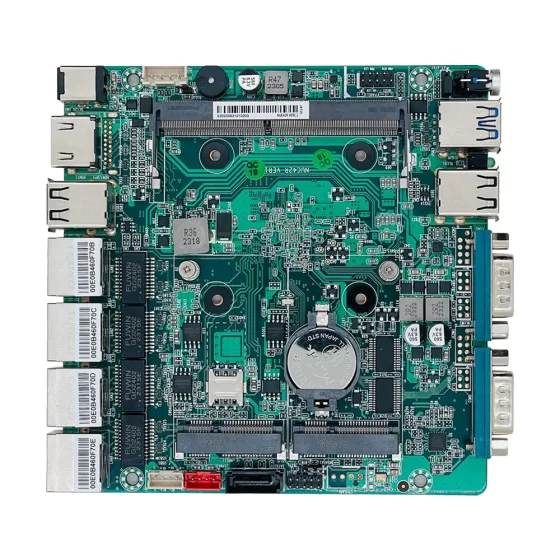
In some deployments, multiple LAN ports are useful because they allow separation between machine-side communication and MES server communication. This can improve network organization and reduce the risk of unnecessary interference between systems.
Long-Term Maintenance
MES projects usually expand over time.
A factory may start with one pilot line, then extend the system to multiple workshops, production buildings, or global manufacturing sites.
If the hardware platform changes frequently, maintenance becomes difficult. Software images, spare parts, mounting accessories, drivers, and validation records all become harder to manage.
Long-lifecycle industrial computing platforms can reduce these risks and support more consistent MES deployment.

Industrial computers bridge machines, peripherals, and MES software platforms.
Industrial Computer MES Solution Architecture
Machine Layer
The machine layer includes the physical equipment that generates production data.
This may include PLCs, CNC controllers, sensors, actuators, weighing devices, test instruments, barcode scanners, RFID readers, machine vision systems, and industrial meters.
These devices provide information such as:
- Machine status
- Cycle time
- Production count
- Alarm messages
- Material usage
- Process parameters
- Test results
- Product identification data
The challenge is that this data may come from many different interfaces and formats.
Edge Computing Layer
The edge computing layer is where industrial computers play the most important role.
An industrial PC or embedded computer can be installed beside a machine, inside a control cabinet, at an operator station, or within a production workstation.
At this layer, the computer may perform several tasks:
- Collect data from local devices
- Run MES client software
- Display work instructions
- Record operator input
- Process barcode or RFID data
- Communicate with PLCs and machines
- Buffer data during temporary network issues
- Upload production records to MES servers
This local computing layer improves reliability because not every task needs to depend entirely on a remote server.
MES Server Layer
The MES server layer manages the main production software functions.
It may include work order management, process routing, production tracking, quality records, traceability databases, reporting dashboards, and integration with ERP or warehouse systems.
Industrial computers communicate with this layer through factory networks. The MES server receives data from multiple production stations and provides instructions, status updates, and reporting functions.
Enterprise Integration Layer
MES systems are often connected with ERP, PLM, WMS, SCADA, or business intelligence platforms.
This integration helps align production activity with planning, inventory, purchasing, quality control, and delivery schedules.
Industrial computers do not replace these enterprise systems. Instead, they provide the reliable shop-floor data foundation that allows higher-level systems to make better decisions.

Fanless industrial PCs support reliable MES operation in production cabinets.
Key Features
Industrial-Grade Reliability
Reliability is the first requirement for MES hardware.
Production systems may run multiple shifts per day, and MES terminals are expected to stay available during active manufacturing operations.
Important reliability factors include:
- Stable motherboard design
- Fanless system options
- Industrial power input
- SSD storage support
- Rugged enclosure design
- Reliable thermal performance
- Long operating lifecycle
The goal is not only high performance, but stable operation in real factory conditions.
Flexible I/O Configuration
MES applications often require more I/O flexibility than office computers.
A typical MES station may need to connect a touchscreen, barcode scanner, printer, RFID reader, network cable, USB device, and sometimes serial equipment at the same time.
Useful I/O options may include:
- Multiple LAN ports
- USB 2.0 and USB 3.0
- RS232 or RS485
- HDMI or DisplayPort
- GPIO or digital I/O
- M.2 expansion
- Mini PCIe expansion
- Wireless module support when required
The right I/O configuration reduces the need for external adapters and improves system stability.
Fanless Thermal Design
Fanless industrial computers are widely used in MES environments because they reduce mechanical failure points and limit dust intake.
A fanless design is especially useful in production areas where dust, particles, or maintenance limitations may affect standard computers.
However, fanless selection should still consider processor power, ambient temperature, enclosure space, mounting method, and workload.
Compact Mechanical Design
MES computers are often installed in space-limited locations.
They may be mounted behind displays, inside cabinets, under workbenches, on machine frames, or near production lines.
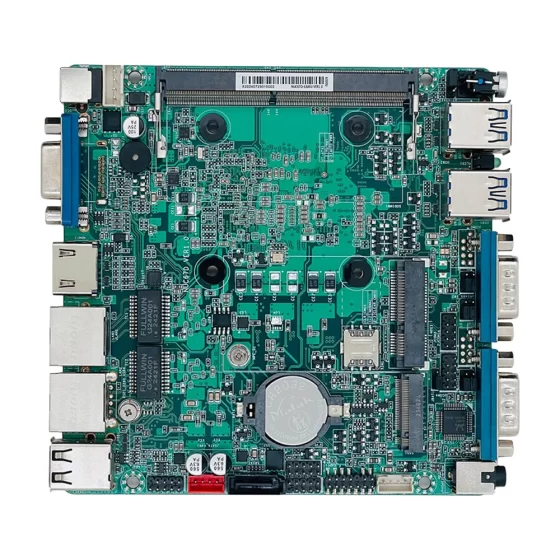
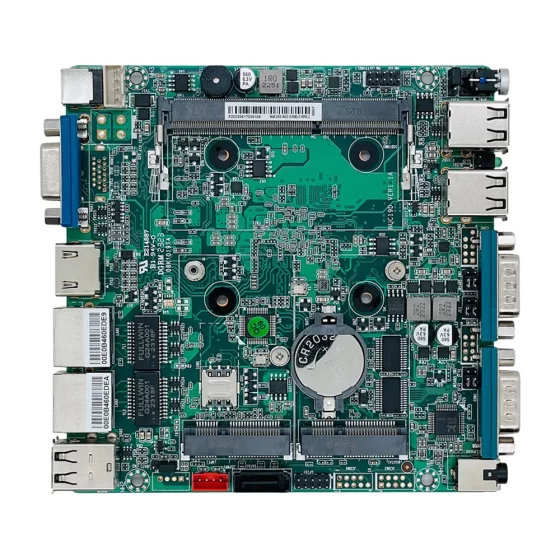
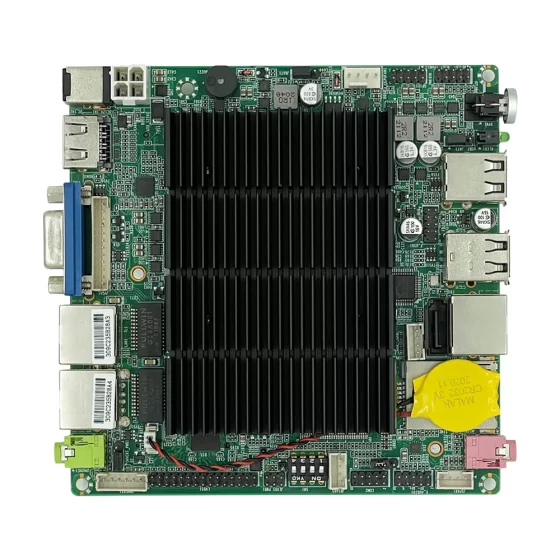
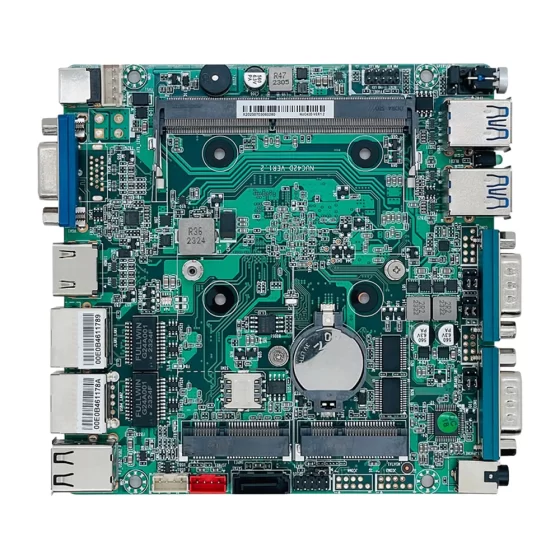
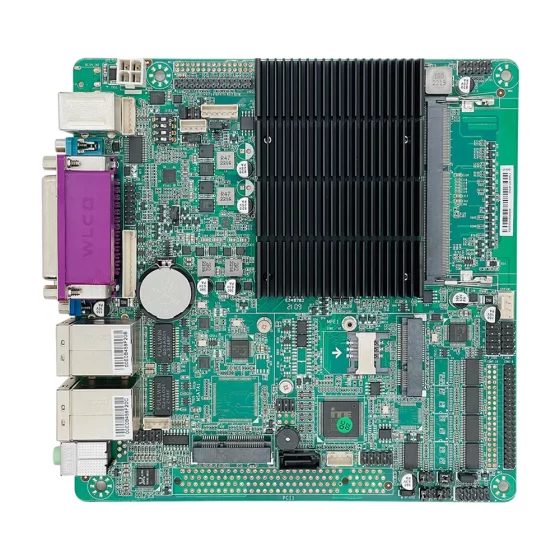
Compact embedded computers and industrial box PCs provide flexible installation options. For OEM projects, embedded boards may be integrated directly into custom equipment enclosures.
Storage and Data Protection
MES terminals may store operating system files, application data, logs, temporary production records, inspection images, or local databases.
SSD storage is commonly preferred because it offers better shock resistance and faster response than mechanical drives.
For systems that write frequent logs or store large inspection files, storage capacity and endurance should be reviewed during hardware selection.
Operating System and Software Compatibility
MES software may run on Windows, Linux, or browser-based platforms.
Before mass deployment, the hardware should be validated with the target operating system, drivers, peripherals, security tools, remote management software, and MES client applications.
This validation helps avoid unexpected compatibility problems after deployment.
Deployment Scenarios
Operator MES Terminals
Operator terminals are one of the most common MES deployment scenarios.
An industrial computer may be connected to a monitor, touchscreen, barcode scanner, keyboard, RFID reader, and label printer.
The terminal can display work instructions, confirm process steps, collect operator input, and upload station-level production data to the MES system.
This helps reduce paper-based reporting and improves process control.
Machine Data Collection Stations
Industrial computers can collect data directly from production machines.
They may connect to PLCs, CNC controllers, meters, sensors, or machine communication ports. The collected data can include machine status, cycle time, output count, alarm history, and process values.
This type of deployment is useful when machines do not communicate directly with MES software.
Quality Inspection Workstations
MES systems often need to connect quality inspection results with product serial numbers or work orders.
An industrial computer at the inspection station may connect to cameras, measurement tools, testing equipment, scanners, and printers.
It can record inspection data, store local results, and upload quality records to the MES database.
SMT and Electronics Manufacturing
In electronics manufacturing, MES systems are often used to track PCBs, components, process routes, test results, repair records, and final packaging information.
Industrial computers can be deployed near SMT lines, AOI machines, testing stations, rework areas, and packaging lines.
Stable data capture is important because electronics manufacturing requires accurate traceability across many process steps.
CNC and Mechanical Processing
CNC workshops may use MES systems to collect machine status, production quantities, tool information, and operator records.
Because many CNC factories use mixed equipment generations, industrial computers with serial and Ethernet communication options can help connect older and newer machines into the MES workflow.
Warehouse and Material Traceability
MES systems are often connected with warehouse and material handling processes.
Industrial computers can be used at receiving areas, material preparation stations, line-side warehouses, and finished goods areas.
By connecting barcode scanners, RFID readers, weighing equipment, and label printers, these systems help improve material traceability and reduce manual errors.
OEM Equipment Integration
OEM equipment builders may integrate embedded computers or industrial motherboards directly into machines.
This allows equipment to support MES connectivity, data reporting, remote diagnostics, and operator interface functions from the beginning.
For machine builders, this can improve product value and simplify customer integration.
Business Benefits
Better Production Visibility
Industrial computers help MES systems collect real-time data from production lines.
Managers can view work order progress, machine status, downtime causes, output quantity, and quality results more quickly.
This improves decision-making and reduces the delay between shop-floor events and management response.
Stronger Traceability
Traceability depends on accurate data collection at each process step.
By using industrial computers at scanning, testing, assembly, inspection, and packaging stations, manufacturers can record product IDs, material batches, operator actions, process parameters, and quality results.
This supports quality management, audit preparation, and root cause analysis.
Reduced Manual Reporting
Manual reporting can create delays and errors.
MES terminals based on industrial computers allow operators and machines to submit data during production. This reduces paperwork, improves reporting accuracy, and shortens the time required to understand production status.
Improved Equipment Integration
Factories often use equipment from different vendors and different time periods.
Industrial PCs and embedded computers provide the interface flexibility needed to connect machines, scanners, sensors, test instruments, and network systems into one MES workflow.
This helps manufacturers digitalize existing production assets without replacing all equipment.
Scalable Deployment
A standardized industrial computer platform can be deployed across multiple lines and factories.
This simplifies installation, software image management, spare parts planning, maintenance training, and long-term support.
Scalable hardware planning is especially important when MES projects grow from pilot deployment to full factory implementation.
Foundation for Smart Manufacturing
MES is often the first major step toward smart manufacturing.
Once reliable production data is available, manufacturers can develop advanced analytics, quality improvement systems, equipment monitoring, industrial IoT applications, and factory-level optimization.
Industrial computers provide the practical edge computing foundation for this development.
Why CoreIPC
CoreIPC provides industrial computing platforms for manufacturing, automation, embedded systems, and shop-floor data applications. For MES systems, CoreIPC focuses on reliable hardware design, practical I/O configurations, compact industrial computers, embedded computers, and OEM/ODM customization support. CoreIPC helps system integrators, equipment builders, and manufacturing teams select computing platforms that match real production environments, including interface requirements, mounting methods, power input, thermal design, and long-term deployment needs.
Frequently Asked Questions
1. What is an industrial computer MES system?
An industrial computer MES system uses industrial-grade computing hardware to connect production equipment, operators, and manufacturing execution software.
The industrial computer may work as an operator terminal, machine data collection node, quality inspection workstation, or traceability gateway. It collects production data, supports local interaction, and communicates with MES servers. Compared with office PCs, industrial computers are better suited for shop-floor environments where reliability, I/O flexibility, and continuous operation are important.
2. Why are industrial computers used for MES instead of office PCs?
Office PCs are designed mainly for clean and stable office environments. MES terminals are often installed near machines, conveyors, cabinets, or production workstations.
Industrial computers provide stronger mechanical design, fanless options, better mounting flexibility, wider I/O support, and more stable operation in industrial conditions. These features help reduce downtime and maintenance problems during continuous production use.
3. What interfaces are important for MES computers?
Important MES computer interfaces usually include LAN, USB, RS232, RS485, HDMI, DisplayPort, and sometimes digital I/O or expansion slots.
USB ports are used for scanners, RFID readers, printers, keyboards, and cameras. Serial ports may connect legacy equipment, meters, weighing devices, or PLCs. Multiple LAN ports can separate machine communication from factory network communication.
4. Can an embedded computer be used for MES data collection?
Yes. An embedded computer is often a good choice for MES data collection because it is compact, reliable, and suitable for machine-side installation.
It can connect to PLCs, sensors, scanners, test equipment, and factory networks. It may run communication software, protocol conversion tools, local buffering services, or MES client applications. This makes it useful for both new equipment and legacy machine integration.
5. Is a fanless industrial PC suitable for MES terminals?
A fanless industrial PC is often suitable for MES terminals, especially in dusty or maintenance-sensitive production areas.
Because it does not use a mechanical fan, it reduces dust intake and removes one common failure point. However, the final selection should consider CPU workload, ambient temperature, installation space, and thermal conditions around the device.
6. Do MES systems require multiple LAN ports?
Multiple LAN ports are not always required, but they are useful in many MES deployments.
One LAN port can connect to machine-side equipment or PLCs, while another connects to the MES server or factory network. This separation can improve network organization, reduce communication conflicts, and support better security design in production environments.
7. How does industrial computer hardware affect traceability?
Traceability depends on reliable data capture at each process point.
If barcode scans, machine data, test results, or operator confirmations are missed, the MES record becomes incomplete. Industrial computer hardware affects traceability by providing stable operation, reliable peripheral connections, and continuous data communication between shop-floor devices and MES software.
8. What should be considered when selecting storage for MES computers?
Storage selection should consider operating system size, MES application requirements, log frequency, temporary data buffering, inspection image storage, and local database usage.
SSD storage is usually preferred because it offers better shock resistance and faster system response. For heavy logging or image-based inspection stations, capacity and write endurance should be reviewed carefully.
9. Can industrial computers connect legacy machines to MES?
Yes. Many factories use industrial computers to connect legacy machines that do not directly support modern MES communication.
With RS232, RS485, Ethernet, USB, or gateway modules, an industrial computer can collect data from older equipment and transfer it to MES software. This helps manufacturers digitalize existing equipment without replacing all machines.
10. When should OEMs use embedded boards for MES integration?
OEMs should consider embedded boards when computing hardware needs to be integrated directly into a machine, HMI panel, cabinet, or custom enclosure.
Embedded boards provide flexibility for mechanical design, connector layout, thermal planning, and product customization. They are suitable for equipment builders who want MES connectivity, data reporting, or operator interface functions built into their own products.
Conclusion
An industrial computer MES deployment is an essential foundation for reliable digital manufacturing.
By placing industrial-grade computing hardware close to machines, operators, scanners, inspection systems, and production networks, manufacturers can improve data accuracy, traceability, visibility, and system uptime.
The right industrial computer or embedded computer should be selected based on real shop-floor requirements, including I/O configuration, network design, mounting method, thermal conditions, power input, storage needs, operating system compatibility, and lifecycle planning.
CoreIPC supports MES system integrators, OEM equipment builders, and manufacturing teams with industrial computing platforms designed for practical factory deployment. With the right hardware foundation, MES systems can become more stable, scalable, and valuable for long-term smart manufacturing development.
Contact Us
Looking for an industrial computer, embedded computer, or industrial motherboard for MES system integration?
Contact CoreIPC to discuss your project requirements, including processor platform, I/O configuration, mounting method, power input, operating environment, lifecycle expectations, and OEM/ODM customization needs.