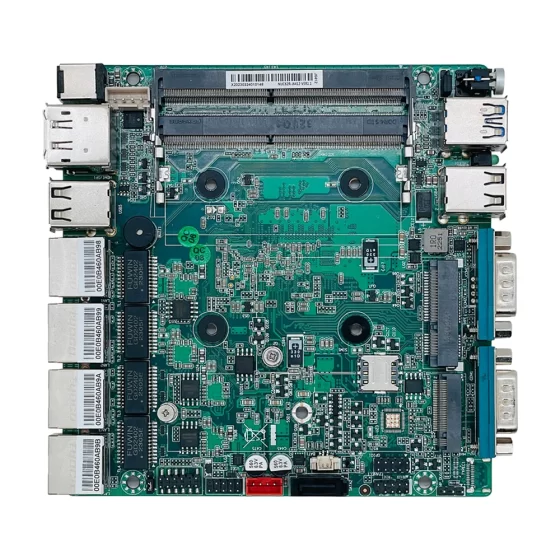
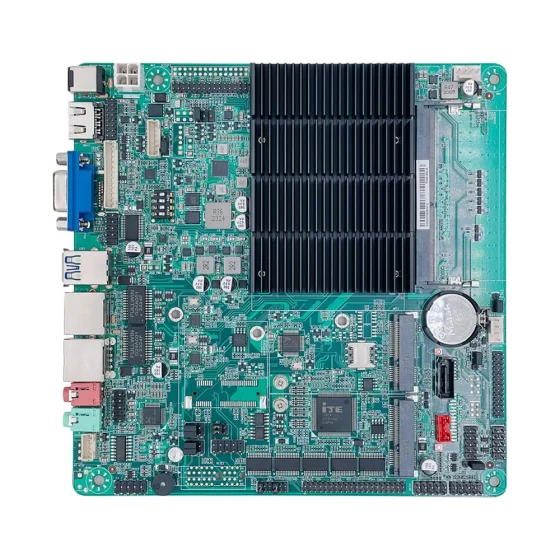
CoreIPC 産業用コンピューティング ソリューション

IDS コンピューティング プラットフォーム: 産業ネットワーク侵入検知用 IDS アプライアンス
エグゼクティブサマリー
IDS アプライアンスは、ネットワーク侵入検出のための産業用コンピューティング基盤を提供します。, トラフィック監視, セキュリティの可視性, 異常検出, および産業用ネットワーク保護.
現代の産業環境はますます接続されています. 工場, エネルギー施設, 交通システム, 倉庫, リモート インフラストラクチャ サイトは PLC に依存するようになりました, SCADAシステム, 産業用PC, 組み込みコンピュータ, IIoTゲートウェイ, カメラ, センサー, HMI, およびリモートメンテナンスプラットフォーム.
この接続により、生産性と可視性が向上します, しかし、それはまた、より多くのネットワークセキュリティの危険にさらされることにもなります.
IDS コンピューティング プラットフォームは、運用環境の通信を直接中断することなく、ネットワーク トラフィックを監視し、不審なアクティビティを検出するのに役立ちます。. トラフィックをアクティブにブロックするインライン セキュリティ デバイスとは異なります。, 侵入検知システムは通常、トラフィックを監視します, イベントを分析する, レビュー用のアラートを生成します.
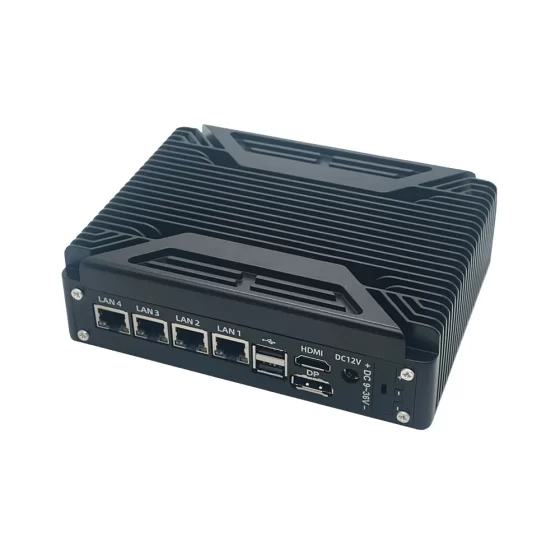
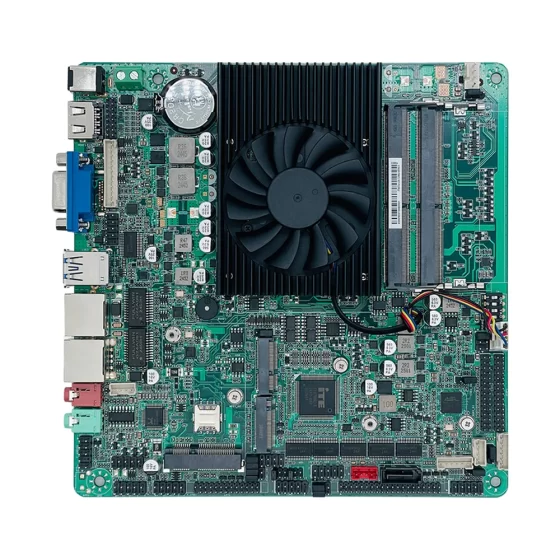
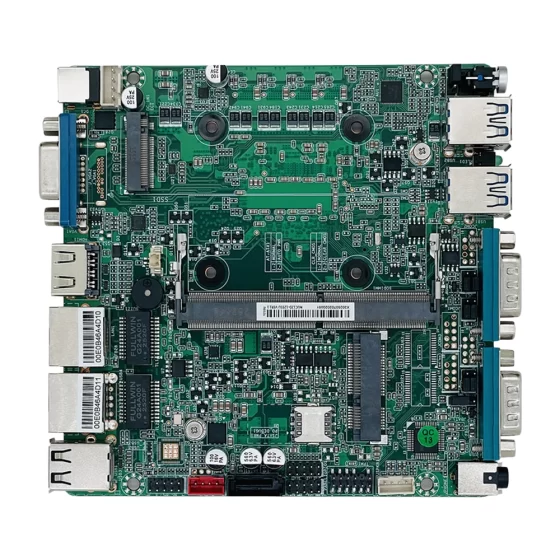
産業用コンピュータまたは組み込みコンピュータは、IDS ハードウェア プラットフォームとして機能できます。. ミラーリングされたネットワークトラフィックに接続できます, 複数のネットワークゾーンを監視する, セキュリティログを保存する, 検出ソフトウェアを実行する, セキュリティ ダッシュボードまたは監視プラットフォームにアラートを送信します.
一般的なオフィスPCとの比較, 産業用コンピュータは堅牢な設置をサポートしているため、IDS アプライアンスの展開に適しています。, マルチLAN構成, 信頼できるストレージ, ファンレス設計オプション, 安定した電力入力, 長いライフサイクルの可用性.
この記事では、IDS アプライアンスが産業用サイバーセキュリティをどのようにサポートするかについて説明します, 実際の導入ではどのような課題が発生するか, ソリューション アーキテクチャの仕組み, IDS コンピューティング プラットフォーム用の産業用コンピューターまたは組み込みコンピューターを選択する際にどのハードウェア機能が重要であるか.
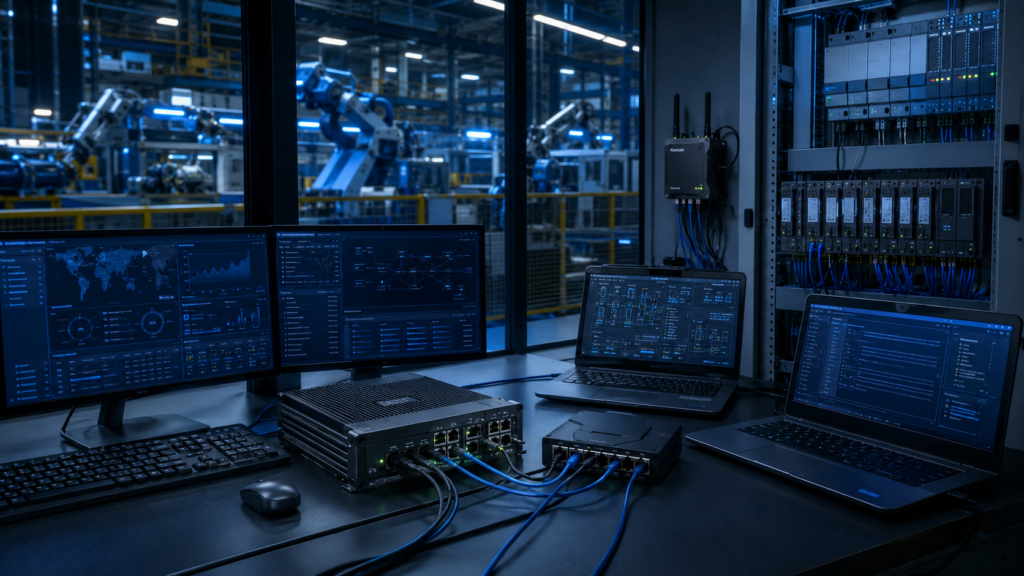
IDS コンピューティング プラットフォームは工場 IT の監視に役立ちます, OT, PLC, スカダ, およびマシンネットワーク.
業界の概要
産業ネットワークにはより優れたセキュリティの可視性が必要です
産業用ネットワークはもはや孤立していません.
生産システムは MES とデータを交換することがよくあります, スカダ, ERP, クラウドプラットフォーム, リモートメンテナンスツール, 産業用IoTゲートウェイ, およびマルチサイトネットワーク.
これにより、セキュリティの可視性がさらに重要になります.
産業経営者は、世界中で何が起こっているのかを知る必要があります:
- PLCネットワーク
- SCADAネットワーク
- マシンネットワーク
- 産業用IoTシステム
- カメラネットワーク
- リモートサービス接続
- エンジニアリングワークステーション
- エネルギー監視システム
- 倉庫自動化システム
- 交通インフラ
- 遠隔ユーティリティ施設
実用的な IDS アプライアンスは、ネットワークの動作を監視し、疑わしい通信パターンを特定するのに役立ちます.
IDS アプライアンスは、即時ブロックを行わない検出をサポートします
侵入検知システムは通常、トラフィックを監視し、アラートを生成するために導入されます。.
これは、生産通信の安定性を維持する必要があるため、産業環境で特に役立ちます。. 間違ったトラフィックをブロックするとマシンが停止する可能性があります, SCADAポーリングを中断する, または遠隔監視を妨害する.
IDS アプライアンスは次のことを検出できます。:
- 異常なネットワーク スキャン
- 不正な接続試行
- 異常なプロトコル動作
- 不審なリモートアクセス活動
- 予期しないデバイス通信
- マルウェアのようなトラフィック パターン
- ポリシー違反
- ネットワーク上の不明なデバイス
- 特定のエンドポイントからの過剰なトラフィック
- ベースラインコミュニケーションの変化
目標は、本番環境に影響を与える可能性のあるネットワーク変更を行う前に、認識を向上させることです。.
産業用ハードウェアはIDS展開にとって重要です
IDS システムはネットワーク境界の近くに導入されることがよくあります, 制御盤, 生産セル, 遠隔施設, またはインフラストラクチャ サイト.
これらの場所では振動が発生する可能性があります, ほこり, 限られた空気の流れ, 温度変化, 電気ノイズ, 継続的な運転スケジュール.
産業用コンピュータと組み込みコンピュータは、この種の展開に適した基盤を提供します.
マルチLANネットワークをサポートします, ローカルストレージ, 頑丈な機械設計, 工業用取り付け, ファンレス動作オプション, 安定した長期可用性.

ミラーリングされたトラフィック, ネットワークTAP, 交通量が多い, PLCネットワーク, IIoT ゲートウェイは IDS 導入計画に影響を与えます.
主要な課題
生産を中断することなく監視
産業用ネットワークは重要なトラフィックを伝送することがよくあります.
PLC通信, SCADAポーリング, HMIアクセス, ロボットコントローラーのトラフィック, マシンデータ, アラーム通信は中断の影響を受けやすい可能性があります.
IDS アプライアンスは多くの場合、ネットワーク ミラーリングを通じて受動的に導入されます。, SPANポート, またはネットワークTAP.
これにより、インライン障害点にならずにトラフィックを監視できます。.
しかし, パッシブ展開には依然として慎重な計画が必要です.
システム設計者は理解する必要があります:
- どのネットワークセグメントを監視する必要があるか
- ミラーリングされたトラフィックの配信方法
- パケット損失が可視性に影響を及ぼす可能性があるかどうか
- IDS が検査する必要があるトラフィックの量
- アラートを送信する場所
- ログの保存方法
- 監視をサイト間でどのように拡張するか
ネットワークトラフィック量が多い
産業用サイトでは大量のネットワーク トラフィックが発生する可能性があります.
カメラシステム, IIoTゲートウェイ, SCADAポーリング, 歴史家のアップロード, リモートサービス接続, マルチサイトのデータ転送によりトラフィック量が増加する可能性があります.
IDS アプライアンスはこのトラフィックを確実に処理する必要があります.
重要なワークロード要因には次のものがあります。:
- 監視対象のネットワークセグメントの数
- ポート速度
- ミラーリングされたトラフィック量
- パケット検査のワークロード
- 検出ルールの複雑さ
- ログボリューム
- アラートの頻度
- ローカルストレージのワークロード
- ダッシュボードの統合
- 長時間にわたる操作
ハードウェアの電力が不足している場合, 検出性能が不安定になる場合があります.
産業用プロトコルを理解する
産業用ネットワークでは、オフィス ネットワークとは異なるプロトコルやトラフィック パターンが使用される場合があります。.
IDS プラットフォームは、PLC に関連する通信を監視する必要がある場合があります。, SCADAシステム, 産業用ゲートウェイ, HMI, センサー, メートル, ロボット, および自動化デバイス.
有用な IDS 導入では、通常の産業用通信と不審な動作を区別する必要があります。.
これには正しい構成が必要です, ベースラインモニタリング, ルールチューニング, ITセキュリティチームとOTエンジニア間の協力.
アラートと誤検知の管理
IDS アプライアンスが適切に調整されていない場合、多くのアラートが生成される可能性があります.
誤検知が多すぎると、オペレーターが警告を無視する可能性があります. アラートが少なすぎると重要なイベントを見逃す可能性があります.
実際の展開では、次のことを定義する必要があります。:
- 重大なアラートの種類
- ベースラインのトラフィック動作
- 許可される通信パターン
- 信頼できるデバイス
- メンテナンス期間
- リモートサービスポリシー
- ロギングの優先順位
- レビューワークフロー
- エスカレーションプロセス
ハードウェア プラットフォームは安定したロギングをサポートする必要があります, ローカルダッシュボード, 監視システムとの統合.
産業現場での長期信頼性
IDS アプライアンスは何年にもわたって継続的に稼働する可能性があります.
セキュリティキャビネット内に設置される場合があります, コントロールルーム, 産地, エネルギーサイト, 輸送用キャビネット, または遠隔施設.
IDS プラットフォームに障害が発生した場合, セキュリティの可視性が失われる可能性がある.
産業用ハードウェアは、堅牢な設計によりこのリスクを軽減します。, 信頼できるストレージ, ファンレスオプション, 産業用電力サポート, 長期的なライフサイクル計画.

IDS アプライアンスはミラーリングされたネットワーク トラフィックを接続します, 産業システム, イベントデータベース, およびセキュリティ監視プラットフォーム.
IDS アプライアンス ソリューション アーキテクチャ
産業ネットワーク層
産業用ネットワーク層には監視対象のシステムが含まれます.
この層には以下が含まれる場合があります:
- PLC
- HMI
- SCADAサーバー
- 産業用PC
- 組み込みコントローラー
- マシンコントローラー
- ロボット
- カメラ
- センサー
- エネルギーメーター
- IIoTゲートウェイ
- エンジニアリングワークステーション
これらのシステムは複数のネットワーク ゾーンに分割される場合があります.
IDS アプライアンスは、選択したゾーン全体のトラフィックを監視して、不審な動作を検出します。.
トラフィック収集層
トラフィック収集レイヤーは、IDS アプライアンスにネットワークの可視性を提供します。.
一般的な方法には次のものがあります。:
- スイッチ SPAN ポート
- ネットワークTAP
- ミラーリングされたトラフィック
- 専用モニタリングポート
- セグメント化されたネットワーク監視
- 集約されたトラフィックフィード
この層は慎重に設計する必要があります.
トラフィック収集が不十分だと盲点が生じる可能性がある, パケットロス, または不完全な検出.
IDS コンピューティング層
IDS コンピューティング層は、産業用コンピューターまたは組み込みコンピューターが監視対象のトラフィックを処理する場所です。.
この層では, システムが:
- ミラーリングされたネットワークトラフィックを受信する
- パケットを検査する
- プロトコルの動作を分析する
- 疑わしいパターンを検出する
- トラフィックをルールと比較する
- ログを保存する
- アラートの生成
- ローカルダッシュボードを表示する
- イベントをセキュリティ プラットフォームに送信する
- システムの健全性を監視する
この層は、侵入検知のためのコンピューティング基盤を提供します。.
検出および分析レイヤー
検出および分析レイヤーには、潜在的な脅威を特定するために使用されるソフトウェア ロジックが含まれています.
展開に応じて, 含まれる可能性があります:
- シグネチャベースの検出
- 異常検知
- プロトコル解析
- ベースラインの比較
- デバイスの動作監視
- ルールベースのアラート
- トラフィックパターン分析
- セキュリティイベントの相関関係
- 産業用プロトコルの可視性
産業用コンピュータは必要なオペレーティング システムをサポートする必要があります, IDSソフトウェア, ストレージ, ネットワークドライバー, および監視ツール.
セキュリティ監視層
モニタリング層は、IDS の結果をオペレーターおよびセキュリティ チームと結び付けます。.
IDS アプライアンスは次の宛先にアラートを送信する場合があります。:
- ローカルセキュリティダッシュボード
- SIEMプラットフォーム
- SOC システム
- 産業用ネットワーク監視ツール
- SCADAセキュリティダッシュボード
- クラウド監視プラットフォーム
- メンテナンスワークステーション
- 集中管理システム
これは、ネットワーク検出データを実用的なセキュリティ可視化に変換するのに役立ちます.
主な特長
複数LAN監視機能
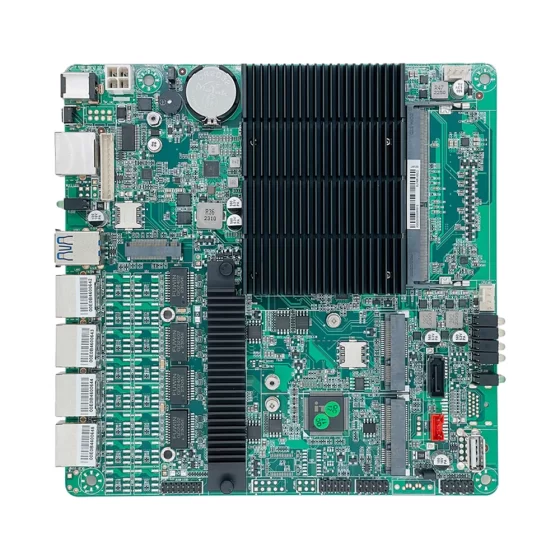
IDS アプライアンスにとって複数の LAN ポートは重要です.
これらにより、プラットフォームはさまざまなネットワーク ゾーンを監視したり、複数のスイッチからミラーリングされたトラフィックを受信したりできます。.
有用な構成には次のものがあります。:
- PLCネットワーク用モニタリングポート
- マシンネットワークの監視ポート
- カメラネットワーク用のモニタリングポート
- 産業用IoTネットワークのモニタリングポート
- 管理ポート
- アラートアップリンクポート
- 工場IT接続
- ローカルサービスポート
マルチ LAN 設計により可視性と展開の柔軟性が向上.
パケット処理パフォーマンス
IDS のワークロードは要求が厳しい場合があります.
ハードウェアは重要なデータを失わずにネットワーク トラフィックを検査する必要があります.
選択は考慮すべきです:
- CPU性能
- メモリ容量
- LANポート数
- ポート速度
- 交通量
- 検出ルールの複雑さ
- ログ生成速度
- ストレージ速度
- オペレーティング システムのサポート
- 長時間にわたる安定性
大規模なサイトの場合, IDS プラットフォームは、現実的なトラフィック量と検出ルールを使用して検証される必要があります。.
信頼性の高いローカルストレージ
IDS アプライアンスは大量のログとセキュリティ レコードを生成する可能性があります.
ローカル ストレージは次の用途に使用できます。:
- パケットキャプチャ
- アラートログ
- イベント記録
- システムログ
- ベースラインデータ
- 構成のバックアップ
- 検出ルール
- 診断データ
- セキュリティ調査ファイル
SSD または NVMe ストレージは、機械式ドライブよりも高速アクセスと優れた耐衝撃性を備えているため、一般的に好まれます。.
ストレージ設計は保存期間を考慮する必要があります, 書き込み耐久性, バックアップワークフロー, およびログのエクスポート要件.
パッシブモニタリングのサポート
多くの産業用 IDS アプライアンスは受動的に導入されています.
これにより、本番環境の通信が中断されるリスクが軽減されます。.
ハードウェア設計は、専用のモニタリング ポートと管理の分離をサポートする必要があります。.
実際の IDS 導入では、トラフィック監視用に 1 セットのポートを使用し、管理用に別のポートを使用する場合があります。, アラートのアップロード, またはダッシュボードへのアクセス.
これは、観察されるトラフィックと管理上の通信を明確に分離するのに役立ちます。.
堅牢なファンレス設計
ファンレス産業用コンピュータは、埃っぽいキャビネット内での IDS 導入に役立ちます, 産地, および遠隔施設.
粉塵の侵入を減らし、一般的な機械的故障点を 1 つ除去します。.
頑丈なエンクロージャが振動から保護します, ケーブルストレス, 取り付け衝撃, 長期にわたる産業操業.
継続的なトラフィック検査により持続的な処理負荷が発生する可能性があるため、熱設計を慎重に検討する必要があります。.
柔軟な産業用 I/O
IDS アプライアンスは主にネットワークに重点を置いていますが、, 産業用 I/O は依然として価値がある.
便利なオプションとしては、次のようなものがあります。:
- LAN
- USB
- RS232
- RS485
- GPIO
- デジタル入力
- デジタル出力
- HDMI
- ディスプレイポート
- M.2
- PCIe
- SATA または NVMe
GPIOはアラーム出力をサポートできます. USB およびディスプレイ ポートはローカル メンテナンスをサポートできます. PCIe または M.2 拡張により、追加のネットワーク カードまたはストレージをサポート可能.
長いライフサイクルと保守性
産業用セキュリティ システムは長年にわたって使用され続ける可能性があります.
ハードウェアを頻繁に変更すると、ソフトウェアの互換性の問題が発生する可能性があります, ドライバーの検証の問題, スペアパーツの課題, メンテナンスの複雑さ.
ライフサイクル プランニングを備えた産業用コンピューティング プラットフォームは、システム インテグレーターやオペレーターが複数のサイトや機器の世代にわたって一貫した IDS 導入を維持するのに役立ちます。.
導入シナリオ
工場ネットワーク侵入検知
工場は IDS アプライアンスを導入して、IT ネットワークと OT ネットワーク間のトラフィックを監視できます。.
アプライアンスはエンタープライズ システム間の通信を監視できます, 生産ネットワーク, SCADAサーバー, および産業用ゲートウェイ.
これは、不審なアクセス試行や予期しないトラフィック パターンの検出に役立ちます.
PLCネットワーク監視
PLC ネットワークは生産にとって重要です.
IDS アプライアンスは、PLC 通信を受動的に監視し、デバイスの異常な動作が発生した場合にセキュリティ チームに警告します。, 不正アクセス, または予期しない通信が表示される.
PLCの動作を直接妨げることなく、視認性の向上をサポートします。.
SCADAセキュリティ監視
SCADA システムは多くの場合、制御室を接続します, リモートデバイス, 演算子, およびフィールド機器.
IDS コンピューティング プラットフォームは、SCADA ネットワーク トラフィックを監視し、セキュリティ ダッシュボードにアラートを送信できます。.
これはエネルギーに役立ちます, 水, 交通機関, および施設インフラシステム.
産業用IoTセキュリティ監視
産業用 IoT システムが機械を接続, センサー, ゲートウェイ, およびクラウドプラットフォーム.
IDS アプライアンスは、IIoT ゲートウェイと外部システム間の通信を監視できます.
これは異常なデータ フローの検出に役立ちます, 不正な接続, またはゲートウェイの異常な動作.
リモートメンテナンスの可視化
リモート メンテナンス接続は便利ですが、監視が必要です.
IDS アプライアンスはリモート アクセスに関連するトラフィックを監視できます, VPN接続, エンジニアリングワークステーション, およびマシンサービスセッション.
これにより、誰が接続しているか、ネットワークがどのように使用されているかの可視性が向上します。.
倉庫と物流の監視
倉庫ではバーコード システムを使用する場合があります, コンベア, 産業用コンピュータ, カメラ, WMS プラットフォーム, および仕分けシステム.
IDS プラットフォームは、オートメーション システム全体のネットワーク トラフィックを監視し、異常な通信パターンを検出できます.
より安全な物流インフラをサポートします.
交通インフラのセキュリティ
輸送環境には路側設備が含まれる場合があります, 駅システム, 駐車場, 交通管制官, および監視センター.
産業用 IDS アプライアンスは、分散インフラストラクチャ ネットワークを監視し、リモート サイトのセキュリティの可視性を提供できます。.
OEM IDS アプライアンス開発
システム インテグレーターとサイバーセキュリティ ソリューション プロバイダーは、産業用コンピューターまたは組み込みボードを使用して IDS アプライアンスを構築できます.
ハードウェア プラットフォームはマルチ LAN 監視をサポートできます。, ローカルストレージ, 交通検査, ダッシュボード, アラート転送, 堅牢なアプライアンススタイルの導入.
ビジネス上のメリット
ネットワークセキュリティの可視性の向上
IDS アプライアンスは、産業オペレーターがネットワーク上で何が起こっているかを理解するのに役立ちます.
不審なトラフィックを検出できる, デバイスの異常な動作, 予期せぬつながり, およびポリシー違反.
この可視性は工場にとって重要です, 遠隔施設, 公共事業, 倉庫, および交通システム.
生産中断のリスクの低減
IDS アプライアンスはパッシブに展開できるため、, 運用環境の通信を直接ブロックすることなくトラフィックを監視できます。.
これは、可用性が重要な産業環境に役立ちます。.
オペレーターは、ファイアウォールまたはアクセス ポリシーを変更するかどうかを決定する前に、アラートを確認して問題を調査できます。.
より強力なOT監視
産業用ネットワークには、標準の IT ツールでは監視が難しいデバイスが含まれることがよくあります.
IDS コンピューティング プラットフォームは OT トラフィックを監視できます, マシンコミュニケーション, PLCアクティビティ, SCADA接続, および産業用ゲートウェイの動作.
これにより、セキュリティ チームが産業ネットワークの状態をより明確に理解できるようになります。.
より良いインシデント調査
IDS ログとアラートはセキュリティ調査をサポートします.
記録は、不審なアクティビティがいつ発生したかをチームが理解するのに役立ちます, どのデバイスが関係していたのか, そしてどのようなコミュニケーションパターンが現れたのか.
信頼性の高いローカル ストレージによりトレーサビリティが向上し、イベント後のレビューがサポートされます.
スケーラブルなセキュリティ導入
標準化された IDS アプライアンス プラットフォームにより、複数のマシンにわたるネットワーク監視の導入が容易になります。, 生産ライン, 工場, リモートサイト, およびインフラ施設.
一貫したハードウェアによりソフトウェア イメージが簡素化されます, 構成テンプレート, スペアパーツの計画, メンテナンストレーニング, およびライフサイクルサポート.
サイバーセキュリティの成熟度のサポート
多くの産業運営者が可視化を目指してサイバーセキュリティの改善を開始.
IDS アプライアンスは、生産管理システムに大きな変更を加えることなくトラフィックを監視し、アラートを生成できるため、実用的な最初のステップとなります。.
これにより、チームは時間の経過とともにより強力なセキュリティ ベースラインを構築することができます.
CoreIPC を選ぶ理由
CoreIPC はネットワーク セキュリティのための産業用コンピューティング プラットフォームを提供します, 産業用IoT, ファクトリーオートメーション, 遠隔監視, および組み込みシステムの統合. IDS アプライアンス アプリケーションの場合, CoreIPC は信頼性の高い産業用コンピューター ハードウェアに重点を置いています, 組み込みコンピュータソリューション, マルチLAN構成, 柔軟な I/O, コンパクトなシステム設計, ファンレス導入オプション, OEM/ODMカスタマイズサポート. CoreIPC はシステム インテグレーターを支援します, セキュリティソリューションプロバイダー, 機械製造業者, そして産業運営者は、実際の導入要件に適合するコンピューティング プラットフォームを選択します。, LANポート数を含む, トラフィック監視のワークロード, ストレージのニーズ, 取り付け方法, 電源入力, 熱条件, およびライフサイクル計画.
よくある質問
1. IDS アプライアンスとは何ですか?
IDS アプライアンスは、侵入検知ソフトウェアを実行するために使用されるハードウェア プラットフォームです。.
ネットワークトラフィックを監視します, コミュニケーションパターンを分析する, 不審な動作を検出します, そしてアラートを生成します. 産業環境において, IDS アプライアンスは、PLC ネットワークの監視に一般的に使用されます。, SCADAシステム, マシンネットワーク, 産業用IoTゲートウェイ, およびリモート アクセス トラフィック.
2. IDS アプライアンスに産業用コンピュータを使用する理由?
産業用コンピュータは、工場および現場での導入に堅牢なハードウェアと柔軟な接続を提供します。.
複数のLANポートをサポートできます, ファンレス動作, 信頼性の高いローカルストレージ, 工業用取り付け, 安定した電力入力, 長いライフサイクルの可用性. これらの機能により、制御キャビネットへの IDS 導入に適しています。, 産地, 遠隔施設, およびインフラストラクチャ サイト.
3. 組み込みコンピュータは IDS プラットフォームとしてどのように使用されますか?
組み込みコンピュータは、制御キャビネット内でコンパクトな IDS アプライアンスとして機能できます。, 機械の筐体, 遠隔施設, または OEM セキュリティ ゲートウェイ.
ミラーリングされたトラフィックを受信できます, パケットを検査する, ログを保存する, アラートを生成する, イベントを監視システムに転送します.
4. IDSとIPSの違いは何ですか?
IDS は不審なアクティビティを検出し、アラートを生成します.
IPS は、セキュリティ ポリシーに従ってトラフィックをアクティブにブロックまたは阻止できます。. 産業環境において, パッシブモニタリングにより本番環境の通信が中断されるリスクが軽減されるため、IDS が最初に使用されることがよくあります。. IPS の導入には通常、より慎重なテストが必要です.
5. IDS アプライアンスにとって複数の LAN ポートが重要な理由?
複数の LAN ポートにより、アプライアンスはさまざまなネットワーク セグメントを監視できます.
1 つのポートで PLC ネットワークを監視可能, 別の人がマシンネットワークを監視する可能性があります, 別のネットワークが管理ネットワークに接続する可能性があります, 別のユーザーは監視プラットフォームにアラートを送信する可能性があります. これにより、可視性とネットワーク構成が向上します.
6. ファンレス産業用コンピューターは IDS ワークロードをサポートできますか?
はい. ファンレス産業用コンピュータは、粉塵の侵入を減らし、機械的な故障点を 1 つ取り除くため、多くの IDS 導入をサポートできます。.
しかし, IDS トラフィック検査では、持続的な CPU とストレージの負荷が発生する可能性があります. 交通量, 筐体設計, 周囲温度, 設置前にキャビネットのエアフローを確認する必要があります。.
7. 産業用 IDS プラットフォームにとって重要なハードウェア機能は何ですか?
重要な機能には複数の LAN ポートが含まれます, 十分なCPU性能, 信頼できる記憶力, SSDまたはNVMeストレージ, 頑丈な筐体, ファンレス設計, 産業用電力入力, USB, ディスプレイ出力, および拡張オプション.
最終的な構成はトラフィック量と一致する必要があります, 検出ルール, ログの保存, ストレージのワークロード, および設置環境.
8. IDS アプライアンスは産業用 IoT システムを監視できますか?
はい. IDS アプライアンスは IIoT ゲートウェイ間の通信を監視できます, 機械, クラウドプラットフォーム, および工場ネットワーク.
異常なデータ フローの検出に役立ちます, 不正な接続, ゲートウェイの異常な動作, またはデバイス間の予期しない通信.
9. IDS アプライアンスは攻撃を自動的にブロックしますか??
いつもの, IDS アプライアンスは、トラフィックをブロックするのではなく、検出して警告するように設計されています。.
これは、偶発的なブロックが生産に影響を与える可能性がある産業環境で役立ちます。. 導入によっては、IDS アラートをファイアウォールまたは他のセキュリティ システムと統合する場合があります。, ただし、ブロックポリシーは慎重にテストする必要があります.
10. IDS アプライアンスを展開する前にテストする必要があること?
導入前, システムは実際のネットワーク トポロジでテストする必要があります, ミラーリングされたトラフィック, 交通量, 検出ソフトウェア, ロギングワークロード, 保管動作, アラート転送, 長時間にわたる運用.
熱安定性, パケットロス, ネットワークの可視性, 管理アクセス, メンテナンスのワークフローも検証する必要があります.
結論
IDS アプライアンスは産業用ネットワーク侵入検知の実用的な基盤です, セキュリティの可視性, パッシブトラフィックモニタリング, 異常検出, およびサイバーセキュリティ調査.
産業用コンピュータまたは組み込みコンピュータを主要なネットワーク監視ポイントに配置することによって, メーカー, 機械製造業者, システムインテグレーター, インフラストラクチャオペレータは PLC ネットワークを監視できます, SCADAシステム, マシンネットワーク, 産業用IoTトラフィック, リモート メンテナンス接続をより効率的に行う.
実際の導入要件に応じて、適切な IDS コンピューティング プラットフォームを選択する必要があります。, LANポート数を含む, 交通量, 検出ワークロード, 監視方法, ストレージのニーズ, 取付方法, 電源入力, 熱条件, オペレーティング システムのサポート, セキュリティポリシー, およびライフサイクル計画.
CoreIPC は、実際の工場向けに設計された産業用コンピューティング プラットフォームで IDS アプライアンス プロジェクトをサポートします, マシン側, およびフィールド展開. 適切なハードウェア基盤があれば, 産業オペレーターとセキュリティ ソリューション プロバイダーは、信頼性の高いシステムを構築できます。, スケーラブルな, 運用環境に適した侵入検知システム.
お問い合わせ
産業用コンピュータを探しています, 組み込みコンピュータ, または IDS アプライアンス展開用のマルチ LAN プラットフォーム?
プロジェクトの要件については、CoreIPC にお問い合わせください。, LANポート数を含む, 監視対象のネットワークゾーン, 交通量, ストレージデザイン, 取付方法, 電源入力, 動作環境, ライフサイクルのニーズ, および OEM/ODM カスタマイズ オプション.