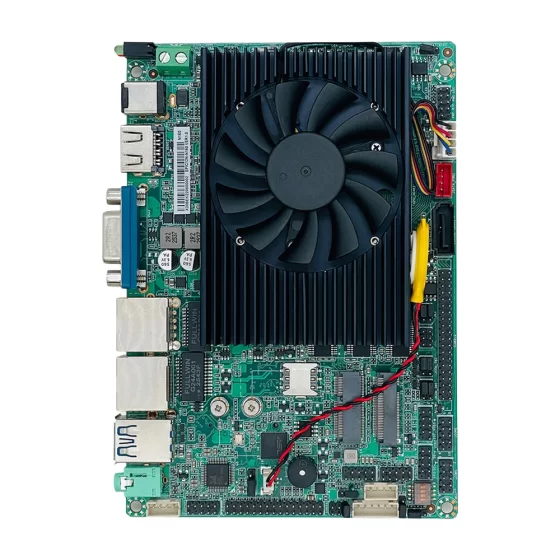
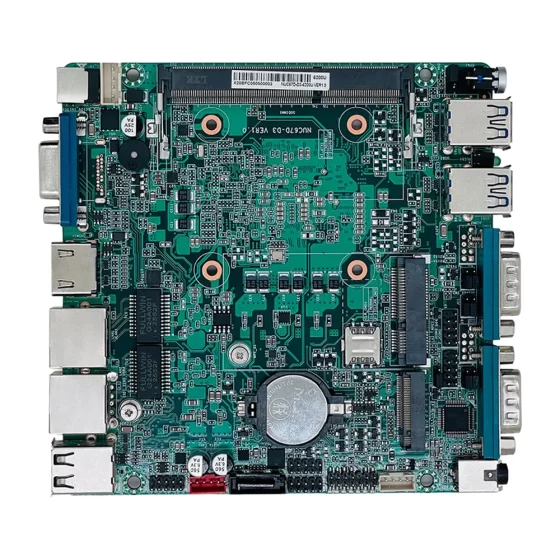
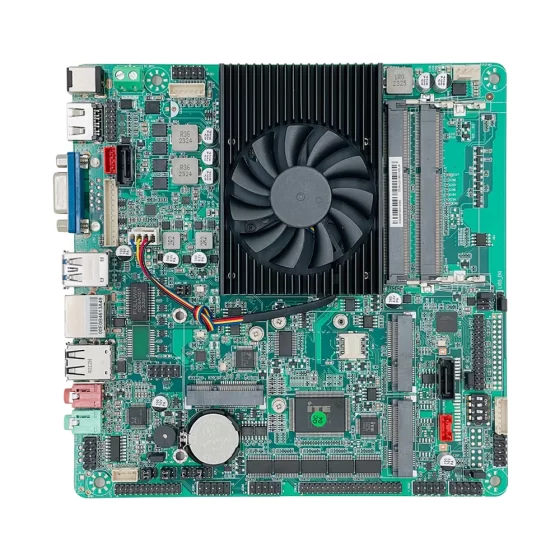
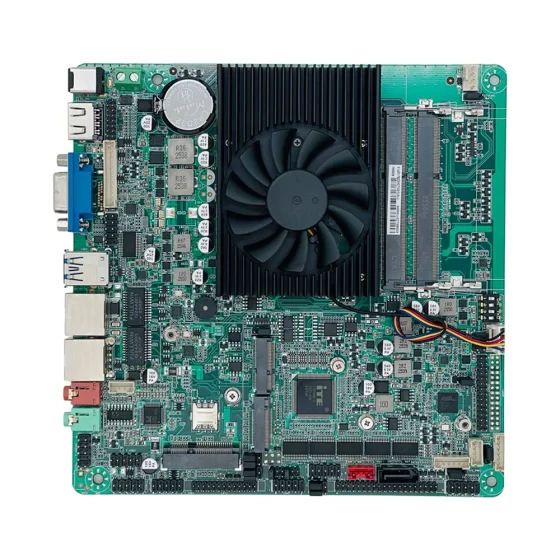
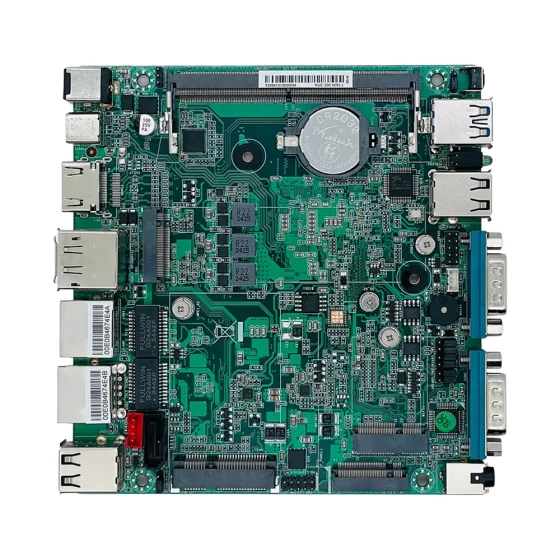
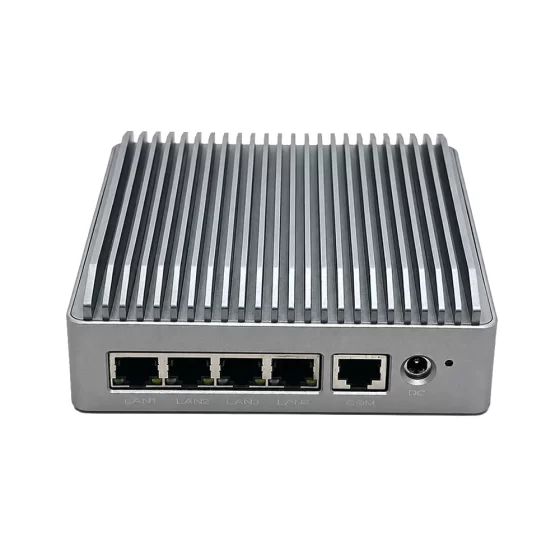
CoreIPC 産業用コンピューティング ソリューション

産業用タッチパネルコンピューティングプラットフォーム: オペレータインターフェイスおよびエッジコントロール用の産業用タッチパネル PC
エグゼクティブサマリー
An industrial touch panel pc provides the computing foundation for operator interfaces, 機械の可視化, ローカルコントロール, 生産監視, 機器データ表示, HMI操作, アラーム管理, レシピ制御, および産業用エッジ接続.
現代の工場には信頼性の高いオペレーターの対話が必要です.
機械, 生産ライン, 包装システム, CNC装置, ロボット細胞, ユーティリティステーション, および倉庫自動化システムはすべて、明確で安定したインターフェイス デバイスを必要とします。. オペレータはマシンのステータスを確認する必要がある, パラメータを調整する, アラームを確認する, レシピを管理する, 生産データを確認する, トラブルシューティングのサポート.
ディスプレイを組み合わせた産業用タッチパネルコンピューティングプラットフォーム, タッチ入力, 産業用コンピューティングを 1 つの統合システムに統合. PLCを接続可能, センサー, コントローラー, バーコードリーダー, 産業用カメラ, SCADAシステム, MESプラットフォーム, 産業用IoTダッシュボード, およびローカルデータベース.
標準的な市販のタッチスクリーンやオフィス PC との比較, 産業用タッチ パネル PC はマシン側での導入向けに設計されています. 頑丈な筐体をサポートします, ファンレス動作オプション, 工業用取り付け, 信頼できるストレージ, 安定した電力入力, 複数の I/O インターフェイス, 長いライフサイクルの可用性.
This article explains how industrial touch panel PCs support operator interface and edge control applications, what challenges appear in real factory environments, ソリューション アーキテクチャの仕組み, and which hardware features matter when selecting an industrial computer or embedded computer for touch panel applications.

Industrial touch panel PCs display machine status, アラーム, レシピ, 制作記録, オペレーター向けのメンテナンスデータ.
業界の概要
Touch Panel PCs Are Central to Machine Operation
Industrial touch panel PCs are widely used as the primary interface between operators and machines.
They allow operators to control equipment, view process data, monitor alarms, レシピを管理する, and access maintenance screens directly at the machine or production line.
一般的なアプリケーションには次のものがあります。:
- Machine HMI panels
- 生産ラインのダッシュボード
- 包装機インターフェース
- CNC operator terminals
- ロボットワークセルのディスプレイ
- Utility monitoring panels
- Warehouse automation terminals
- SCADA ディスプレイ ステーション
- 産業用IoTダッシュボード
- 品質検査インターフェース
- Maintenance service panels
- 機器の状態表示
A reliable industrial touch panel PC improves machine usability and operator visibility.
Integrated Display and Computing Reduce System Complexity
Traditional HMI systems may require a separate monitor, separate PC, external touch controller, and additional cabinet wiring.
An industrial touch panel PC integrates display, タッチ入力, and computing into one unit.
これは削減に役立ちます:
- Cabinet wiring
- Installation space
- 外部コンポーネント
- Cable complexity
- 積分時間
- Maintenance points
機械メーカーおよびシステムインテグレーター向け, an integrated touch panel computer can simplify design and improve deployment consistency.
Industrial Environments Require Rugged Design
Touch panel PCs are often installed directly on machines, キャビネット, control panels, 生産ライン, or operator stations.
これらの場所には粉塵が含まれる可能性があります, 振動, 熱, 湿度, 電気ノイズ, frequent touch operation, and long production hours.
Industrial computers and embedded computers provide the reliability required for these environments.
They support rugged construction, ファンレス設計オプション, 安定した保管, 産業用I/O, 確実な取り付け, および長期的なプラットフォームの可用性.

粉塵の多い環境, PLC配線, シリアルインターフェース, イーサネットゾーン, touch operation, and rugged hardware affect touch panel deployment.
主要な課題
Ensuring Reliable Operator Interaction
The touch panel is often the main interface for machine operation.
If the display becomes unstable, touch response is delayed, or HMI software freezes, operators may lose access to important machine information.
This can affect troubleshooting, production changeover, alarm response, and machine operation.
A reliable industrial touch panel PC should provide stable display output, responsive touch performance, 信頼できるストレージ, そして連続運転.
Operating Near Machines and Production Lines
Touch panel PCs may be installed in demanding industrial areas.
They may be exposed to:
- ほこり
- 振動
- 熱
- 電気ノイズ
- オイルミスト
- 湿度
- ケーブルストレス
- Frequent operator use
- Limited cabinet airflow
A standard office computer or commercial display may not be suitable.
Industrial-grade hardware helps improve reliability and reduce maintenance risk.
Connecting PLCs and Industrial Devices
An industrial touch panel computing platform must communicate with automation devices.
これらには以下が含まれる場合があります:
- PLCコントローラー
- センサー
- サーボドライブ
- モーターコントローラー
- バーコードリーダー
- 産業用カメラ
- ロボットコントローラー
- I/Oモジュール
- メートル
- SCADAシステム
- MESプラットフォーム
- 産業用スイッチ
マシンによってはイーサネットが必要になる場合があります, USB, RS232, RS485, GPIO, またはデジタルI/O.
Flexible connectivity makes the platform easier to deploy across different equipment types.
Supporting HMI Software and Visualization
HMI applications may include dashboards, アラーム, トレンドチャート, レシピ画面, メンテナンスツール, 制作記録, and operator guidance pages.
The touch panel PC must provide enough computing performance for the selected software.
重要な要素には以下が含まれます::
- CPU性能
- メモリ容量
- Graphics performance
- タッチスクリーンドライバーのサポート
- Display resolution
- ストレージ速度
- オペレーティング システムのサポート
- PLC driver compatibility
- Database workload
- Remote access requirements
The hardware should be validated with the actual HMI software.
Preserving Local Records
Many touch panel systems store important machine records locally.
これらには以下が含まれる場合があります:
- アラーム履歴
- レシピファイル
- オペレーターのアクション
- 生産数
- メンテナンスログ
- 品質記録
- 構成のバックアップ
- 診断ファイル
- アップロードバッファ
ローカル ストレージはネットワーク中断時の記録の保存に役立ちます.
SSD or NVMe storage improves access speed and reliability compared with mechanical drives.
Supporting Long-Term Deployment
Machine HMI systems often remain in service for many years.
Frequent hardware changes can create problems with software images, touchscreen drivers, PLC通信設定, スペアパーツ, およびサービス手順.
Industrial touch panel PCs with lifecycle planning help machine builders and manufacturers maintain consistent systems across multiple machines and sites.

Industrial touch panel PCs connect PLCs, センサー, コントローラー, スカダ, MES, データベース, クラウドシステム, およびリモートメンテナンスツール.
Industrial Touch Panel PC Solution Architecture
マシンおよびデバイス層
The machine and device layer includes the equipment connected to the touch panel PC.
この層には以下が含まれる場合があります:
- PLC
- センサー
- サーボドライブ
- モーターコントローラー
- ロボットコントローラー
- I/Oモジュール
- バーコードリーダー
- 産業用カメラ
- メートル
- 安全装置
- 生産機械
- ユーティリティ機器
These devices provide the real-time data that operators need to view and manage.
Touch Panel Computing Layer
The touch panel computing layer is the local operator interface platform.
この層では, 産業用コンピュータまたは組み込みコンピュータは、:
- HMI ソフトウェアを実行する
- 機械の状態を表示する
- Show alarms
- レシピを管理する
- ローカルレコードを保存する
- オペレーター入力のサポート
- Connect PLCs and devices
- メンテナンス画面を表示する
- バッファー生産データ
- データを工場システムに転送する
This layer combines visualization, touch interaction, とエッジコンピューティング.
制御通信層
The communication layer connects the touch panel PC with automation devices.
含まれる場合があります:
- イーサネット
- USB
- RS232
- RS485
- GPIO
- デジタル I/O
- 産業用イーサネット
- PLC通信
- 産業用スイッチ
- ローカルサービスポート
The exact communication design depends on the machine architecture and software platform.
ファクトリインテグレーションレイヤー
The industrial touch panel PC may connect with higher-level factory systems.
これらには以下が含まれる場合があります:
- スカダ
- MES
- ERP
- 高品質のデータベース
- 産業用IoTプラットフォーム
- ローカルダッシュボード
- メンテナンス体制
- クラウド監視システム
- トレーサビリティプラットフォーム
This allows machine-level data to become part of the wider factory information system.
セキュリティおよび管理層
セキュリティおよび管理層は、制御された運用と長期的な保守性をサポートします。.
含まれる場合があります:
- ユーザー権限
- ネットワークのセグメンテーション
- 安全なリモートアクセス
- ローカルロギング
- 構成のバックアップ
- ストレージの監視
- システムの健全性の監視
- リモート診断
- ソフトウェア更新管理
This helps protect the machine system and simplify maintenance.
主な特長
Integrated Touchscreen and Computing
The main advantage of an industrial touch panel PC is integration.
It combines display, タッチ入力, and computing hardware in one platform.
This reduces external components and simplifies machine cabinet design.
機械メーカー向け, this can improve installation efficiency and reduce wiring complexity.
ファンレス工業デザイン
Fanless design is valuable for touch panel applications.
粉塵の侵入を減らし、一般的な機械的故障点を 1 つ除去します。.
これは次のような場合に便利です:
- Factory floors
- Packaging lines
- CNCワークショップ
- Control cabinets
- 倉庫システム
- ユーティリティルーム
- Machine-side HMI stations
- Low-maintenance operator panels
Thermal design should still be validated according to real workload, 周囲温度, and mounting conditions.
Reliable Display and Touch Performance
Industrial touch panels must remain clear and responsive.
Important display and touch considerations include:
- Screen size
- 解決
- 輝度
- Viewing angle
- Touch technology
- Glove operation requirements
- Panel mounting
- Front bezel design
- Long-term touch durability
- Software driver support
The final panel should match the working environment and operator usage.
マルチデバイス接続
Industrial touch panel PCs should support practical machine interfaces.
便利なオプションとしては、次のようなものがあります。:
- LAN
- USB
- RS232
- RS485
- GPIO
- デジタル入力
- デジタル出力
- HDMI
- ディスプレイポート
- M.2
- PCIe
- SATA または NVMe ストレージ
これらのインターフェイスは PLC をサポートします, センサー, バーコードリーダー, カメラ, コントローラー, サービスツール, および工場ネットワーク.
マルチLANネットワーク設計
複数の LAN ポートにより通信パスを分離できます.
A touch panel PC may use separate networks for:
- PLC通信
- マシンネットワーク
- 工場ITネットワーク
- SCADA接続
- MES接続
- リモートメンテナンス
- 現地管理
- インダストリアルIoTプラットフォーム
Network separation improves organization and reduces unnecessary exposure between systems.
ローカルストレージとデータロギング
ローカルストレージはHMIソフトウェアをサポートします, アラームログ, レシピ, オペレーターの記録, 設定ファイル, および診断データ.
SSD または NVMe ストレージは、機械式ドライブよりも高速アクセスと優れた耐衝撃性を備えているため、一般的に好まれます。.
ストレージ計画で考慮すべきこと:
- レシピファイル
- アラーム履歴
- ローカルデータベースのサイズ
- バックアップのワークフロー
- 書き込み耐久性
- 回復プロセス
- ネットワーク中断動作
信頼性の高い保管によりトレーサビリティと保守性が向上します.
Rugged Mounting and Enclosure Design
Industrial touch panel PCs may be panel-mounted, VESA-mounted, or installed in machine enclosures.
The hardware should support stable mounting and secure cable routing.
Rugged enclosure design helps protect against vibration, operator handling, ケーブルストレス, and continuous production use.
Machine builders should also consider heat dissipation, service access, そして取り付けクリアランス.
長いライフサイクルの可用性
Industrial touch panel systems may remain in service for many years.
一貫したハードウェアはソフトウェア イメージの維持に役立ちます, ドライバー, タッチスクリーンの互換性, PLC通信設定, スペアパーツ, およびメンテナンス手順.
Long lifecycle availability is important for OEM machine builders and system integrators deploying similar systems across many projects.
導入シナリオ
Machine HMI Panel
An industrial touch panel PC can serve as the main machine operation interface.
機械の状態を表示できる, アラーム, レシピ, プロセスデータ, およびメンテナンスページ.
This improves operator access and simplifies machine control station design.
Production Line Operator Station
生産ラインでは多くの場合、ラインのステータスを確認するためのローカル ダッシュボードが必要になります。, サイクル数, アラーム, 質の高い結果, およびダウンタイムイベント.
A touch panel computer can display line-level data and connect with MES or SCADA systems.
This supports faster production response.
Packaging Machine Interface
Packaging machines require recipe selection, barcode verification status, label inspection results, 拒否カウント, and machine alarms.
An industrial touch panel PC can combine local visualization, データロギング, とデバイス通信.
これにより、スマートなパッケージングの自動化がサポートされます.
CNC Machine Control Interface
CNC マシンにはプログラム管理が必要です, 座標表示, スピンドルステータス, ツールデータ, アラーム, およびメンテナンスアクセス.
A rugged touch panel PC can provide a stable operator interface for CNC equipment.
これにより、使いやすさと機械の視認性が向上します.
Robot Workcell HMI
ロボットセルにはロボットのステータスをローカルに表示する必要がある, ツールデータ, 安全地帯のステータス, 検査結果, そして製作記録.
A touch panel PC can connect robot controllers, PLC, カメラ, および工場システム.
これにより、コネクテッドロボットオートメーションがサポートされます.
Utility Monitoring Panel
Utility systems may need local touch interfaces for pumps, メートル, 電力設備, 環境センサー, またはリモートインフラストラクチャ.
An industrial touch panel PC can display status data, 記録を保存する, SCADA またはクラウド監視システムに接続します.
現場や施設の運営をサポートします.
インダストリアルIoTダッシュボードターミナル
Factories may deploy touch panel PCs as local industrial IoT dashboard terminals.
プラットフォームは機器の健全性を表示できます, 生産動向, エネルギー使用量, アラーム, およびリモートサイトのステータス.
これにより、オペレータは機器の近くで意思決定を行うことができます。.
OEM Touch Panel Controller
Machine builders can integrate industrial touch panel PCs into custom machine platforms.
The system can support HMI software, PLC通信, データロギング, リモート診断, および顧客固有の I/O.
これは再現性のある機械製品の作成に役立ちます.
ビジネス上のメリット
オペレーターの視認性の向上
An industrial touch panel PC gives operators clear access to machine status, アラーム, レシピ, 生産動向, メンテナンス情報なども.
This improves awareness and helps operators respond faster.
視認性の向上により、より安全で効率的な機械の運用がサポートされます。.
Simplified System Integration
Integrated display, タッチ入力, and computing reduce the need for separate components.
This simplifies cabinet design, reduces wiring complexity, and improves installation efficiency.
機械製造者はよりクリーンで再現性の高いシステムを作成できます.
メンテナンスのリスクを軽減
Fanless design reduces dust intake and removes a mechanical fan from the system.
頑丈な構造と信頼性の高いストレージの組み合わせ, 産業環境におけるメンテナンスのリスクを軽減します。.
これにより、HMI の長期的な信頼性がサポートされます。.
生産トレーサビリティの向上
The touch panel platform can collect production records, アラームログ, オペレータのアクション, レシピの変更, そして質の高いデータ.
これらの記録は MES に送信できます, スカダ, または産業用IoTシステム.
これにより、トレーサビリティとレポートが向上します.
より迅速なトラブルシューティング
ローカルログ, アラーム履歴, リモート診断, およびマシンステータス画面は、メンテナンスチームが問題をより迅速に特定するのに役立ちます.
A reliable industrial touch panel PC can support structured troubleshooting and reduce downtime.
スケーラブルな HMI 導入
A standardized industrial touch panel computing platform can be deployed across many machines, 生産ライン, および顧客サイト.
一貫したハードウェアによりソフトウェア イメージが簡素化されます, ドライバーの検証, スペアパーツの計画, オペレータートレーニング, およびライフサイクル管理.
これにより、スケーラブルな自動化展開がサポートされます.
CoreIPC を選ぶ理由
CoreIPC は、HMI アプリケーション向けの産業用コンピューティング プラットフォームを提供します, 産業オートメーション, マシンビジョン, 産業用IoT, ロボット工学, エネルギー管理, および組み込みシステムの統合. For industrial touch panel pc applications, CoreIPC は信頼性の高い産業用コンピューター ハードウェアに重点を置いています, 組み込みコンピュータソリューション, ファンレスシステム設計, 柔軟な I/O, マルチLAN構成, ローカルストレージ機能, コンパクトなフォームファクタ, OEM/ODMカスタマイズサポート. CoreIPC は機械製造業者を支援します, システムインテグレーター, そしてメーカーは実際の導入要件に適合するコンピューティング プラットフォームを選択します, including display size, touch interface, PLC通信, デバイスインターフェース, ストレージのニーズ, 取り付け方法, 電源入力, 熱条件, およびライフサイクル計画.
よくある質問
1. What is an industrial touch panel PC?
An industrial touch panel PC is an integrated industrial computer with a touchscreen display.
It is used for HMI, 機械の可視化, オペレーター制御, 生産監視, アラーム管理, レシピ制御, および工場システム通信.
2. Why use an industrial touch panel PC instead of a standard touchscreen?
An industrial touch panel PC is designed for machine-side and factory deployment.
It provides integrated computing, 頑丈な筐体設計, 工業用取り付け, 安定した電力入力, 信頼できるストレージ, および産業用 I/O. A standard touchscreen usually requires a separate PC and may not be suitable for harsh environments.
3. How is an embedded computer used in a touch panel platform?
An embedded computer provides the computing core inside the touch panel system.
It runs HMI software, communicates with PLCs and devices, 記録を保管する, processes local data, and sends information to SCADA, MES, または産業用IoTプラットフォーム.
4. What devices can an industrial touch panel PC connect?
It may connect PLCs, センサー, サーボドライブ, ロボットコントローラー, バーコードリーダー, 産業用カメラ, I/Oモジュール, メートル, SCADAシステム, MESプラットフォーム, および産業用スイッチ.
正確なサポートはインターフェイスによって異なります, ソフトウェアドライバー, およびプロジェクトの要件.
5. Why is fanless design important?
ファンレス設計により塵埃の流入が減少し、機械的故障点が 1 つ解消されます。.
これは工場にとって便利です, 機械キャビネット, 包装ライン, CNCワークショップ, 倉庫, 連続稼働と低メンテナンスが重要な産業用制御パネル.
6. Can industrial touch panel PCs store production data?
はい. アラームログを保存できる, レシピファイル, 制作記録, オペレータのアクション, 品質データ, 構成のバックアップ, および診断ファイル.
一般的に、高速アクセスと優れた耐衝撃性を備えた SSD または NVMe ストレージが好まれます。.
7. Can an industrial touch panel PC connect to SCADA or MES?
はい. Industrial touch panel PCs can exchange data with SCADA, MES, 産業用IoTプラットフォーム, ローカルダッシュボード, およびクラウド監視システム.
これは、マシンレベルの情報を工場レベルの管理システムに接続するのに役立ちます.
8. What hardware features matter for industrial touch panel PCs?
Important features include screen size, touch performance, ファンレス設計, 信頼できるCPUパフォーマンス, 十分なメモリ, 複数のLANポート, USB, RS232, RS485, GPIO, デジタルI/O, SSDまたはNVMeストレージ, 頑丈な筐体, 産業用電力入力, および取り付けオプション.
最終的な構成は、HMI ソフトウェアと設置環境に一致する必要があります。.
9. Can industrial touch panel PCs support remote maintenance?
はい. They can support secure remote access, ログレビュー, 構成のバックアップ, ソフトウェアのアップデート, and system diagnostics.
Remote access should be controlled through user authentication, permissions, ロギング, およびネットワークのセグメンテーション.
10. 導入前にテストすべきこと?
導入前, プラットフォームは実際の HMI ソフトウェアでテストする必要があります, PLC通信ドライバー, タッチスクリーン操作, ディスプレイ解像度, ネットワークトポロジー, ローカルストレージの動作, リモートアクセスワークフロー, 長時間にわたる運用.
熱安定性, 通信回復, バックアップ手順, SCADA または MES との統合も検証する必要があります。.
結論
An industrial touch panel pc is a practical foundation for operator interfaces, 機械の可視化, HMI操作, アラーム管理, レシピ制御, 生産監視, データロギング, リモート診断, スマートファクトリー接続.
By integrating touchscreen display and industrial computing into one platform, machine builders and manufacturers can simplify system design while connecting PLCs, センサー, コントローラー, ディスプレイ, バーコードリーダー, カメラ, SCADAシステム, MESプラットフォーム, 信頼性の高い通信パスを介した産業用 IoT ダッシュボード.
The right industrial touch panel computing platform should be selected according to real deployment requirements, including display size, touch interface, HMIソフトウェア, PLC通信, デバイスインターフェース, LANポート設計, ストレージ構成, 取付方法, 電源入力, 熱条件, オペレーティング システムのサポート, およびライフサイクル計画.
CoreIPC supports industrial touch panel computing platform projects with industrial computing solutions designed for practical machine-side, キャビネット, パネル, 生産ライン, およびOEM展開. 適切なハードウェア基盤があれば, 機械ビルダーとメーカーは信頼性の高い製品を構築できます, スケーラブルな, and operator-friendly touch HMI systems.
お問い合わせ
Looking for an industrial touch panel PC, 産業用コンピュータ, or embedded computer platform for HMI and operator interface applications?
プロジェクトの要件については、CoreIPC にお問い合わせください。, including display size, touch interface, PLC通信, デバイスインターフェース, LANポートの設定, ストレージデザイン, 取付方法, 電源入力, 動作環境, ライフサイクルのニーズ, および OEM/ODM カスタマイズ オプション.